Moving from Zapier to n8n: Complete Migration Guide
Step-by-step guide to migrating from Zapier to n8n. Covers audit, rebuild, testing, cost savings calculator, and common gotchas from real migration projects.
Moving from Zapier to n8n: Complete Migration Guide
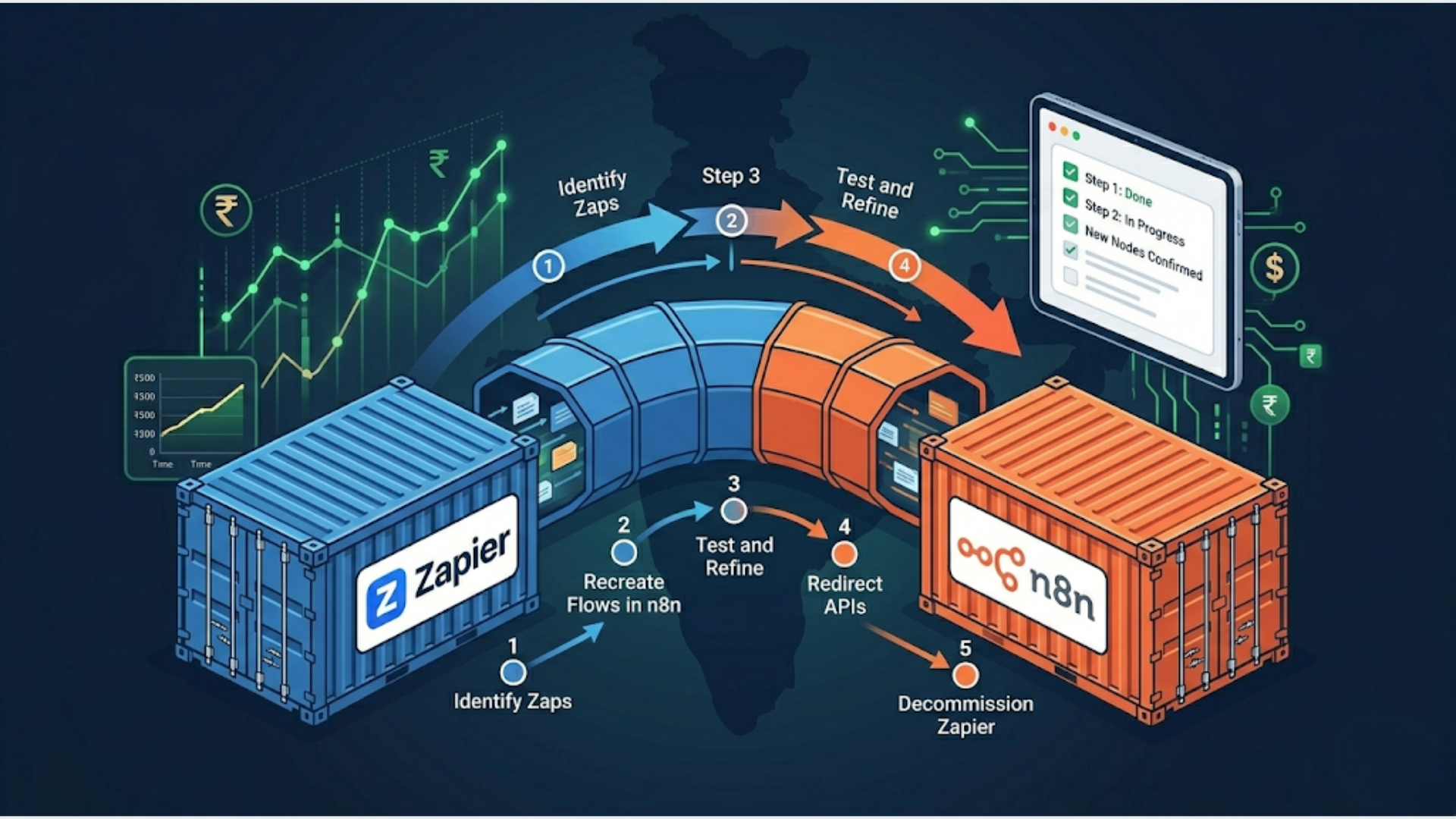
The migration takes 5 steps: audit your Zaps, map each one to n8n equivalents, rebuild in n8n, parallel-run both systems for 2 weeks, then cut over. Most teams with 10 to 30 Zaps complete the full migration in 2 to 4 weeks. Larger setups with 50+ Zaps and complex multi-path logic take 4 to 8 weeks.
Teams that migrate off Zapier smoothly follow a process. The ones that turn into a mess try to rebuild everything at once without an audit. This guide covers the exact process, stripped of the fluff.
The 5-Step Migration Process
Step 1: Audit every Zap you have.
Log into Zapier, go to your Zaps list, and export or screenshot every active Zap. For each one, document: the trigger, every action step, any filters or paths, which apps are connected, and how many tasks it runs per month. You need this inventory before touching n8n.
Most teams discover they have 20 to 40% more Zaps than they thought. Some are duplicates. Some are broken and haven’t run in months. The audit usually kills 5 to 10 Zaps before you even start rebuilding.
Step 2: Map each Zap to its n8n equivalent.
n8n has native nodes for most popular apps. But the node names and configurations differ from Zapier. A Zapier “Zap” becomes an n8n “workflow.” A Zapier “action” becomes an n8n “node.” Filters become IF nodes. Paths become Switch nodes.
Go through your audit list and check the n8n integrations page for each app you use. Flag any Zapier premium apps that don’t have n8n equivalents. These are your migration risks. More on handling those in the gotchas section below.
Step 3: Rebuild in n8n.
Start with your simplest Zaps. Two to three step workflows that trigger on a webhook or schedule and push data to one destination. Get comfortable with n8n’s visual editor before tackling the complex ones.
For each workflow: create the trigger node, add the processing nodes, configure credentials, and test with real data. n8n lets you execute individual nodes, which makes debugging much faster than Zapier’s “run the whole Zap and hope” approach.
Step 4: Parallel-run for 2 weeks.
Don’t turn off Zapier yet. Run both systems simultaneously for at least 2 weeks. Compare outputs. Check that every record that Zapier creates also gets created by n8n. This catches edge cases that testing with sample data misses.
The parallel run is non-negotiable. I’ve seen migrations where everything tested perfectly but broke on a specific date format that only appeared in 2% of records. Two weeks of parallel running catches these.
Step 5: Cut over.
Once parallel running confirms parity, disable your Zapier Zaps (don’t delete them yet), and let n8n handle everything. Keep Zapier active but paused for 30 days as a safety net. After 30 days with no issues, cancel Zapier.
When Migration Makes Sense (and When It Doesn’t)
Not every team should migrate. Here’s the honest decision matrix.
| Factor | Migrate to n8n | Stay on Zapier |
|---|---|---|
| Monthly Zapier bill | Over $50/month | Under $50/month |
| Team technical skill | Comfortable with basic server management or willing to use n8n cloud | No technical person on team |
| Number of Zaps | 10+ active Zaps | Under 5 simple Zaps |
| Workflow complexity | Multi-step, conditional logic, data transformation | Simple A-to-B connections |
| Data sensitivity | Need data on your own servers | No compliance requirements |
| Custom API needs | Frequently need HTTP request nodes | Rarely need custom integrations |
Stay on Zapier if: You have 3 to 5 simple Zaps, no one on your team can manage a server, and your bill is under $50 per month. The migration effort won’t justify the savings.
Migrate if: Your Zapier bill keeps climbing, you need workflows that Zapier makes awkward (loops, complex branching, custom code), or you want your automation data on infrastructure you control. The break-even point for most teams is around $100 per month on Zapier. Above that, migration pays for itself within 3 to 6 months.
If you’re somewhere in the middle and aren’t sure, consider n8n Cloud as a stepping stone. You get n8n’s interface without managing servers. It costs more than self-hosted but less than Zapier at scale.
Cost Savings Calculator
Here’s what the numbers look like across three common scenarios. I’m comparing Zapier’s current pricing against n8n self-hosted (on a $10-15/month VPS) and n8n Cloud.
| Scenario | Zapier Cost/Month | n8n Self-Hosted/Month | n8n Cloud/Month | Annual Savings (Self-Hosted) |
|---|---|---|---|---|
| 10 Zaps, 2,000 tasks | $49.99 (Professional) | $10-15 (VPS only) | $24 (Starter) | ~$420-480/year |
| 50 Zaps, 10,000 tasks | $149-299 (Team) | $15-25 (VPS) | $60 (Pro) | ~$1,500-3,300/year |
| 100+ Zaps, 50,000+ tasks | $599+ (Company) | $25-50 (VPS) | $120+ (Enterprise) | ~$6,600-7,200/year |
These numbers don’t include the one-time migration cost. If you’re hiring someone to do the migration, budget $500 to $3,000 depending on complexity. Even with that, the 100+ Zaps scenario pays back migration costs in the first month.
The self-hosted numbers assume a single VPS running n8n with a PostgreSQL database. For high-volume setups (50,000+ executions per month), you’ll want a beefier server or a managed database, which pushes the VPS cost to $25 to $50 per month. Still a fraction of Zapier.
One thing Zapier doesn’t show you: task limits. When you hit your plan’s task ceiling mid-month, Zapier either stops your Zaps or charges overage. n8n self-hosted has no task limits. Run a million executions if your server can handle it.
Step-by-Step Rebuilding Guide
Exporting Your Zap Logic
Zapier doesn’t have a native export-to-n8n feature. You’ll extract the logic manually. For each Zap, document:
- Trigger type (webhook, schedule, app event)
- Each step’s app and action (e.g., “Google Sheets: Create Row”)
- Field mappings (which Zap fields map to which destination fields)
- Filter conditions
- Any Formatter or Code steps
I keep a spreadsheet with one row per Zap and columns for each of these. Takes 30 to 60 minutes for 20 Zaps. Tedious but essential.
Finding n8n Node Equivalents
Most Zapier apps have direct n8n equivalents. Google Sheets, Slack, Gmail, Airtable, Notion, HubSpot, Shopify, Stripe, all have native n8n nodes. The mapping is usually 1:1.
Where it gets tricky: Zapier’s built-in tools (Formatter, Digest, Delay, Looping) map to different n8n concepts.
| Zapier Feature | n8n Equivalent |
|---|---|
| Formatter (text) | String expressions in n8n or Code node |
| Formatter (date) | Date & Time node or Luxon expressions |
| Formatter (numbers) | Code node or expressions |
| Filter | IF node |
| Paths | Switch node |
| Delay | Wait node |
| Looping | SplitInBatches node |
| Digest | No direct equivalent (use Code node + external storage) |
| Code by Zapier | Code node (JavaScript or Python) |
| Webhooks by Zapier | Webhook node (built-in) |
Handling Multi-Step Workflows
Zapier’s linear step-by-step model becomes n8n’s visual node graph. This is actually an upgrade. In Zapier, a 10-step Zap is a long vertical list. In n8n, you can branch, merge, and loop visually.
For complex Zaps with Paths (Zapier’s branching feature), use n8n’s Switch node. Each path becomes a separate branch in the canvas. You can even merge branches back together, something Zapier makes impossible without workarounds.
Webhook Migration
If other systems send data to your Zapier webhooks, you’ll need to update those webhook URLs to point at n8n. Make a list of every external system that posts to a Zapier webhook URL. Update them to your n8n webhook URLs after testing. This is the step most people forget, and it breaks integrations on cutover day.
Common Gotchas During Migration
Premium app equivalents. Zapier has “premium” apps like Salesforce, NetSuite, and some database connectors that are locked behind higher-tier plans. n8n includes all integrations at every tier, but check that the n8n node supports the specific triggers and actions you use. Some n8n nodes cover 80% of an app’s API but miss niche endpoints. You can always use n8n’s HTTP Request node to fill gaps.
Polling vs webhooks. Zapier polls for new data on most triggers (checks every 1 to 15 minutes). n8n can use webhooks for instant triggers where the app supports it. This means some workflows actually run faster on n8n. But if you relied on Zapier’s polling interval as a natural rate limiter, your n8n workflows might fire too fast. Add Wait nodes if needed.
Error handling is different. Zapier auto-retries failed steps and sends you an email. n8n gives you explicit error handling through Error Trigger nodes and retry logic you configure yourself. More control, but you have to set it up. Don’t skip this. I’ve seen migrations where workflows ran fine for weeks, then silently failed on an API timeout because no one configured error handling.
Multi-path logic needs rethinking. Zapier Paths are limited to 3 to 5 branches. n8n’s Switch node handles unlimited branches, plus you can nest IF nodes. The logic is more powerful but the visual layout gets complex. Take time to organize your canvas. Future you will thank present you.
Credential management. Every app connection in Zapier needs to be re-authenticated in n8n. Budget time for this. If you have 15 apps connected in Zapier, that’s 15 OAuth flows or API key setups in n8n. Some (like Google) require creating a new OAuth app in Google Cloud Console for n8n.
Hosting n8n on Indian Cloud Providers
For Indian teams, hosting n8n close to your users reduces latency and keeps data within Indian jurisdiction. Here are your best options.
| Provider | Region | Monthly Cost (INR) | Specs | Best For |
|---|---|---|---|---|
| DigitalOcean | Bangalore (BLR1) | ₹800-1,700 ($10-20) | 2 vCPU, 2-4GB RAM | Small to medium setups |
| AWS (EC2) | Mumbai (ap-south-1) | ₹1,200-2,500 ($15-30) | t3.small/medium | Teams already on AWS |
| Hetzner | No India region (Finland/Germany) | ₹400-800 ($5-10) | 2 vCPU, 4GB RAM | Budget-conscious, no data residency needs |
| Railway | Auto-region | ₹800-1,600 ($10-20) | Managed container | Teams that don’t want server management |
| Linode (Akamai) | Mumbai | ₹800-1,700 ($10-20) | 2 vCPU, 2-4GB RAM | Alternative to DigitalOcean |
My recommendation for most Indian teams: DigitalOcean Bangalore droplet with 2GB RAM (₹800/month) running n8n via Docker Compose with a PostgreSQL database. This handles up to 10,000 to 15,000 workflow executions per month comfortably. If you outgrow it, upgrade to 4GB RAM.
If data residency matters for your industry (finance, healthcare, government contracts), stick with DigitalOcean Bangalore or AWS Mumbai. Both keep your data physically in India. Hetzner is significantly cheaper but your data sits in Europe.
For the actual deployment, n8n’s Docker setup guide gets you running in under 30 minutes. Use Docker Compose, not bare metal installation. It makes updates trivial: pull the new image, restart, done.
One thing to budget for: backups. Your n8n instance holds all your workflow definitions and execution history. Set up automated daily backups of the PostgreSQL database to Google Drive or S3. A corrupted database without backups means rebuilding every workflow from scratch. Recovering from this situation is painful. It’s not fun.
If managing servers isn’t your thing, n8n Cloud removes all infrastructure concerns. You pay more per month but get automatic updates, backups, and scaling. For teams migrating from Zapier specifically because of cost, self-hosted usually makes more sense. For teams migrating because of flexibility and features, n8n Cloud is a valid middle ground.
Need help with the actual migration? I’ve moved teams from Zapier to n8n across e-commerce, insurance, and professional services. If your setup is complex (30+ Zaps, custom code steps, multi-path logic), a guided migration saves weeks of trial and error. See how we handle automation migrations.
FAQ
Q1: How long does Zapier to n8n migration take? A: For 10 to 20 simple Zaps (2 to 3 steps each), expect 1 to 2 weeks including the parallel-run period. For 30 to 50 Zaps with moderate complexity, 3 to 4 weeks. For 100+ Zaps with custom code, multi-path logic, and many integrations, 6 to 8 weeks. The audit and mapping phase takes about 30% of total time. Don’t rush it. A thorough audit prevents rebuilding the wrong Zaps.
Q2: Can I export my Zapier Zaps to n8n? A: Not directly. There’s no native export format that works between the two platforms. You’ll manually recreate each workflow in n8n using your Zap’s logic as a reference. Some community tools attempt to parse Zapier’s internal format, but they’re unreliable and don’t handle complex Zaps. The manual rebuild is actually a benefit: it forces you to review and optimize each workflow instead of blindly copying broken or redundant automations. For more on n8n’s capabilities, see our detailed breakdown.
Q3: Is n8n self-hosted really free? A: Yes, n8n’s Community Edition is fully free and open-source under a “fair-code” license. You can run unlimited workflows with unlimited executions. What you pay for is the server to host it (₹400 to ₹2,500 per month depending on provider and specs). n8n’s paid Enterprise tier adds features like SSO, role-based access, external secrets management, and priority support. Most small to medium businesses never need the Enterprise tier. For more detail on self-hosting costs, see our n8n developer cost guide.
Q4: What Zapier apps don’t have n8n equivalents? A: Most mainstream apps (Google Suite, Slack, Shopify, Stripe, HubSpot, Airtable, Notion) have native n8n nodes. Where you’ll hit gaps: niche industry tools, some CRM platforms, and a few Zapier-exclusive integrations. n8n’s HTTP Request node fills most gaps since any app with a REST API can be connected manually. The apps that genuinely can’t work with n8n are those that only support Zapier’s proprietary integration layer with no public API. These are rare, but check before committing to migration.
Q5: Do I need a developer to migrate from Zapier to n8n? A: Depends on your workflows. If your Zaps are simple (trigger, one or two actions, no code steps), a technically comfortable non-developer can handle the migration using n8n’s visual editor. If your Zaps include Code by Zapier steps, complex data transformations, multi-path branching, or webhook integrations, you’ll benefit from a developer or an automation specialist for the initial migration. After migration, most teams manage their n8n workflows without ongoing developer support. For background on Zapier consultant rates, we’ve covered that separately.
Q6: How much will I save migrating from Zapier to n8n? A: At 10 Zaps on Zapier Professional ($49.99/month), self-hosted n8n saves roughly $35 to $40 per month, about $420 to $480 per year. At 50 Zaps on Zapier Team ($149 to $299/month), savings jump to $125 to $275 per month, or $1,500 to $3,300 annually. At 100+ Zaps on Zapier Company ($599+/month), you’re looking at $550+ per month in savings, over $6,600 per year. Factor in a one-time migration cost of $500 to $3,000 and you’re still net positive within 1 to 6 months depending on scale. The bigger your Zapier bill, the faster the payback.
Need help implementing this?
Book a free 30-minute discovery call. We'll map your current setup, identify quick wins, and outline what automation can do for your business.
Book a Free Discovery Call