Pabbly Connect vs Zapier: Which Is Cheaper in 2026?
Pabbly Connect vs Zapier compared on pricing, task limits, app integrations, reliability, and support. Honest 2026 breakdown with Indian pricing context.
Pabbly Connect vs Zapier: Which Is Cheaper in 2026?
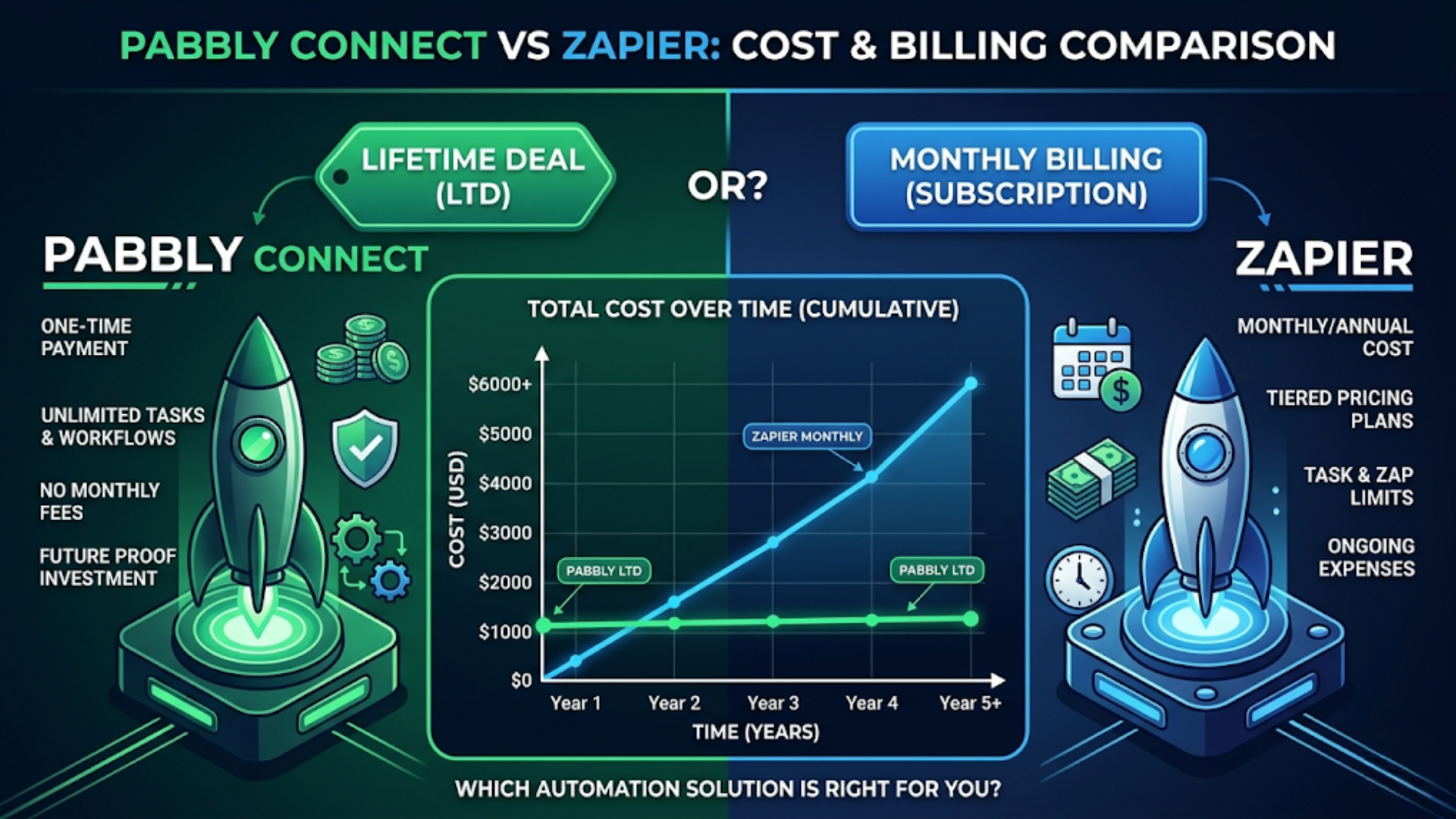
Pabbly Connect is 5x to 10x cheaper than Zapier for the same workflow volume. Pabbly’s lifetime plan gives you 12,000 tasks/month for a one-time $249 payment. Zapier charges $29.99/month for 750 tasks on their Starter plan, and $200+/month once you need serious volume.
That’s the headline. But cheaper isn’t always better. Zapier has 7,000+ app integrations vs Pabbly’s 2,000+. Zapier’s reliability and error handling are more mature. Zapier’s ecosystem of documentation, tutorials, and community support is vastly larger.
The question isn’t which is cheaper. It’s whether the cost savings of Pabbly justify the trade-offs. For many businesses, especially in India, the answer is yes. Here’s the full breakdown.
Pricing: The Core Comparison
This is where Pabbly wins by a mile, and it’s not subtle.
Pabbly Connect pricing (as of 2026):
| Plan | Tasks/Month | Price | Per-Task Cost |
|---|---|---|---|
| Free | 100 | $0 | $0 |
| Standard | 12,000 | $16/month (annual) | $0.0013 |
| Pro | 24,000 | $33/month (annual) | $0.0014 |
| Ultimate | 50,000 | $67/month (annual) | $0.0013 |
| Lifetime Standard | 12,000 | $249 one-time | Approaches $0 over time |
| Lifetime Pro | 24,000 | $499 one-time | Approaches $0 over time |
Zapier pricing (as of 2026):
| Plan | Tasks/Month | Price | Per-Task Cost |
|---|---|---|---|
| Free | 100 | $0 | $0 |
| Starter | 750 | $29.99/month | $0.040 |
| Professional | 2,000 | $73.50/month | $0.037 |
| Team | 50,000 | $448.50/month (shared) | $0.009 |
| Enterprise | Custom | Custom | Custom |
At equivalent volumes:
| Monthly Tasks | Pabbly Cost | Zapier Cost | Savings with Pabbly |
|---|---|---|---|
| 1,000 | $16/month | $29.99/month | 47% |
| 5,000 | $16/month | $73.50/month | 78% |
| 12,000 | $16/month | $73.50+/month (overages) | 78%+ |
| 25,000 | $33/month | $448.50/month (Team) | 93% |
| 50,000 | $67/month | $448.50/month | 85% |
The lifetime deal changes the math further. Pay $249 once, get 12,000 tasks per month forever (or until Pabbly changes terms, which is a risk worth noting). After 16 months of use, the lifetime plan is cheaper than Pabbly’s own monthly pricing.
How tasks are counted:
Both platforms count similarly. Each action step in a workflow equals one task. Triggers are free on both platforms. A workflow with a trigger and 4 action steps processing 100 records uses 400 tasks.
One difference: Pabbly counts internal steps (filters, routers, formatters) as tasks. Zapier does too for actions but some built-in formatting tools are free. The practical difference is small but worth knowing for complex workflows.
App Integrations and Quality
This is where Zapier pulls ahead significantly.
Zapier: 7,000+ app integrations. Most popular SaaS tools have official Zapier integrations maintained by the app companies themselves. This means better reliability, faster updates when APIs change, and deeper functionality (more trigger and action options per app).
Pabbly Connect: 2,000+ app integrations. Covers the most common tools (Google Workspace, Slack, Mailchimp, Shopify, HubSpot, Zoho, Stripe) but gaps appear with niche or newer tools.
Practical comparison for common use cases:
| Use Case | Zapier | Pabbly Connect |
|---|---|---|
| CRM (Zoho, HubSpot, Salesforce) | Full integration, many triggers/actions | Good, fewer action options |
| Google Workspace (Sheets, Gmail, Calendar) | Excellent | Good |
| Slack | Full integration | Good |
| Shopify | Official, deep | Available, basic |
| Stripe / Razorpay | Stripe official. Razorpay via webhook | Stripe available. Razorpay via webhook |
| WhatsApp (WATI, Interakt) | Via webhook or third-party | Via webhook |
| Email marketing (Mailchimp, ConvertKit) | Official integrations | Available for major platforms |
| Accounting (QuickBooks, Xero, Tally) | QuickBooks/Xero official. No Tally | QuickBooks/Xero. No Tally |
| Social media (Meta, LinkedIn) | Good for ads/leads | Basic |
| Payment (Razorpay, Cashfree, PayU) | Webhook-based | Webhook-based |
The webhook workaround:
Both platforms support webhooks, which is the universal fallback. If an app doesn’t have a native integration, you can usually connect it via webhook. The experience is clunkier (you’re building the connection yourself), but it works.
Pabbly leans on webhooks more than Zapier because of the smaller integration library. If you’re comfortable with webhooks and APIs, this gap narrows. If you want plug-and-play simplicity, Zapier’s larger library matters.
Community integrations:
Zapier’s ecosystem includes thousands of community-built integrations and templates. When you search “connect [App A] to [App B],” Zapier almost always has a pre-built template. Pabbly has fewer templates but is growing.
Reliability, Error Handling, and Support
Reliability matters more than price when your workflows handle customer-facing processes.
Zapier reliability:
- Mature platform, running since 2011
- Published uptime status page
- Retry logic for failed steps (automatic retries with configurable behavior)
- Detailed error logs with step-by-step execution history
- Conditional paths for error handling (built-in)
- Versioning: roll back to previous workflow versions
Pabbly Connect reliability:
- Younger platform (launched 2020)
- Generally reliable but occasional reports of delayed executions during high-load periods
- Basic retry mechanism (auto-retry failed tasks)
- Error logs available but less detailed than Zapier
- No built-in conditional error paths (you handle errors through workflow design)
- No version history for workflows
The practical difference:
For simple workflows (form submission to CRM, lead to email), both platforms are equally reliable. The workflow fires, it works, you never think about it.
For complex workflows with multiple branches, conditional logic, and high volume, Zapier’s error handling is more robust. When step 4 of a 7-step workflow fails, Zapier’s error path lets you route the failure to a notification or alternative action without killing the whole workflow. Pabbly requires more manual error handling design.
Support comparison:
| Pabbly Connect | Zapier | |
|---|---|---|
| Support channels | Email, live chat | Email, live chat (paid plans) |
| Response time | Typically 2-6 hours | Typically 4-12 hours (faster on higher plans) |
| Documentation | Good, improving | Extensive, with video tutorials |
| Community | Small but active (Facebook group) | Large (community forum, Reddit, YouTube) |
| Templates library | Growing | Thousands of pre-built templates |
Pabbly’s support is surprisingly responsive for its price point. Their live chat usually connects within minutes during business hours (IST). Zapier’s support is better documented but slower unless you’re on a higher-tier plan.
When Pabbly Connect Is the Right Choice
Pabbly wins when cost is the primary constraint and your integration needs are covered by their library.
Ideal Pabbly use cases:
-
Small businesses with straightforward workflows. Lead form to CRM. Invoice to email. Form submission to Google Sheet. These are commodity workflows where Zapier’s premium doesn’t add value.
-
High-volume, simple automations. If you process 10,000+ tasks per month across simple workflows, Pabbly’s pricing is dramatically better. A D2C brand sending order confirmations via WhatsApp might use 20,000 tasks/month. That’s $33/month on Pabbly vs $448+/month on Zapier.
-
Budget-conscious startups and solopreneurs. The lifetime deal at $249 eliminates recurring automation costs entirely. For someone building an MVP or running early operations, that’s one less bill to worry about.
-
Indian businesses. Pabbly is built by an Indian company (Navi Mumbai). They offer INR pricing, accept UPI and Indian payment methods, and their support operates in IST. No currency conversion fees. No waiting until US business hours for help.
-
Agencies managing multiple client automations. Pabbly’s pricing doesn’t scale per-client the way Zapier’s does. You can run workflows for 10 clients on one Pabbly account without per-client pricing jumps.
When Zapier Is Worth the Premium
Zapier wins when you need the ecosystem, the reliability, or the integrations that Pabbly can’t match.
Ideal Zapier use cases:
-
Non-technical teams. Zapier’s interface is more polished, the documentation is better, and there are more tutorials available. If the person building workflows has no technical background, Zapier’s learning curve is gentler.
-
Complex, multi-step workflows with error handling. Anything beyond 5 steps with conditional logic, filters, and error paths benefits from Zapier’s more mature workflow engine.
-
Enterprise integrations. Salesforce, ServiceNow, Workday, SAP. These integrations exist on Zapier and often don’t on Pabbly. If your stack includes enterprise tools, Zapier is likely the only option.
-
Teams that need collaboration. Zapier’s Team and Enterprise plans offer shared workflows, role-based access, and centralized billing. Pabbly is designed for individual accounts.
-
When a specific app integration exists only on Zapier. Check both platforms’ integration libraries before deciding. If the tool you need has a Zapier integration but not a Pabbly one, and webhook setup isn’t an option, the decision is made for you.
-
When reliability is non-negotiable. Payment processing workflows, compliance-related automations, customer-facing sequences. When a failed workflow costs money or reputation, Zapier’s track record provides insurance.
The India Factor: Why Pabbly Has a Home Advantage
Pabbly Connect is built by an Indian company. This matters more than you’d think.
INR pricing and payment methods:
Pabbly accepts Razorpay, UPI, net banking, and Indian credit/debit cards. No currency conversion. No foreign transaction fees. The pricing is listed in INR on their Indian site.
| Pabbly Plan | INR Price (Annual) | INR Price (Monthly) |
|---|---|---|
| Standard (12K tasks) | ~Rs 1,340/month | ~Rs 1,600/month |
| Pro (24K tasks) | ~Rs 2,750/month | ~Rs 3,300/month |
| Ultimate (50K tasks) | ~Rs 5,600/month | ~Rs 6,700/month |
| Lifetime Standard | ~Rs 20,750 one-time | N/A |
Zapier prices in USD. Rs 2,500/month for their Starter plan (750 tasks). Rs 6,100/month for Professional (2,000 tasks). Plus foreign transaction charges on your card.
Indian app integrations:
Pabbly has native integrations with Indian-specific tools that Zapier often lacks:
- Razorpay: Payment event triggers and actions
- Instamojo: Payment collection
- Cashfree: Payment processing
- MSG91: SMS sending
- Zoho suite: Deep integration (Zoho is also India-based)
- Shiprocket: E-commerce shipping
For Indian businesses that use a primarily Indian tech stack, Pabbly’s integration coverage may actually be better than Zapier’s, despite the smaller total number.
Support in IST:
Pabbly’s support team operates during Indian business hours. You don’t have to wait for US time zones. Their live chat is staffed during IST working hours with fast response times. The Facebook community group has active participation from the Pabbly team.
GST invoicing:
Pabbly provides GST-compliant invoices for Indian businesses. This matters for input tax credit. Zapier’s invoices come from a US entity, which complicates GST compliance for Indian companies.
Migration: Moving Between Platforms
Switching automation platforms isn’t trivial but it’s not catastrophic either.
Zapier to Pabbly:
- No automatic migration tool exists
- You’ll rebuild workflows manually in Pabbly
- Plan 30 minutes to 2 hours per workflow depending on complexity
- Re-authenticate all app connections
- Test thoroughly before turning off Zapier workflows
Pabbly to Zapier:
- Same manual process
- Zapier’s larger integration library means most Pabbly workflows can be replicated
- Some Pabbly webhooks may need to be replaced with native Zapier integrations (an upgrade, actually)
The pragmatic approach:
Don’t migrate everything at once. Build new workflows on the target platform. Migrate existing workflows one at a time, starting with the simplest. Keep both platforms running in parallel during the transition. Kill the old platform only when everything is verified on the new one.
For businesses evaluating both: start with Pabbly’s free tier (100 tasks) and Zapier’s free tier (100 tasks). Build the same workflow on both. See which interface and experience you prefer. The free tiers are limited but sufficient for evaluation.
FAQ
Is Pabbly Connect’s lifetime deal really lifetime? Pabbly has honored lifetime deals since launch in 2020. The terms say “lifetime of the product.” There’s inherent risk with any lifetime deal (the company could shut down or change terms), but Pabbly has been growing and there’s no indication of changes. It’s a calculated bet that has paid off for early buyers.
Can Pabbly Connect handle complex multi-step workflows? Yes, Pabbly supports multi-step workflows with filters, routers, and conditional logic. The interface is less polished than Zapier’s for complex builds, and error handling requires more manual design. For workflows under 10 steps, the experience is comparable. Beyond that, Zapier has the edge.
Does Pabbly Connect work with WhatsApp Business API? Pabbly connects to WhatsApp via webhook integrations with providers like WATI, Interakt, and the official WhatsApp Cloud API. It’s not a native one-click integration, but the webhook approach works reliably for sending messages, receiving webhooks, and managing conversations.
Which platform has better uptime? Zapier publishes uptime metrics and has a longer track record of reliability. Pabbly doesn’t publish formal uptime data. Anecdotally, both platforms are reliable for standard workflows. Zapier’s edge shows during high-volume periods where Pabbly occasionally reports delayed executions.
Can I use both Pabbly and Zapier together? Yes. Some businesses run simple, high-volume workflows on Pabbly (to save money) and complex, critical workflows on Zapier (for reliability). The platforms don’t interfere with each other. This hybrid approach gets you the best of both worlds.
Is Pabbly Connect good for agencies? Pabbly works well for agencies managing automations for multiple clients. The pricing doesn’t scale per-client, so you can run 50 client workflows on one account. The main limitation is collaboration features. There’s no team/role-based access, which matters if multiple team members build and maintain workflows.
How does Pabbly Connect handle Indian payment gateways? Pabbly has native or webhook-based integrations with Razorpay, Instamojo, and Cashfree. You can trigger workflows on payment events (successful payment, refund, subscription renewal) and take actions like sending receipts, updating CRM records, or notifying teams. This is one area where Pabbly actually has an edge over Zapier for Indian businesses.
Need help implementing this?
Book a free 30-minute discovery call. We'll map your current setup, identify quick wins, and outline what automation can do for your business.
Book a Free Discovery Call