Migrating from No-Code to Low-Code Automation: When and How
Signs you've outgrown Zapier or Make, what n8n gives you, migration strategy, and skill gap assessment. Complete guide for 2026.
Migrating from No-Code to Low-Code Automation: When and How
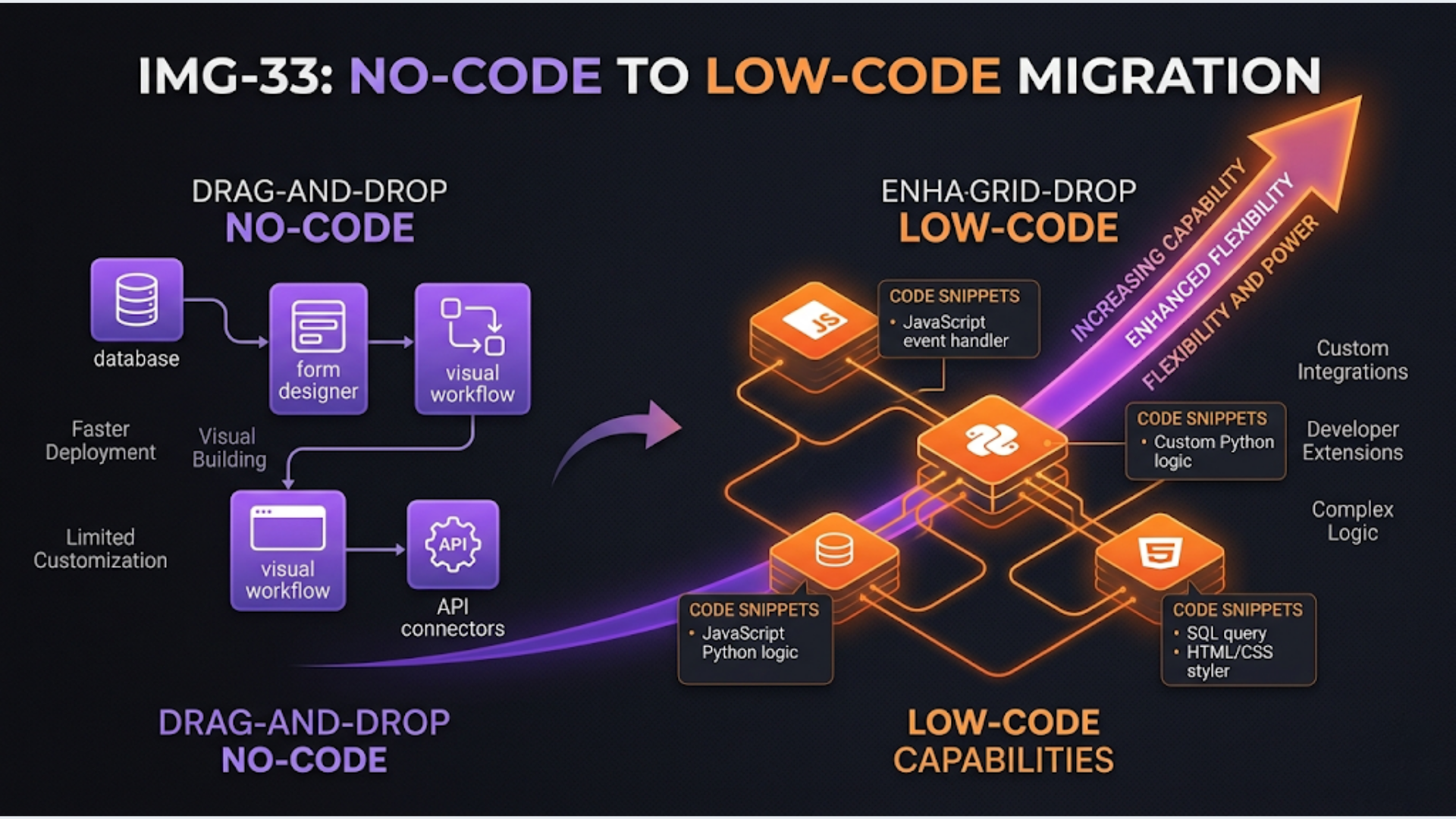
The tipping point is usually at 30-50 Zapier Zaps costing $300-800/month. At that scale, migrating to n8n (self-hosted) cuts your platform cost to near-zero and removes the feature limitations that are forcing workaround after workaround.
Businesses migrating from Zapier and Make to n8n follow a predictable pattern. The trigger is always the same: the business built 20-50 automations on a no-code platform, the bill kept climbing, and the workarounds for platform limitations started creating more problems than they solved.
This guide covers when to make the move, what you gain, how to execute the migration, and how to assess whether your team can handle it.
5 Signs You’ve Outgrown No-Code
Not every Zapier user needs to migrate. If you have 5-10 simple Zaps and they work fine, stay where you are. But if any of these signs sound familiar, you’ve outgrown your platform.
Sign 1: Your monthly bill is climbing faster than your automation count.
Zapier’s pricing scales with “tasks” (individual steps executed). A 5-step Zap that runs 100 times/day consumes 500 tasks/day, 15,000/month. Multiply across 30+ Zaps and you’re burning through task limits. The response is always the same: upgrade to a higher plan, pay more, hit the new ceiling in 3 months, repeat.
If you’re spending $300+/month on Zapier and the number keeps growing, the economics favor migration. n8n self-hosted has zero per-execution costs. Your only cost is the server (₹2,000-5,000/month for a VPS that handles most business workloads).
Sign 2: You’re building workarounds for missing features.
Classic examples:
- Using Google Sheets as a database because Zapier doesn’t support persistent storage
- Chaining 3 Zaps together because multi-branch logic isn’t supported in a single Zap
- Creating “delay” workflows with scheduled triggers because you can’t pause and resume
- Using Formatter steps to do basic data transformations that a single line of code would handle
When your Zap is 70% workaround and 30% actual business logic, the platform is fighting you, not helping you.
Sign 3: Error handling is keeping you up at night.
Zapier’s error handling is binary: it works or it doesn’t. When it doesn’t, you get an email notification. For simple automations, that’s fine. For business-critical workflows (payment processing, order fulfillment, customer onboarding), you need:
- Custom retry logic (not just “retry 3 times”)
- Error branching (if step 3 fails, do X instead of stopping entirely)
- Dead letter queues for failed items
- Alerting with context (not just “your Zap failed”)
No-code platforms treat error handling as an afterthought. In low-code platforms, it’s a first-class feature.
Sign 4: You need to call APIs that don’t have pre-built integrations.
Zapier supports 6,000+ apps. But the moment you need to call a custom API, a niche Indian SaaS tool, or your own backend, you’re writing “Code by Zapier” steps. Which are limited to 1 second execution time (seriously), can’t import external libraries, and have restrictive memory limits.
If more than 20% of your Zaps include Code steps, you’re using a no-code tool as a bad code execution environment.
Sign 5: You need webhook processing, queues, or scheduled batch jobs.
Zapier processes one trigger at a time. It’s event-driven and linear. When you need to:
- Process 500 webhook events in a burst (flash sale, event registration)
- Queue tasks and process them at a controlled rate
- Run batch operations (update 10,000 CRM records overnight)
- Aggregate data from multiple sources before taking action
You’re asking no-code to do something it wasn’t designed for.
What Low-Code (n8n) Actually Gives You
Let me be specific about what changes when you move from Zapier/Make to n8n. This isn’t a generic “low-code is better” pitch. These are concrete capabilities.
| Capability | Zapier | Make | n8n |
|---|---|---|---|
| Execution Cost | Per-task pricing | Per-operation pricing | Free (self-hosted) |
| Branching Logic | Limited (Paths) | Good (Routers) | Unlimited |
| Code Execution | 1-sec limit, no libraries | Basic JS | Full Node.js, any npm package |
| Error Handling | Retry or stop | Error routes | Custom retry, branching, dead letter |
| Webhook Handling | Basic | Good | Production-grade |
| Persistent Storage | None | None | Built-in (variables, static data) |
| Self-Hosting | No | No | Yes (full control) |
| Sub-Workflows | Limited | Yes | Yes (with data passing) |
| Scheduling | Cron triggers | Cron triggers | Cron + manual + webhook + CLI |
| Version Control | No | No | JSON export, Git integration |
| Custom Nodes | No | No | Yes (build your own) |
| Community Nodes | N/A | N/A | 900+ community-built |
| Execution Timeout | 30 sec | Depends on plan | Configurable (minutes, hours) |
The three things that matter most:
-
Cost predictability. Self-hosted n8n costs what your server costs. Period. No task-based pricing, no surprise bills, no “you need to upgrade” notifications. A $20/month VPS runs most small-to-medium business automation loads.
-
Real code when you need it. n8n’s Code node runs full Node.js. Import npm packages. Write complex data transformations. Call APIs with custom authentication. No execution time limits (configurable). No memory restrictions (within server limits). You use the visual builder for 80% of the workflow and drop into code for the 20% that needs it.
-
Error handling that works. Every node in n8n can have an error output. You can branch on errors, retry with custom logic, log failures to a database, send detailed Slack alerts with the exact error message and failed data, and queue failed items for manual review. This isn’t a nice-to-have. For business-critical automation, it’s essential.
Migration Strategy: The 6-Step Process
Migrating from Zapier/Make to n8n isn’t a weekend project if you have 30+ automations. But it’s also not the months-long nightmare some agencies quote. Here’s the process I follow.
Step 1: Inventory and Categorize (Day 1-2)
Export your entire Zapier/Make automation list. For each one, document:
- What it does (one sentence)
- Trigger type (webhook, schedule, app event)
- Number of steps
- Whether it uses Code steps
- Monthly task/operation consumption
- Business criticality (critical / important / nice-to-have)
Sort by business criticality. Your critical automations migrate last (they need the most testing). Start with nice-to-have and important workflows.
Step 2: Set Up n8n Infrastructure (Day 3-5)
- Provision a VPS (DigitalOcean, Hetzner, or AWS Lightsail). 2 vCPU, 4GB RAM handles most loads
- Install n8n via Docker (the recommended method)
- Configure SSL, reverse proxy (Caddy or Nginx), and persistent storage
- Set up automated backups of the n8n database
- Configure environment variables and credentials
Pro tip: Set up a staging n8n instance alongside production. Build and test on staging, deploy to production. This costs an extra $10-20/month and saves hours of debugging in production.
Step 3: Rebuild Credentials and Connections (Day 5-7)
Before building workflows, configure all your credentials in n8n:
- API keys for every service you connect to
- OAuth connections (Google, HubSpot, Slack, etc.)
- Webhook URLs for services that push data to you
- Database connections if applicable
Test each connection individually. A broken credential discovered mid-workflow-build wastes time.
Step 4: Migrate in Waves (Week 2-6)
Wave 1 (Week 2): Simple, non-critical workflows. Rebuild 5-10 simple automations. These are your learning exercises. You’ll figure out n8n’s interface, its quirks, and its strengths.
Wave 2 (Week 3-4): Important workflows. Mid-complexity automations. Likely involves branching logic, multiple API calls, and data transformation. This is where n8n’s advantages become obvious.
Wave 3 (Week 5-6): Critical workflows. Payment processing, order fulfillment, customer-facing automations. These get the most testing. Run them in parallel with the Zapier versions for at least one week.
Step 5: Parallel Run and Validation (Ongoing)
For every migrated workflow:
- Run both the Zapier version and n8n version simultaneously for 5-7 days
- Compare outputs. Every trigger should produce identical results
- Log any discrepancies and fix the n8n workflow
- Only decommission the Zapier version once the n8n version has run error-free for a full week
Step 6: Decommission and Optimize (Week 7-8)
- Turn off Zapier Zaps one by one as their n8n replacements are validated
- Downgrade your Zapier plan (or cancel entirely)
- Optimize n8n workflows: combine related automations, add better error handling, implement monitoring
- Document everything: what each workflow does, who owns it, what to check if it breaks
Skill Gap Assessment
Be honest about your team’s technical capability. n8n is more powerful than Zapier, but it requires more technical comfort.
You can handle n8n if your team:
- Can read JSON (understanding {key: value} pairs)
- Has edited basic JavaScript/Python (even just modifying existing code)
- Can follow API documentation to make a REST call
- Can SSH into a server and run basic commands
- Is comfortable with trial-and-error debugging
You should hire help if your team:
- Has never touched code of any kind
- Doesn’t know what an API is
- Can’t manage a VPS (updates, monitoring, backups)
- Needs every automation built, not just maintained
The middle ground: Hire someone to set up the n8n infrastructure, migrate the critical workflows, and train your team. Your team handles day-to-day maintenance and builds simple new workflows. This is the most common pattern I see.
Typical costs for assisted migration:
- Infrastructure setup + 10 workflow migrations: ₹75,000-1,50,000 ($900-1,800)
- Infrastructure + 30 workflow migrations + training: ₹2,00,000-4,00,000 ($2,400-4,800)
- Ongoing maintenance retainer: ₹15,000-30,000/month ($180-360)
The India Angle
Indian businesses migrating from no-code to low-code face a few specific considerations.
Server location matters. If your customers and systems are in India, host your n8n instance in Mumbai (AWS ap-south-1, DigitalOcean BLR1, or Hetzner’s India availability). This reduces webhook latency and keeps data within Indian borders (relevant for businesses handling financial or personal data).
Payment gateway integrations. Razorpay, Cashfree, and PayU don’t have pre-built n8n nodes (as of early 2026). You’ll use the HTTP Request node with their REST APIs. Not difficult, but requires reading their API docs and handling webhook verification manually. This is one of the first things to set up during migration.
WhatsApp BSP APIs. WATI, Interakt, and AiSensy all have REST APIs that work with n8n’s HTTP Request node. If you were using Zapier’s native WATI integration, you’ll rebuild these as HTTP-based workflows in n8n. The functionality is identical; the setup is slightly more manual.
Talent availability. n8n developers are less common than Zapier specialists in India, but the community is growing. The n8n community forum has an active Indian contingent. If you’re hiring, look for someone comfortable with Node.js and REST APIs. The n8n-specific skills are learnable in a week.
FAQ
How long does a full migration from Zapier to n8n take? For 20-30 automations: 4-6 weeks. For 50+ automations: 8-12 weeks. The bottleneck isn’t building workflows. It’s testing, parallel running, and handling edge cases.
Will I lose any functionality moving from Zapier to n8n? Rarely. n8n covers everything Zapier does and more. The main loss is Zapier’s massive library of 6,000+ pre-built app connections. n8n has 400+ built-in nodes plus 900+ community nodes, but niche apps may require custom HTTP integrations instead of one-click connections.
Can I migrate from Make (Integromat) to n8n? Yes. Make workflows are more similar to n8n’s visual style, so the mental model translates well. Make’s routers map to n8n’s IF/Switch nodes. Make’s HTTP modules map directly to n8n’s HTTP Request node. Migration from Make is generally smoother than from Zapier.
Is n8n reliable enough for business-critical automation? Yes, with proper infrastructure. Self-hosted n8n on a well-configured VPS with automated backups, monitoring, and alerts is production-grade. n8n Cloud is also an option if you don’t want to manage infrastructure. The key is treating it like any production system: monitor it, back it up, have a restart plan.
What about n8n Cloud vs self-hosted? n8n Cloud starts at $20/month for 2,500 executions. Self-hosted is free with unlimited executions but you manage the server. For most businesses doing the no-code to low-code migration, self-hosted is the better value. The whole point is escaping per-execution pricing.
Do I need to migrate everything at once? No. Run Zapier and n8n simultaneously during migration. Migrate workflows in waves, starting with non-critical ones. Keep your Zapier account active (maybe downgraded to a lower plan) until every workflow is validated on n8n. This approach adds 1-2 months but eliminates risk.
What’s the biggest migration risk? Webhook URL changes. When you move a workflow from Zapier to n8n, the webhook URL changes. Any service sending data to the old Zapier webhook URL needs to be updated to point to the new n8n URL. Miss one, and data stops flowing silently. Maintain a checklist of every webhook URL and verify each one post-migration.
Need help implementing this?
Book a free 30-minute discovery call. We'll map your current setup, identify quick wins, and outline what automation can do for your business.
Book a Free Discovery Call