n8n Self-Hosted vs Cloud: Which Should You Choose in 2026?
n8n self-hosted vs cloud compared on cost, setup, maintenance, data control, and uptime at 10, 50, and 100+ workflows. Practical guidance from a practitioner who runs both.
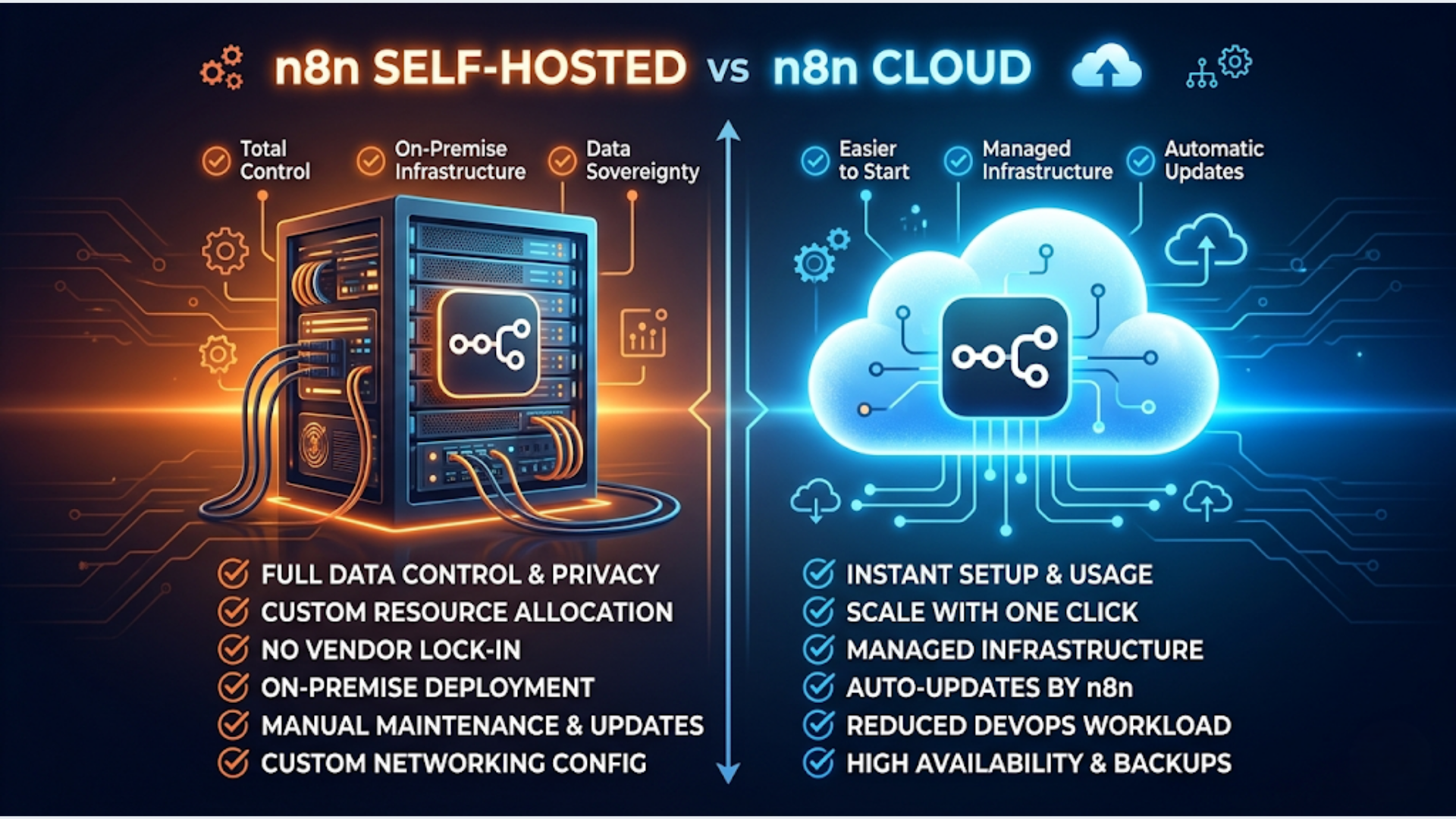
n8n Self-Hosted vs Cloud: Which Should You Choose in 2026?
Self-host n8n if you run 50+ workflows, need full data control, and have someone who can manage a Linux server. Use n8n Cloud if you want zero maintenance, need team collaboration features, and your workflow count stays under 50.
That’s the simple version. The real answer depends on your execution volume, your data residency requirements, and honestly, whether you have the patience for server maintenance at 2 AM when something breaks.
Both setups have their place. Self-hosted for internal production workflows. Cloud for quick client demos and smaller deployments. Here’s everything you need to make the right call.
Cost Comparison at 10, 50, and 100+ Workflows
Cost is the first question everyone asks, and the answer changes dramatically depending on scale.
n8n Cloud uses execution-based pricing. Every time a workflow runs, that’s one execution. n8n self-hosted (Community Edition) has zero execution limits. You pay for the server and nothing else.
Here’s what the numbers actually look like:
| Scale | n8n Cloud | Self-Hosted (Basic VPS) | Self-Hosted (Production VPS) |
|---|---|---|---|
| 10 workflows, ~5,000 exec/month | Starter: $24/month | $6/month (1 vCPU, 2GB) | $12/month (2 vCPU, 4GB) |
| 50 workflows, ~25,000 exec/month | Pro: $60/month | $12/month (2 vCPU, 4GB) | $24/month (4 vCPU, 8GB) |
| 100+ workflows, ~100,000 exec/month | Enterprise: $200+/month | $24/month (4 vCPU, 8GB) | $48/month (8 vCPU, 16GB) |
| Overage | $0.005/execution | None | None |
At 10 workflows, the cost difference is small. Maybe $12 to $18 per month. Not worth optimizing for.
At 50 workflows, you’re saving $36 to $48 per month by self-hosting. That’s meaningful over a year but still not life-changing.
At 100+ workflows, the gap explodes. Cloud pricing can hit $200 to $500 per month depending on execution volume. Self-hosted stays at $24 to $48 regardless of how many times your workflows fire. For agencies managing client workflows, this is where self-hosting becomes the obvious choice.
But raw server cost isn’t the full picture. Self-hosting has hidden costs that don’t show up on an invoice.
| Hidden Cost | Estimate |
|---|---|
| Initial server setup | 2-4 hours |
| Monthly maintenance (updates, monitoring) | 2-3 hours |
| Database management (PostgreSQL) | 1-2 hours/month |
| Backup configuration and testing | 1-2 hours initial, then automated |
| Incident response (when things break) | Varies. 0 most months, 4+ hours occasionally |
If you value your time at $50/hour, add $100 to $250 per month in labor costs to self-hosting. At that point, the math only works if you’re running high volume or have a strong non-cost reason (like data sovereignty).
Setup Complexity: What It Actually Takes
n8n Cloud setup takes about 15 minutes. Sign up, verify email, start building. There’s nothing to configure beyond your workflows.
Self-hosting is a different story.
Minimum requirements for self-hosted n8n:
- A Linux server (Ubuntu 22.04 or 24.04 recommended)
- Docker and Docker Compose installed
- PostgreSQL database (SQLite works for testing, never for production)
- Reverse proxy (Nginx or Caddy) with SSL
- Domain name pointed to your server
The actual setup steps:
- Provision a VPS (5 minutes on any cloud provider)
- Install Docker and Docker Compose (10 minutes)
- Create a docker-compose.yml for n8n with PostgreSQL (30 minutes if you’ve done it before, 2 hours if you haven’t)
- Configure Nginx/Caddy as reverse proxy with SSL (30 minutes)
- Set up DNS (5 minutes, plus propagation wait)
- Test the installation (15 minutes)
- Configure backups (30 minutes)
- Set up monitoring/alerting (30 minutes to 1 hour)
Total: 2 to 5 hours depending on experience.
That’s the initial setup. n8n Cloud gives you all of this out of the box. No Docker knowledge required. No SSL certificates to manage. No database to maintain.
For teams where nobody is comfortable with Linux server administration, Cloud is the correct choice. Full stop. Hiring someone to set up and maintain your self-hosted instance costs more than Cloud pricing unless you’re at serious scale.
Maintenance and Reliability
This is where the self-hosting vs cloud decision gets real.
n8n Cloud maintenance (what you handle):
- Your workflows. That’s it.
- n8n handles updates, uptime, scaling, backups, and security patches.
- Historical uptime has been solid. They publish a status page.
Self-hosted maintenance (what you handle):
- Operating system updates and security patches
- n8n version upgrades (new releases roughly every 2 weeks)
- PostgreSQL maintenance (vacuuming, backups, version upgrades)
- Docker container health monitoring
- SSL certificate renewals (automated with Let’s Encrypt, but still needs monitoring)
- Disk space management (workflow execution logs grow fast)
- Memory management (complex workflows with large payloads can exhaust RAM)
The n8n upgrade cycle is worth discussing specifically. n8n releases frequently. Some releases include breaking changes. On Cloud, they handle the migration. Self-hosted, you need to read the changelog, test the upgrade on a staging instance (if you have one), and then apply it to production.
Self-hosted instances often run versions 6+ months old because the operator didn’t want to risk breaking production workflows. That’s a real problem. Old versions miss bug fixes, security patches, and new nodes.
Reliability comparison:
| Factor | n8n Cloud | Self-Hosted |
|---|---|---|
| Uptime SLA | 99.9% (Enterprise) | Depends entirely on you |
| Auto-scaling | Yes | Manual (or configure yourself) |
| Automatic backups | Yes | You configure this |
| Disaster recovery | Handled by n8n | You handle this |
| Version updates | Managed, gradual rollout | Manual, you decide when |
| Monitoring | Built-in | You set up (Uptime Kuma, Grafana, etc.) |
If a self-hosted instance goes down at midnight and nobody notices until morning, every workflow that was supposed to fire in that window is lost. n8n doesn’t have a built-in retry mechanism for missed scheduled triggers. You need external monitoring to catch this.
Data Control and Compliance
This is the strongest argument for self-hosting and the one that Cloud can’t match regardless of pricing.
With self-hosted n8n, your data never leaves your infrastructure. Workflow definitions, execution logs, credentials, API keys, and every piece of data that flows through your automations stays on your server.
This matters for:
- Healthcare (HIPAA): Patient data in automated workflows must stay within controlled infrastructure
- Finance: Transaction data, account information, PII
- Legal: Client communications, case data
- Government contracts: Data residency requirements
- EU operations: GDPR compliance where you need to guarantee data stays within specific jurisdictions
n8n Cloud stores data on their infrastructure (hosted on AWS in the EU and US). They’re SOC2 compliant and take security seriously. But for organizations with strict data residency requirements, “trust us” isn’t enough. They need to own the infrastructure.
Credential storage is another consideration. In self-hosted n8n, credentials are encrypted and stored in your PostgreSQL database. In Cloud, they’re stored on n8n’s infrastructure. For organizations that manage dozens of API keys, OAuth tokens, and database credentials, keeping those on your own infrastructure is a meaningful security advantage.
One practical note: self-hosting doesn’t automatically make you more secure. A poorly configured VPS with no firewall, no automatic updates, and root SSH access is far less secure than n8n’s managed Cloud infrastructure. Self-hosting gives you control. Control without competence is worse than managed hosting.
Collaboration and Team Features
n8n Cloud wins here. It’s not close.
Cloud team features:
- Multiple user accounts with role-based access
- Workflow sharing and collaboration
- Audit logs (who changed what, when)
- Environment variables shared across the team
- SSO integration (Enterprise plan)
- Workflow version history
Self-hosted team features:
- Basic user management (added in recent versions)
- Limited role-based access
- No built-in audit trail
- Workflow sharing through manual export/import
If you’re a solo operator or a small agency where one person manages all the automations, self-hosted works fine. The collaboration gap doesn’t matter because there’s no one to collaborate with.
If you have a team of 3+ people building and maintaining workflows, Cloud’s collaboration features save significant coordination overhead. Knowing who changed a workflow and when is invaluable for debugging production issues.
The Enterprise Cloud plan adds workflow environments (development, staging, production), which is something self-hosted users have to jerry-rig with separate instances.
The India Factor: Self-Hosting on Local Infrastructure
For teams in India, self-hosting has specific advantages that tilt the math further.
DigitalOcean Bangalore (BLR1) datacenter:
- 2 vCPU, 4GB RAM droplet: $24/month (~Rs 2,000)
- Data stays in India
- Low latency to Indian APIs (Razorpay, WATI, Zoho, 99acres)
- Good for compliance with data localization norms
AWS Mumbai (ap-south-1):
- t3.medium (2 vCPU, 4GB): ~$30/month (~Rs 2,500)
- Better for enterprises already on AWS
- RDS PostgreSQL available for managed database
- More expensive but more robust
Hetzner (no Indian datacenter, but cheapest option):
- CAX21 (4 vCPU ARM, 8GB): roughly $7/month (~Rs 590)
- Excellent for budget setups
- Data stored in Germany or Finland
- Higher latency to Indian services
For Indian businesses, the data localization angle is becoming more relevant. The Digital Personal Data Protection Act (DPDP) 2023 has provisions for data localization that are being clarified through rules still being finalized. If you process Indian customer data through your workflows, hosting on Indian infrastructure is the safe play.
The cost advantage is even more pronounced in India. n8n Cloud is priced in USD. A $60/month Cloud plan is Rs 5,000. A DigitalOcean BLR droplet that handles the same workload is Rs 2,000. That gap matters more when you’re running a bootstrapped operation.
One thing to watch: Indian cloud providers like E2E Networks and Jio Cloud are becoming viable alternatives for self-hosting. Pricing is competitive and data residency is guaranteed. Worth evaluating if you’re committed to keeping everything within India.
Decision Framework: Which Setup Fits Your Situation
Stop thinking about this as a permanent decision. The right answer depends on where you are right now.
Choose n8n Cloud if:
- You run fewer than 50 workflows
- Nobody on your team manages Linux servers
- You need team collaboration features
- You want zero maintenance overhead
- You’re testing n8n before committing to it
- Your compliance requirements are standard (SOC2 is sufficient)
Choose self-hosted n8n if:
- You run 50+ workflows and execution volume is high
- You or someone on your team is comfortable with server administration
- Data sovereignty or residency is a hard requirement
- You’re an agency managing workflows for multiple clients
- You need to install community nodes that aren’t available on Cloud
- You want zero per-execution costs regardless of scale
Start with Cloud, migrate to self-hosted later if:
- You’re not sure yet. Cloud lets you learn n8n without infrastructure distractions
- Your workflow count is growing and you’re approaching Cloud’s cost ceiling
- You initially needed speed but now need control
Migration from Cloud to self-hosted is possible. Export your workflows as JSON, import them into your self-hosted instance. Credentials need to be re-entered manually (they don’t export for security reasons). It takes 1 to 2 hours for a small setup, half a day for a complex one.
The mistake I see most often: people self-hosting with 5 workflows because they read that it’s “free.” It’s not free. Your time has value. If you’re running a handful of workflows, Cloud is the better use of your resources.
The other mistake: people staying on Cloud with 100+ workflows because they’re scared of migration. At that scale, you’re paying a premium for convenience you might not need.
Pick the setup that matches your current scale and constraints. Revisit in 6 months.
FAQ
How much does it cost to self-host n8n on a VPS in 2026? A production-ready self-hosted n8n setup costs $12 to $48 per month depending on server size. This includes a VPS, PostgreSQL database, and backups. The main variable is how many workflows you run and how memory-intensive they are.
Can I migrate from n8n Cloud to self-hosted without losing workflows? Yes. Export workflows as JSON from Cloud and import them into your self-hosted instance. Credentials must be re-entered manually since they don’t export for security. Plan 1 to 4 hours depending on complexity.
Is n8n self-hosted really free? The n8n Community Edition software is free under a fair-use license. But you pay for the server, database hosting, and your time managing it. Realistic all-in cost is $12 to $48 per month for infrastructure plus 2 to 4 hours monthly for maintenance.
What’s the minimum server spec for self-hosted n8n? Minimum is 1 vCPU and 2GB RAM for light usage (under 20 workflows). For production with 50+ workflows, use at least 2 vCPU and 4GB RAM. Complex workflows processing large datasets need 4 vCPU and 8GB or more.
Does n8n Cloud store my API credentials on their servers? Yes. Credentials are encrypted at rest, and n8n is SOC2 compliant. But the encrypted credentials live on n8n’s infrastructure. If your compliance requirements mandate that credentials stay on your own infrastructure, self-hosting is the only option.
Which Indian cloud providers work best for self-hosting n8n? DigitalOcean Bangalore and AWS Mumbai are the most common choices. DigitalOcean is cheaper and simpler. AWS is better for enterprises needing managed databases and more infrastructure options. Indian providers like E2E Networks are emerging as budget alternatives with guaranteed data residency.
Can I use n8n self-hosted for client projects as an agency? Yes, and many agencies do. The Community Edition’s fair-use license allows this. You get unlimited workflows and executions, which is critical when managing automations for multiple clients. Just ensure you have proper monitoring and backup systems in place.
Need help implementing this?
Book a free 30-minute discovery call. We'll map your current setup, identify quick wins, and outline what automation can do for your business.
Book a Free Discovery Call