Client Onboarding + Invoicing Automation for Agencies and Consultants
Automate client onboarding, document collection, project setup, invoicing, and payment follow-up for agencies and consultants. Complete workflow with Zoho CRM, n8n, and Cal.com.
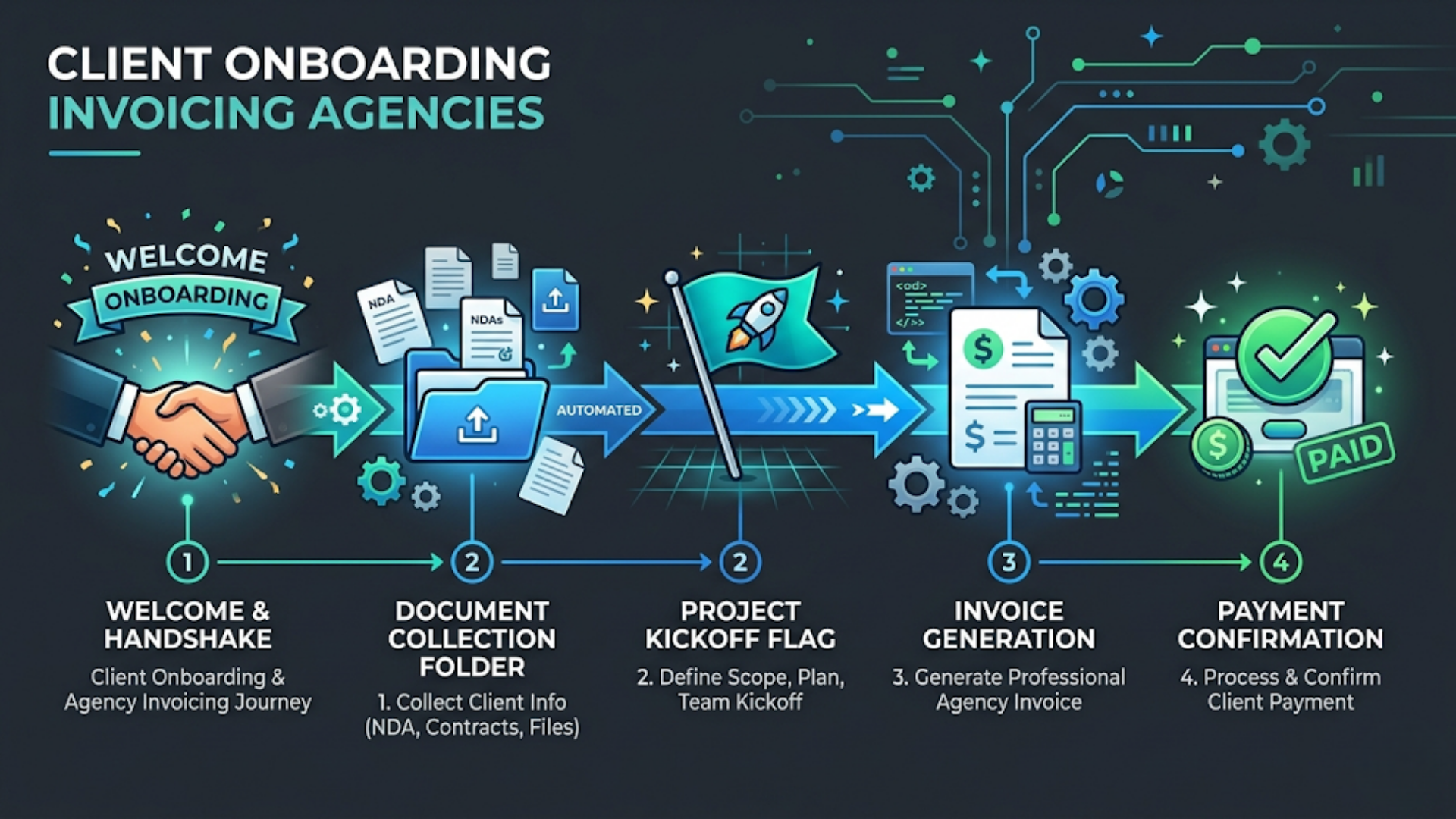
Client Onboarding + Invoicing Automation for Agencies and Consultants
Automated client onboarding cuts the time from signed contract to project kickoff from 5-10 days to 24-48 hours. Automated invoicing eliminates 6-10 hours/month of manual billing work and reduces payment delays by 40-60%. The stack: Zoho CRM (client management) + Zoho Invoice or Stripe Billing (invoicing) + Cal.com (scheduling) + n8n (orchestration) + WhatsApp/email (communication). Total setup cost: $1,500-5,000.
I run an automation agency. I’ve also built onboarding and invoicing systems for other agencies, consultants, and professional services firms. The irony isn’t lost on me: agencies that build systems for clients often have the worst internal systems. Onboarding is a mix of email threads, forgotten welcome docs, and the client asking “so what happens now?” three days after signing.
The fix is a sequence. Every step triggers the next step. Nothing falls through the cracks because nothing depends on someone remembering to do it.
The Onboarding Sequence: 8 Automated Steps
From the moment a client signs to the moment they’re in your project management tool, here’s everything that should happen without manual intervention.
Step 1: Contract Signed (Trigger)
The signed contract is the trigger for the entire onboarding automation. Whether you use DocuSign, PandaDoc, Zoho Sign, or even a simple “Reply YES to confirm,” the completion event kicks off the sequence.
Automated actions on contract signature:
- Deal status updates to “Won” in your CRM
- Client record moves to “Active Client” pipeline
- Welcome email sends within 5 minutes (not a generic “thanks for choosing us,” but a specific email with what happens next, timeline, and their dedicated contact)
- Calendar invite for kickoff call is generated with booking link
- Client portal access is created (if you use one)
- Internal Slack notification: “[Client Name] just signed. Project: [Project Name]. ACV: [Amount].”
The welcome email is critical. It sets expectations. It tells the client exactly what they need to provide, by when, and what the next 7 days look like. Most agencies send a “welcome aboard!” email and then go silent for 3-4 days while they scramble to set things up internally. That silence creates anxiety. The client wonders if they made the right decision. The automated welcome sequence eliminates that gap entirely.
Step 2: Document and Access Collection
Every client engagement requires documents and access credentials. For a digital agency, that’s brand guidelines, logos, existing analytics access, CMS credentials, social media logins, and any existing content libraries. For a consulting firm, it’s financial statements, org charts, stakeholder lists, and existing process documentation.
Automated flow:
A structured form (Typeform, Tally, or Zoho Forms) is sent to the client immediately after the welcome email. The form is project-type specific. A website redesign client gets different fields than a marketing automation client. The form includes file upload fields for documents and text fields for credentials.
When the client submits, n8n processes the submission: files are organized into the client’s folder in Google Drive or Dropbox, credentials are stored in your password manager via API (1Password or Bitwarden), and the CRM record is updated with a “documents received” flag. If the client hasn’t submitted within 48 hours, an automated reminder fires. After 72 hours, a second reminder with a specific nudge: “We’re ready to start, just waiting on [specific items].”
What this replaces: The back-and-forth email chain where you ask for the logo, the client sends a 200x200 pixel JPEG, you ask for a high-res version, they send an SVG two days later, and then you realize they never sent analytics access. That thread has 14 messages and took 8 days. The automated form gets everything in one shot, with validation.
Step 3: Kickoff Call Scheduling
Cal.com (or Calendly) handles this. The booking link is embedded in the welcome email. The client picks a time that works. No email ping-pong.
Automated actions on booking:
- Calendar event created for the client, project manager, and any relevant team members
- Zoom/Google Meet link auto-generated and included in the invite
- Pre-call questionnaire sent to the client (if applicable): “What does success look like for this project? What are your top 3 concerns?”
- Internal reminder set for 1 hour before: “Kickoff with [Client] in 1 hour. Review their onboarding form submission before the call.”
Step 4: Project Setup
After the kickoff call (or in parallel if your process allows), the project infrastructure is created.
Automated flow:
n8n creates the project in your PM tool (Asana, ClickUp, Notion, or whatever you use). Project template is applied based on project type. Standard milestones, task lists, and deadlines are populated. Client is invited as a guest viewer (read-only access to project status). Slack channel is created: #client-[clientname]. Internal team is added. Project brief document is generated from the CRM deal data and the client’s onboarding form responses.
Template-based project setup is the key. You shouldn’t be building project plans from scratch for each client. If 80% of your projects follow the same pattern (and they do), template the pattern and customize the 20% manually.
Step 5: First Invoice
The first invoice should go out within 24 hours of contract signature. For retainer clients, it’s the first month’s fee. For project-based work, it’s the deposit or first milestone payment.
Automated flow:
Contract signature triggers invoice creation in Zoho Invoice, QuickBooks, or Stripe Billing. Invoice details are pre-populated from the CRM deal: client name, billing address, project name, agreed amount, payment terms, and tax details. Invoice is sent via email with a payment link (Stripe, Razorpay, or bank transfer details).
For recurring retainers, a subscription is created: automatic invoice generation and sending on the same date each month. No manual intervention. If the client is on a 3-month retainer billed monthly, the system creates 3 scheduled invoices at contract signature.
Step 6: Payment Follow-Up
Payment is confirmed: great. Invoice is overdue: the system handles it.
Automated follow-up sequence:
- Invoice sent: Day 0
- Payment not received, gentle reminder: Day 7 (“Just a reminder that invoice #INV-2026-042 is due on [date].”)
- Firm reminder: Day 14 (“Invoice #INV-2026-042 is now 7 days overdue. Please arrange payment at your earliest convenience.”)
- Escalation: Day 21 (internal notification to you: “[Client] is 14 days overdue on ₹X. Manual follow-up required.”)
- Final automated notice: Day 30 (“This is our final automated reminder for invoice #INV-2026-042. Please contact [your name] directly if there’s an issue.”)
After Day 30, a human takes over. But the automation handles the first 30 days, which is where 90% of late payments get resolved. Most clients aren’t intentionally late. They forgot, or the invoice got buried in their inbox. The automated reminders fix that without you having to remember to follow up.
Payment confirmation automation:
When payment is received (Stripe webhook, Razorpay webhook, or manual mark-as-paid in your invoicing tool), the system sends a thank-you receipt via email, updates the CRM with payment status, and triggers the next phase of the project if milestone-based.
Step 7: Recurring Invoicing and Revenue Tracking
For retainer clients, monthly invoicing should be completely automated.
The flow:
On the 1st of each month (or whatever your billing cycle is), Zoho Invoice or Stripe Billing auto-generates and sends invoices for all active retainer clients. The system tracks: monthly recurring revenue (MRR), outstanding receivables, average days-to-payment per client, and clients approaching contract renewal dates.
A weekly summary report is auto-generated and sent to you (the agency owner) every Monday morning: total MRR, invoices sent this week, invoices overdue, cash collected, and any clients flagged for attention.
Revenue leakage detection:
The automation flags: clients on expired contracts who are still receiving services (you forgot to renew), clients who haven’t been invoiced in 30+ days (a missed billing cycle), and scope creep that should trigger additional billing (tracked hours exceeding the retainer agreement). These flags show up in your Monday morning report. No revenue falls through the cracks.
Step 8: Client Offboarding
When a project ends or a retainer is cancelled, the offboarding automation ensures clean closure.
Automated flow:
- Final invoice generated with any outstanding charges
- Access revocation checklist generated (CMS credentials changed, tool access removed, shared drives updated)
- Exit survey sent via email or WhatsApp
- CRM status updated to “Inactive Client”
- Reactivation reminder set for 6 months: “Check in with [Client] to see if they need anything”
- Client moved to “Alumni” email list for occasional updates
The Complete Tool Stack
| Component | Recommended Tool | Cost | Alternative |
|---|---|---|---|
| CRM | Zoho CRM | $14-23/user/mo | HubSpot Free |
| Invoicing | Zoho Invoice | Free (5 clients) | Stripe Billing |
| Scheduling | Cal.com | Free (basic) | Calendly ($8/mo) |
| Orchestration | n8n | $20-50/mo (cloud) | Zapier ($20/mo) |
| Project Management | ClickUp | Free (basic) | Asana, Notion |
| E-Signature | Zoho Sign | $12/mo | DocuSign ($10/mo) |
| Communication | Gmail + WhatsApp | $0-49/mo | SendGrid |
| File Storage | Google Drive | $6/user/mo | Dropbox |
Total monthly cost for a solo consultant: $50-120/month Total monthly cost for a 5-person agency: $150-400/month
The Zoho suite has an unfair advantage here. If you use Zoho CRM, Zoho Invoice, Zoho Sign, Zoho Projects, and Zoho Books, the entire onboarding-to-invoicing flow stays within one ecosystem. Native integrations. No middleware needed for basic flows. n8n fills in the gaps for WhatsApp notifications, external tool connections, and custom logic.
The India Stack: GST Invoicing and Razorpay
Indian agencies and consultants have billing requirements that most global invoicing tools handle poorly.
GST invoicing compliance:
Every invoice issued by an Indian business must include: GSTIN of the seller and buyer (if registered), HSN/SAC code for the service provided, GST rate breakdown (CGST + SGST for intra-state, IGST for inter-state), and the correct invoice numbering sequence as prescribed by GST rules.
Zoho Invoice handles GST natively. It auto-calculates the correct tax split based on seller and buyer state, generates GST-compliant invoices with all required fields, and exports data in the format needed for GST return filing. If your accountant uses Tally or ClearTax for GST returns, Zoho Invoice exports are compatible.
For agencies using Stripe Billing or international invoicing tools: these don’t generate GST-compliant invoices. You’ll need a separate Indian invoicing tool (Zoho Invoice, ClearTax, or Razorpay Invoices) for domestic clients. This is non-negotiable for compliance.
Razorpay payment links for easier collection:
Indian clients prefer paying via UPI, net banking, or credit card through a payment link rather than processing a bank transfer. Razorpay payment links are the simplest way to enable this.
The automated flow: Zoho Invoice generates the invoice. n8n extracts the invoice amount and client details. Creates a Razorpay payment link. Embeds the payment link in the invoice email and WhatsApp reminder. Client clicks the link, pays via UPI/card, done. Razorpay webhook confirms payment. n8n marks the invoice as paid in Zoho Invoice. Client receives a receipt.
Cost: Razorpay charges 2% for domestic payments (credit/debit card, net banking) and 0% for UPI. For a ₹1,00,000 invoice paid via UPI, you pay ₹0 in transaction fees. This is significantly cheaper than Stripe’s 2.5%+ for Indian payments.
WhatsApp invoice delivery:
For Indian clients, sending the invoice via WhatsApp in addition to email increases payment speed by 3-5 days on average. The WhatsApp message includes: invoice summary (client name, amount, due date), a direct payment link, and a PDF attachment of the formal invoice. Open rate: 90%+ vs 40-50% for email.
TDS deduction handling:
Indian clients deduct TDS (Tax Deducted at Source) before payment. You invoice ₹1,00,000, the client pays ₹90,000 (after 10% TDS deduction). Your invoicing system needs to handle this: accept partial payment (90% of invoice value) and mark the TDS portion separately. Zoho Invoice supports this natively. Most international invoicing tools don’t. If you’re building custom, add a TDS field to your invoice template and adjust the payment reconciliation logic.
Template Workflows You Can Copy
Here are the core n8n workflows that power the entire system. Each is a standalone workflow that can be imported and customized.
Workflow 1: Contract-to-Welcome (5 nodes) Trigger: DocuSign/Zoho Sign completion webhook. Update CRM deal status. Send welcome email with onboarding form link. Send internal Slack notification. Create calendar booking link.
Workflow 2: Document Collection Follow-Up (4 nodes) Trigger: Schedule (daily at 9 AM). Query CRM for clients in “Onboarding” stage without “documents received” flag. Filter for clients waiting 48+ hours. Send reminder via email and WhatsApp.
Workflow 3: Invoice Generation and Follow-Up (6 nodes) Trigger: CRM deal status changed to “Active” (first invoice) or Schedule (monthly recurring). Create invoice in Zoho Invoice. Generate Razorpay payment link. Send invoice via email. Send WhatsApp notification. Schedule follow-up if not paid within 7 days.
Workflow 4: Payment Reconciliation (4 nodes) Trigger: Razorpay/Stripe payment webhook. Match payment to open invoice. Mark invoice as paid. Send receipt and update CRM.
Workflow 5: Monday Morning Report (5 nodes) Trigger: Schedule (Monday 8 AM). Query all active invoices, overdue invoices, MRR, and flagged clients. Compile summary. Send via email and Slack.
Each workflow takes 1-3 hours to build and test. The entire system (all 5 workflows) can be operational within 2-3 days for a solo consultant, or 1-2 weeks for a larger agency with more complex workflows.
ROI Calculation
For a solo consultant billing 5 clients/month:
Time saved:
- Onboarding admin: 3 hours/client x 5 = 15 hours/month saved
- Invoice creation and sending: 30 min/client x 5 = 2.5 hours/month saved
- Payment follow-up: 1 hour/client x 5 = 5 hours/month saved (for late payers)
- Total: 15-22 hours/month saved
Revenue impact:
- Faster onboarding (24 hours vs 7 days) means projects start sooner. For a $5,000/month retainer, starting 5 days earlier means $833 in additional revenue captured.
- Automated payment follow-up reduces average days-to-payment from 25 to 12. Better cash flow. Less time chasing money.
- Revenue leakage detection catches missed billing cycles. Even one caught per quarter at $3,000 is worth the entire system cost.
Cost: $150-400/month in tools + $1,500-5,000 one-time build cost. Payback period: 1-2 months.
If you’re spending more time managing client admin than doing actual client work, we can build this system for you at triggerAll.
FAQ
How much does client onboarding automation cost for agencies? A complete onboarding + invoicing automation system costs $1,500-5,000 to build and $50-400/month to operate (depending on team size and tools). For a solo consultant, the Zoho suite plus n8n covers everything for under $100/month. The system pays for itself within 1-2 months through time savings and faster payment collection.
What is the best CRM for agency client management? Zoho CRM is the best value for agencies because the entire ecosystem (CRM, Invoice, Sign, Projects, Books) integrates natively, eliminating middleware costs. HubSpot Free works for basic needs. Pipedrive is a strong alternative if you want simplicity over breadth. Choose based on whether you need just CRM or a full business suite.
How do I automate recurring invoices for retainer clients? Set up a subscription in Zoho Invoice or Stripe Billing when the retainer contract is signed. Configure the billing cycle (monthly, quarterly), amount, and payment terms. The system auto-generates and sends invoices on schedule. Payment links (Stripe or Razorpay) are embedded for one-click payment. Automated reminders handle late payments.
How do I handle GST invoicing automation in India? Use Zoho Invoice, which handles GST natively: auto-calculates CGST+SGST or IGST based on seller/buyer state, includes GSTIN and SAC codes, and exports in GST return-compatible format. International tools like Stripe Billing don’t generate GST-compliant invoices. For Indian domestic clients, a GST-compliant invoicing tool is a legal requirement.
What is the best payment gateway for Indian agencies? Razorpay is the best option for Indian agencies. UPI payments (0% fee), credit/debit cards (2% fee), net banking (2% fee), and payment links that can be embedded in invoice emails and WhatsApp messages. Stripe works for international clients. Use both: Razorpay for Indian clients, Stripe for international.
How do I automate payment follow-up without being annoying? Set up a 4-touch sequence: gentle reminder at Day 7, firm reminder at Day 14, escalation notice at Day 21, and final notice at Day 30. After Day 30, a human takes over. Each message references the specific invoice number and amount. Include a direct payment link in every reminder. This resolves 90% of late payments without manual intervention.
Need help implementing this?
Book a free 30-minute discovery call. We'll map your current setup, identify quick wins, and outline what automation can do for your business.
Book a Free Discovery Call