Cal.com vs Calendly: Which Scheduling Tool Is Better in 2026?
Cal.com vs Calendly compared on pricing, features, integrations, and team scheduling. Free self-hosted option vs established leader. India-specific analysis included.
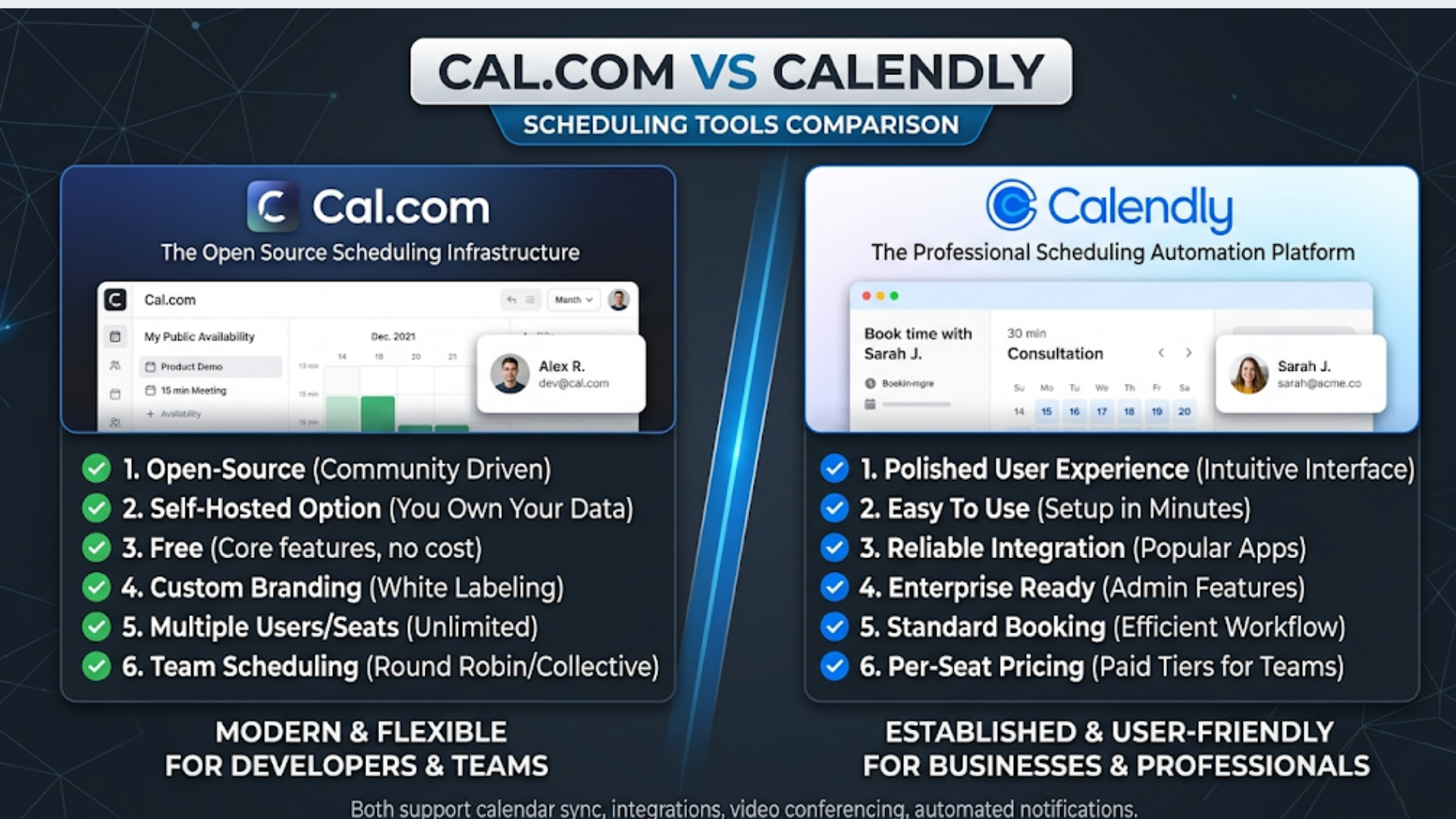
Cal.com vs Calendly: Which Scheduling Tool Is Better in 2026?
Cal.com is free and open source with a self-hosted option. Calendly starts at $10/user/month and has been the default scheduling tool since 2020. The question isn’t which one is “better.” It’s which one fits your situation.
If you’re a solo consultant or small team that wants maximum features at minimum cost, Cal.com wins on pricing alone. If you’re a 50-person sales team that needs bulletproof reliability and polished UX without managing infrastructure, Calendly is the safer bet.
I build scheduling automations into larger workflow systems. Both tools integrate well with CRMs, payment systems, and notification workflows. But they serve different audiences, and picking the wrong one wastes money or creates maintenance headaches.
Here’s the full comparison.
Pricing: The Biggest Differentiator
This is where Cal.com disrupts Calendly most aggressively.
| Plan | Cal.com | Calendly |
|---|---|---|
| Free | Yes (1 user, unlimited event types, self-hosted unlimited) | Yes (1 event type, basic features) |
| Starter/Standard | $12/user/mo | $10/user/mo |
| Team/Teams | $18/user/mo | $16/user/mo |
| Enterprise | Custom | $15,000/year minimum |
| Self-Hosted | Free (unlimited users, unlimited everything) | Not available |
The self-hosted advantage. Cal.com’s open-source version is fully featured. You host it on your own server (a $5-20/month VPS handles it). No per-user fees. No feature gates. A 20-person team running self-hosted Cal.com pays $10-20/month total for hosting instead of $200-320/month for Calendly Teams.
The trade-off is real though. Self-hosting means you handle updates, backups, SSL certificates, and uptime. If your team doesn’t have someone comfortable with Docker and basic server management, the “free” option has hidden labor costs.
Calendly’s free plan is restrictive. One event type. One calendar connection. No customization. It’s a trial, not a real free tier. Cal.com’s free cloud plan gives you one user but unlimited event types, which is meaningfully more useful for solopreneurs testing the platform.
For Indian businesses. Cal.com’s self-hosted option is particularly attractive. Host on a Rs 500-1,500/month VPS from DigitalOcean (Bangalore region), Hetzner, or an Indian provider like HostGator India. Your entire team gets full scheduling features for the cost of a basic VPS. Calendly charges in USD with no INR billing option, which means exchange rate overhead and international transaction fees on every monthly charge.
Feature Comparison
Both tools handle the basics well. The differences emerge in advanced features and customization.
| Feature | Cal.com | Calendly |
|---|---|---|
| Event types | Unlimited (all plans) | 1 (free), unlimited (paid) |
| Round-robin | Yes (Team plan) | Yes (Teams plan) |
| Collective scheduling | Yes | Yes |
| Recurring bookings | Yes | Yes |
| Buffer times | Yes | Yes |
| Custom questions | Yes (extensive) | Yes |
| Payment collection | Stripe, PayPal | Stripe, PayPal |
| Workflows/automations | Built-in (reminders, follow-ups) | Built-in (paid plans) |
| Custom branding | Full CSS customization (self-hosted) | Logo + colors (paid) |
| API access | Full REST API (all plans) | API (paid plans only) |
| Webhooks | Yes (all plans) | Yes (paid plans) |
| Embed options | Inline, popup, floating button | Inline, popup, badge |
| Multi-language | 26 languages | 12 languages |
| Phone number field | With country code | Basic |
Where Cal.com leads:
Full API access on all plans. This matters enormously for automation. If you want to connect scheduling to your CRM, send booking data to n8n for processing, or build a custom booking page, Cal.com gives you the API without an upgrade tax. Calendly gates API access behind paid plans.
Deep customization. Self-hosted Cal.com lets you modify the booking page CSS, add custom fields, change the entire look and feel. You can white-label it completely. A consulting firm can embed Cal.com into their website and it looks like a native feature, not a third-party widget.
Open ecosystem. Cal.com’s app store includes community-built integrations. If an integration doesn’t exist, the open-source codebase lets you build one. Calendly’s integration list is curated and closed.
Where Calendly leads:
Polish and reliability. Calendly’s UX is smoother. The booking experience feels effortless for the person scheduling. Page load times are consistently fast. Error states are handled gracefully. Cal.com’s UX is good but occasionally shows rough edges, especially on less common browser/device combinations.
Enterprise features. Calendly’s enterprise tier includes admin management, SAML SSO, advanced routing, and dedicated support. For organizations with 50+ users and IT security requirements, Calendly’s enterprise offering is more mature.
Proven at scale. Calendly handles billions of scheduling events. Their infrastructure is battle-tested. Self-hosted Cal.com at scale (100+ users, thousands of bookings per day) requires careful infrastructure planning.
Team Scheduling and Round-Robin
For sales teams, round-robin assignment is critical. Both tools handle it, but with different approaches.
Calendly round-robin: Distributes meetings based on availability and optional weighting. You can prioritize certain reps (give the senior AE 40% of meetings, junior reps 20% each). Integrates with Salesforce and HubSpot to check lead ownership before assignment. The routing is sophisticated and handles timezone-aware distribution well.
Cal.com round-robin: Similar distribution with availability-based and weighted options. The Team plan ($18/user/mo) is required. Self-hosted gets this for free. Cal.com’s routing logic is slightly less mature than Calendly’s. It handles standard round-robin well but complex routing rules (like “route enterprise leads to senior reps only”) require custom webhook logic.
Collective scheduling (finding a time when multiple team members are available) works on both platforms. Useful for panel interviews, multi-stakeholder sales calls, and group consultations.
My recommendation for sales teams: If your team uses Salesforce or HubSpot and needs CRM-aware routing, Calendly’s native integrations are smoother. If your team uses Pipedrive, Zoho, or a less common CRM, Cal.com with n8n gives you more flexibility at lower cost.
CRM and Tool Integrations
Scheduling data is only valuable if it flows into your other systems.
Calendly native integrations:
- Salesforce (native, bidirectional)
- HubSpot (native, bidirectional)
- Google Calendar, Outlook
- Zoom, Google Meet, Microsoft Teams
- Stripe (payment collection)
- Zapier (for everything else)
Cal.com native integrations:
- Google Calendar, Outlook, Apple Calendar
- Zoom, Google Meet, Microsoft Teams, Daily.co
- Stripe, PayPal
- HubSpot (via app)
- Salesforce (via app)
- Zapier, Make, n8n (webhooks on all plans)
The n8n advantage with Cal.com. Cal.com’s webhook support on all plans (including free and self-hosted) means you can build custom integrations without paying for a middleware tool. When someone books a meeting, Cal.com fires a webhook to n8n. n8n creates a CRM contact, sends a Slack notification to the assigned rep, adds the meeting to a Google Sheet tracker, and triggers a pre-meeting email sequence. All without Zapier.
Calendly requires a paid plan for webhook access. On the free plan, you’re limited to Calendly’s own notification emails.
For Indian businesses using Zoho CRM: Neither tool has a native Zoho integration that’s deeply functional. Both require Zapier or n8n to sync booking data with Zoho. This is one area where n8n’s flexibility with Cal.com’s free webhooks saves money compared to Calendly + Zapier.
Booking Page Experience
The booking page is what your clients, leads, and prospects see. It needs to be fast, clean, and professional.
Calendly’s booking page is the industry benchmark. Clean layout, intuitive time selection, fast loading, works flawlessly on mobile. The design is minimal and professional. Your grandmother could book a meeting on Calendly without instructions.
Cal.com’s booking page is good and improving rapidly. The 2026 version is significantly better than the 2024 version. Time selection is intuitive, mobile experience is solid, and loading times are acceptable (though slightly slower than Calendly on initial load).
Customization difference: Cal.com allows deeper branding customization, especially self-hosted. You can match your website’s exact design system. Calendly gives you logo placement and color theming, but the overall layout is Calendly’s design.
Timezone handling. Both auto-detect the booker’s timezone. Critical for international businesses. For Indian businesses working with global clients, both tools correctly handle IST to any timezone conversion. Cal.com supports 26 interface languages, which helps if your booking page serves non-English audiences.
Payment collection. Both integrate with Stripe for paid consultations. Cal.com also supports PayPal. Neither supports Razorpay or UPI natively. For Indian consultants collecting booking fees in INR, you’ll need to use Stripe India (which supports INR and UPI through Stripe) or build a custom payment flow with n8n connecting Cal.com webhooks to Razorpay’s API.
Self-Hosting Cal.com: Is It Worth It?
Self-hosting is Cal.com’s strongest differentiator. But it’s not for everyone.
Who should self-host:
- Teams of 5+ where per-user SaaS pricing adds up
- Companies with data residency requirements (India’s data protection act, EU GDPR)
- Agencies white-labeling scheduling for clients
- Developers comfortable with Docker and PostgreSQL
Who should not self-host:
- Solo consultants (the cloud free plan is sufficient)
- Teams without someone to handle server maintenance
- Anyone who values “it just works” over cost savings
What self-hosting requires:
- A VPS ($5-20/month, DigitalOcean, Hetzner, or Railway)
- Docker and Docker Compose
- PostgreSQL database
- Basic SSL/domain setup
- 30-60 minutes for initial deployment
- Monthly maintenance: updates, backups, monitoring (30 minutes/month)
The math: Self-hosted Cal.com for a 15-person team costs about $15/month (VPS). Calendly Teams for 15 users costs $240/month. Annual savings: $2,700. The question is whether your team’s time maintaining the self-hosted instance is worth less than $2,700/year. For most tech-savvy teams, the answer is clearly yes.
For Indian companies: Data residency is becoming increasingly important. Self-hosting Cal.com on an Indian server (Mumbai DigitalOcean droplet or AWS ap-south-1) keeps all booking data within Indian borders. Calendly stores data in US data centers with no India region option.
Decision Framework
| Your Situation | Choose |
|---|---|
| Solo consultant, minimal needs | Cal.com (free cloud) |
| Small team, budget-conscious | Cal.com (self-hosted) |
| Sales team on Salesforce/HubSpot | Calendly (native CRM integrations) |
| Enterprise with SSO/compliance needs | Calendly Enterprise |
| Agency white-labeling for clients | Cal.com (self-hosted, full branding) |
| Indian business, data residency | Cal.com (self-hosted in India) |
| Team building custom automation | Cal.com (free API/webhooks) |
| Non-technical team, wants zero maintenance | Calendly |
Both tools do the job. The decision comes down to: do you value cost savings and customization (Cal.com), or do you value polish and zero maintenance (Calendly)?
For most small to mid-size teams I work with, Cal.com self-hosted plus n8n for CRM integration gives them 95% of Calendly’s functionality at 10-20% of the cost. The 5% gap is in UX polish and enterprise features that most teams never need.
Frequently Asked Questions
Can I migrate from Calendly to Cal.com? Yes. Cal.com has a Calendly import feature that migrates event types, availability settings, and some integrations. Existing booking links will break (different URL structure), so you’ll need to update your website and email signatures. Historical booking data doesn’t transfer automatically.
Does Cal.com work with Google Workspace? Yes. Full Google Calendar integration, Google Meet video conferencing, and Google SSO. The integration is mature and reliable. Works the same on cloud and self-hosted versions.
Is Cal.com reliable enough for business use? Cal.com’s cloud service has maintained 99.9%+ uptime through 2025-2026. Self-hosted reliability depends on your infrastructure. Running it on a managed platform like Railway or Render with automatic restarts provides near-SaaS reliability without manual server management.
Which tool has better mobile support? Calendly has native iOS and Android apps. Cal.com has a progressive web app (PWA) that works on mobile browsers. Calendly’s native apps are better for managing your schedule on the go. For the booking experience (what your clients see), both are mobile-responsive and work well.
Can I collect payments in INR? Both support Stripe, which works in India and accepts INR payments (including UPI through Stripe). Neither supports Razorpay natively. For Razorpay integration, use Cal.com webhooks with n8n to create Razorpay payment links when a booking is confirmed.
Does Cal.com support SMS reminders? Yes. Cal.com’s workflow feature includes SMS reminders via Twilio integration. This works on both cloud and self-hosted versions. You’ll need a Twilio account ($0.0075-0.05 per SMS depending on country). Calendly also supports SMS reminders on paid plans.
Can I use Cal.com for group events and webinars? Yes. Cal.com supports group event types where multiple people can book the same time slot (up to a set capacity). This works for webinars, workshops, group coaching sessions, and office hours. Calendly offers the same functionality on paid plans.
Need help implementing this?
Book a free 30-minute discovery call. We'll map your current setup, identify quick wins, and outline what automation can do for your business.
Book a Free Discovery Call