How to Build a Telegram Bot for Internal Team Alerts
Build a Telegram bot for internal team alerts using BotFather and n8n. Deploy notifications, payment alerts, error monitoring, and why Telegram beats Slack for small teams.
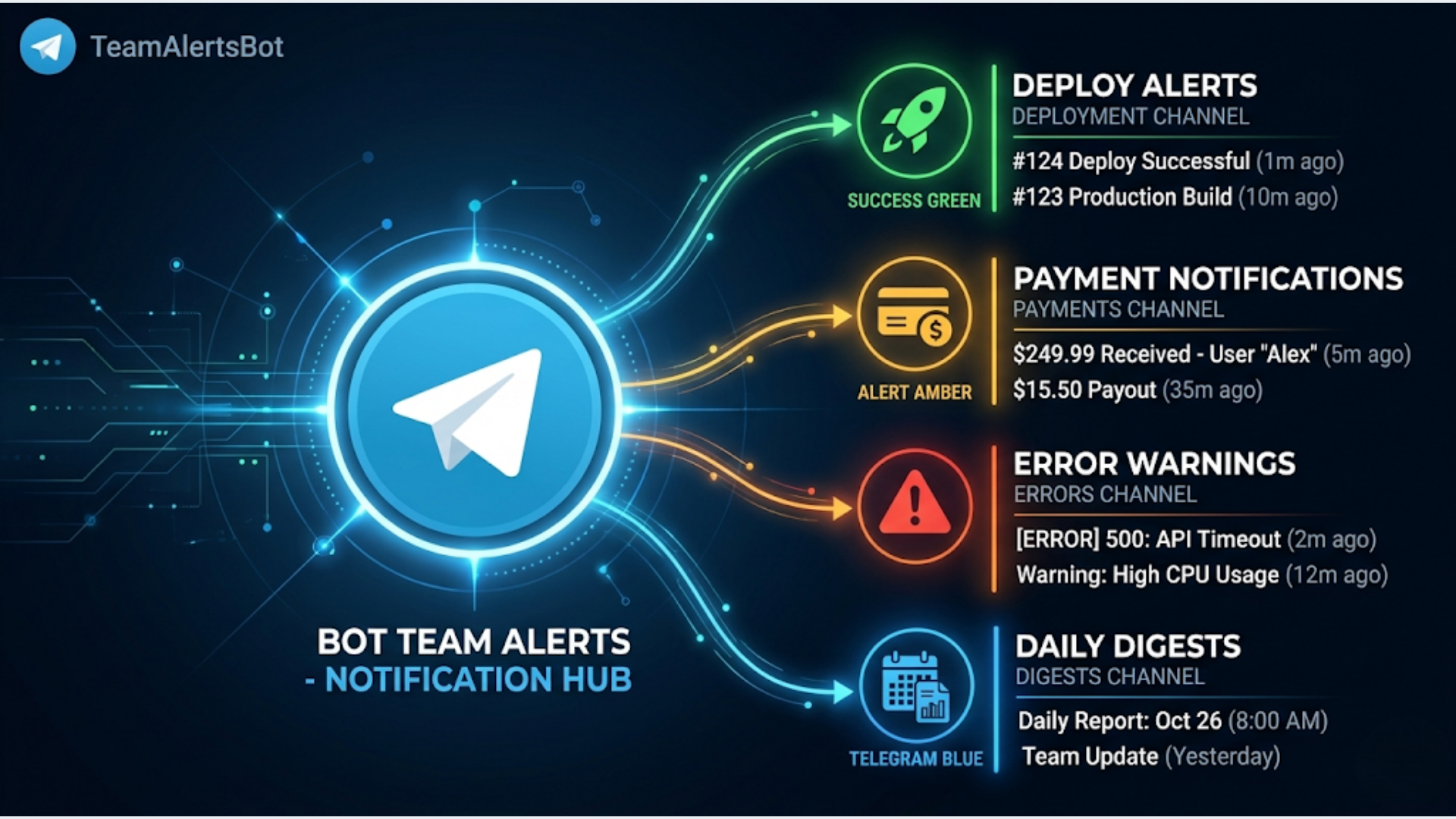
How to Build a Telegram Bot for Internal Team Alerts
Slack costs $7.25/user/month. For a 5-person team, that is $435/year just to receive notifications. Telegram costs nothing. And for internal alerts (deploy status, payment notifications, error monitoring), Telegram does the job just as well.
I build these alert bots for small teams and solo operations. The setup takes 15 minutes. Once running, you have a real-time notification system that hits your phone instantly, works offline, and never asks you to upgrade.
This guide covers creating the bot, connecting it to n8n, and building the three most useful alert types: deploy notifications, payment alerts, and error monitoring.
Telegram vs Slack for Small Team Alerts
This is not a general “Telegram vs Slack” debate. For full team collaboration with threads, channels, integrations, and searchable history, Slack is better. Nobody is arguing otherwise.
But for internal alerts? Telegram wins for small teams. Here is why:
| Factor | Telegram | Slack |
|---|---|---|
| Cost | Free forever | $7.25/user/month |
| Message delivery speed | Instant push | Instant push |
| Mobile app quality | Excellent, lightweight | Good, heavier |
| Bot creation | 2 minutes with BotFather | Create app, configure, deploy |
| API simplicity | One HTTP POST to send a message | OAuth, scopes, token management |
| Message formatting | Markdown, HTML, buttons | Block Kit (complex JSON) |
| File sharing | Up to 2 GB | 1 GB on paid, less on free |
| Rate limits | 30 messages/second per bot | 1 message/second per channel |
| Message history | Unlimited, free | 90 days on free plan |
For Indian startups especially, the cost difference matters. A bootstrapped team of 4 saving Rs 3,500/month on Slack adds up to Rs 42,000/year. That is not trivial when you are early stage.
The practical difference for alerts: Telegram bots are simpler to set up, simpler to maintain, and free. If all you need is “tell me when something happens,” Telegram is the right choice.
If your team already uses Slack for everything, add a Telegram bot alongside it for critical alerts. Slack notifications get lost in channel noise. A dedicated Telegram group for critical alerts cuts through.
Step 1: Create the Bot with BotFather
Open Telegram. Search for @BotFather. Start a conversation.
Send: /newbot
BotFather asks for a name. Pick something descriptive:
- Name: “TeamAlerts Bot” (display name, can have spaces)
- Username: “yourteam_alerts_bot” (must end in “bot”, no spaces)
BotFather gives you an API token. It looks like: 6123456789:ABCdefGHIjklMNOpqrsTUVwxyz
Save this token. You need it for every API call.
Create a group for alerts:
- Create a new Telegram group
- Name it: “Team Alerts” (or whatever makes sense)
- Add your team members
- Add your bot to the group (search for its username)
Get the group chat ID:
This is the part most tutorials overcomplicate. Here is the simplest way:
- Add the bot to your group
- Send any message in the group
- Open this URL in your browser:
https://api.telegram.org/bot{YOUR_TOKEN}/getUpdates- Find the
chatobject in the response. Theidfield is your chat ID. For groups, it is a negative number (like-1001234567890).
Save this chat ID.
Optional: Create multiple groups for different alert types:
- “Deploy Alerts” for deployment notifications
- “Payment Alerts” for transaction notifications
- “Error Alerts” for system errors
Separate groups let team members mute non-critical alerts while keeping critical ones loud. I recommend at least separating error alerts from informational ones.
Step 2: Connect to n8n
Sending a Telegram message from n8n requires one node. That is it.
Option A: Use n8n’s built-in Telegram node
- In n8n, go to Credentials > New > Telegram API
- Enter your bot token
- Save
In your workflow, add a Telegram node:
- Operation: Send Message
- Chat ID: Your group chat ID
- Text: Your alert message
- Parse Mode: Markdown (for formatting)
Done.
Option B: Use an HTTP Request node
If you want more control over formatting, use the Telegram API directly:
POST https://api.telegram.org/bot{TOKEN}/sendMessage
Content-Type: application/json

{
  "chat_id": "{GROUP_CHAT_ID}",
  "text": "Your alert message here",
  "parse_mode": "Markdown",
  "disable_web_page_preview": true
}
I use Option B for complex alerts with buttons, images, or custom formatting. Option A for simple text alerts.
Step 3: Build Deploy Notifications
Every deployment should announce itself. No more “did the deploy go through?” questions in chat.
Trigger: GitHub webhook or CI/CD webhook
If you use GitHub Actions, add a step at the end of your deployment workflow:
- name: Notify Telegram
  if: always()
  run: |
    STATUS="${{ job.status }}"
    REPO="${{ github.repository }}"
    BRANCH="${{ github.ref_name }}"
    COMMIT="${{ github.event.head_commit.message }}"
    ACTOR="${{ github.actor }}"
    RUN_URL="${{ github.server_url }}/${{ github.repository }}/actions/runs/${{ github.run_id }}"

    if [ "$STATUS" = "success" ]; then
      EMOJI="✅"
    else
      EMOJI="❌"
    fi

    curl -s -X POST "https://api.telegram.org/bot${{ secrets.TELEGRAM_BOT_TOKEN }}/sendMessage" \
      -d chat_id="${{ secrets.TELEGRAM_CHAT_ID }}" \
      -d parse_mode="Markdown" \
      -d text="${EMOJI} *Deploy ${STATUS}*

    Repo: \`${REPO}\`
    Branch: \`${BRANCH}\`
    By: ${ACTOR}
    Commit: ${COMMIT}

    [View Run](${RUN_URL})"
If you use n8n for deployments, add a Telegram node at the end of your deploy workflow:
*Deploy Complete*

Service: `{service_name}`
Environment: `{production/staging}`
Version: `{version_tag}`
Time: {timestamp} IST
Status: Success

Changes:
- {commit_message_1}
- {commit_message_2}
For failed deploys, make it loud. Add disable_notification: false (default) and consider mentioning specific people:
*DEPLOY FAILED*

Service: `{service_name}`
Error: {error_summary}
Time: {timestamp} IST

@krishna check immediately
Telegram supports @username mentions in groups. The mentioned person gets a priority notification even if the group is muted.
Step 4: Build Payment Notifications
Knowing about payments in real time changes how you operate. You see revenue as it happens instead of checking dashboards.
For Stripe:
Stripe has excellent webhook support. Create a webhook in Stripe Dashboard pointing to your n8n webhook URL. Subscribe to these events:
payment_intent.succeededpayment_intent.payment_failedinvoice.paidcustomer.subscription.created
In n8n, receive the Stripe webhook and format a Telegram alert:
const event = $input.first().json;
let message = '';

if (event.type === 'payment_intent.succeeded') {
  const amount = (event.data.object.amount / 100).toFixed(2);
  const currency = event.data.object.currency.toUpperCase();
  const customer = event.data.object.receipt_email || 'Unknown';

  message = `💰 *Payment Received*\n\nAmount: ${currency} ${amount}\nCustomer: ${customer}\nTime: ${new Date().toLocaleString('en-IN', { timeZone: 'Asia/Kolkata' })}`;
}

if (event.type === 'payment_intent.payment_failed') {
  const amount = (event.data.object.amount / 100).toFixed(2);
  const currency = event.data.object.currency.toUpperCase();
  const error = event.data.object.last_payment_error?.message || 'Unknown error';

  message = `*Payment Failed*\n\nAmount: ${currency} ${amount}\nError: ${error}\nTime: ${new Date().toLocaleString('en-IN', { timeZone: 'Asia/Kolkata' })}`;
}

return [{ json: { message } }];
For Razorpay (popular in India):
Razorpay webhooks work similarly. Create a webhook in Dashboard > Settings > Webhooks. Subscribe to payment.captured and payment.failed.
const event = $input.first().json;
let message = '';

if (event.event === 'payment.captured') {
  const payment = event.payload.payment.entity;
  const amount = (payment.amount / 100).toFixed(2);

  message = `*Payment Received*\n\nAmount: INR ${amount}\nMethod: ${payment.method}\nEmail: ${payment.email}\nPhone: ${payment.contact}\nTime: ${new Date().toLocaleString('en-IN', { timeZone: 'Asia/Kolkata' })}`;
}

return [{ json: { message } }];
The dopamine hit of seeing payment notifications land in your Telegram group in real time is genuinely motivating. It also means you can follow up with new customers immediately.
Daily summary:
In addition to individual payment alerts, build a daily summary. Schedule an n8n workflow to run at 9 PM IST. Query your payment provider’s API for today’s transactions. Send a summary:
*Daily Revenue Summary*
Date: {today}

Payments: {count}
Total: INR {total}
Failed: {failed_count}

Top transaction: INR {largest_amount} from {customer}
Step 5: Build Error Monitoring Alerts
This is where Telegram alerts save you real money. Catching errors in minutes instead of hours means less downtime, fewer angry customers, and fewer late-night debugging sessions.
Application error alerts:
Add error reporting to your applications. When an unhandled error occurs, POST to your n8n webhook:
// In your Node.js/Python app's error handler
async function reportError(error, context) {
  await fetch('https://your-n8n-url/webhook/error-alert', {
    method: 'POST',
    headers: { 'Content-Type': 'application/json' },
    body: JSON.stringify({
      service: 'api-server',
      error: error.message,
      stack: error.stack?.substring(0, 500),
      context: context,
      timestamp: new Date().toISOString()
    })
  });
}
In n8n, format and send to Telegram:
*Error Alert*

Service: `{service}`
Error: {error_message}
Context: {context}
Time: {timestamp} IST

Stack:
{stack_trace_truncated}
Rate limit your error alerts. If your app throws the same error 500 times in a minute, you do not want 500 Telegram messages. Add deduplication in n8n:
Use a Code node that checks if the same error (by message) was reported in the last 5 minutes. Store recent errors in n8n’s static data:
const error = $input.first().json;
const key = error.service + ':' + error.error;
const now = Date.now();
const fiveMinutes = 5 * 60 * 1000;

// Get stored errors
const staticData = $getWorkflowStaticData('global');
const recentErrors = staticData.recentErrors || {};

// Clean old entries
for (const k in recentErrors) {
  if (now - recentErrors[k].lastSeen > fiveMinutes) {
    delete recentErrors[k];
  }
}

// Check if duplicate
if (recentErrors[key]) {
  recentErrors[key].count++;
  recentErrors[key].lastSeen = now;
  staticData.recentErrors = recentErrors;

  // Only alert again if count hits thresholds
  if (![5, 25, 100, 500].includes(recentErrors[key].count)) {
    return []; // Suppress
  }
}

recentErrors[key] = { count: 1, lastSeen: now };
staticData.recentErrors = recentErrors;

return [$input.first()];
This sends the first occurrence immediately, then again at 5, 25, 100, and 500 occurrences. It prevents alert fatigue while still escalating if errors persist.
Server health monitoring:
Build a simple uptime checker. Schedule an n8n workflow to run every 5 minutes. Hit your critical endpoints:
const endpoints = [
  { name: 'Main Site', url: 'https://yoursite.com', expectedStatus: 200 },
  { name: 'API', url: 'https://api.yoursite.com/health', expectedStatus: 200 },
  { name: 'Dashboard', url: 'https://app.yoursite.com', expectedStatus: 200 }
];

const results = [];
for (const ep of endpoints) {
  try {
    const response = await fetch(ep.url, { timeout: 10000 });
    if (response.status !== ep.expectedStatus) {
      results.push({ ...ep, status: 'DOWN', code: response.status });
    }
  } catch (e) {
    results.push({ ...ep, status: 'DOWN', error: e.message });
  }
}

return results.map(r => ({ json: r }));
Only send alerts for failures. Nobody wants “everything is fine” messages every 5 minutes.
n8n workflow failure alerts:
n8n itself can fail silently. Add a global error handler. In n8n Settings, configure the Error Workflow to point to a workflow that sends Telegram alerts. Any workflow failure across your entire n8n instance triggers a notification.
Advanced: Interactive Buttons
Telegram bots support inline buttons. Use them for actionable alerts:
{
  "chat_id": "{GROUP_CHAT_ID}",
  "text": "*Deploy Ready*\n\nBranch: `main`\nCommit: Fix payment rounding\n\nDeploy to production?",
  "parse_mode": "Markdown",
  "reply_markup": {
    "inline_keyboard": [[
      {"text": "Deploy Now", "callback_data": "deploy_main_prod"},
      {"text": "Skip", "callback_data": "skip_deploy"}
    ]]
  }
}
When someone taps “Deploy Now,” Telegram sends a callback to your bot. In n8n, set up a separate webhook that listens for Telegram callback queries. Parse the callback_data and trigger the appropriate action.
This turns your Telegram group into a lightweight command center. Approve deploys, acknowledge errors, or trigger workflows without opening a browser.
Message Formatting Tips
Telegram supports Markdown and HTML in messages. Markdown is simpler for most alerts:
*bold text* for headers and emphasis
`inline code` for service names, versions
```code blocks``` for stack traces, logs
_italic_ for secondary information
[Link text](URL) for clickable links
Keep messages scannable. Lead with the severity. Put details below. Use line breaks generously.
Good alert structure:
{severity icon} *{Alert Type}*

{One-line summary}

Key detail 1: value
Key detail 2: value
Time: {IST timestamp}

{Action link or instruction}
Bad alert:
Error occurred in the system. The payment service returned a 500 error when processing a payment for customer john@example.com at 2026-04-26T14:30:00Z. The error message was "Connection timeout to payment gateway" and the stack trace is...Dense text blocks on a phone screen are unreadable. Break it up.
FAQ
Can multiple bots post to the same group? Yes. Create separate bots for different purposes (deploy-bot, payment-bot, error-bot). Each posts to the same group or different groups. This keeps bot logic isolated and makes it easy to disable one type of alert without affecting others.
Is the Telegram Bot API reliable for critical alerts? Very reliable. Telegram’s infrastructure handles millions of bot messages daily. I have not experienced downtime that affected alert delivery. For truly critical alerts (server down, data breach), add a secondary channel (SMS via Twilio) as a backup. But for standard operational alerts, Telegram alone is sufficient.
How do I prevent alert fatigue? Three strategies: (1) Deduplicate repeated errors (shown above). (2) Separate informational alerts from critical alerts into different groups. Mute the informational group during focused work. (3) Set quiet hours. Suppress non-critical alerts between 11 PM and 7 AM IST. Route critical alerts (server down, payment failures) regardless of time.
Can I use this with WhatsApp instead of Telegram? You can, via WATI or Twilio. But WhatsApp has two disadvantages for internal alerts: (1) Message template approval process adds friction for every new alert type. (2) WhatsApp groups have a 1,024 member limit and no bot API as clean as Telegram’s. For internal team alerts, Telegram is the better tool. Use WhatsApp for customer-facing communication.
How do I handle secrets (bot token, chat IDs)? Store the bot token in n8n’s credentials, not in workflow data. For chat IDs, use n8n’s environment variables or credentials. Never hardcode tokens in workflow nodes that might be exported or shared. If using GitHub Actions for deploy alerts, store the token as a repository secret.
What about Telegram’s message size limits?
Telegram messages max out at 4,096 characters. For long stack traces or log outputs, truncate to the first 1,000 characters in your formatting code. If you need the full output, send it as a file attachment using the sendDocument API endpoint.
Can the bot read and respond to messages, not just send?
Yes. Set up a webhook or long-polling listener for incoming messages. You can build simple command bots: /status returns system health, /deploy staging triggers a staging deploy, /revenue today returns today’s payment total. Each command maps to an n8n workflow. This turns Telegram into a lightweight ops console.
Need help implementing this?
Book a free 30-minute discovery call. We'll map your current setup, identify quick wins, and outline what automation can do for your business.
Book a Free Discovery Call