How to Build a Price Monitoring Bot with n8n
Build a price monitoring bot with n8n that scrapes competitor prices, detects changes, alerts via Slack or WhatsApp, and tracks history in Google Sheets. Step-by-step guide with legal considerations.
How to Build a Price Monitoring Bot with n8n
You are manually checking competitor prices. Maybe once a week. Maybe whenever you remember. You miss price drops, react late to competitors undercutting you, and lose margin because you did not adjust fast enough.
A price monitoring bot checks every hour, every day, across as many products and competitors as you need. It catches changes within minutes and alerts you before your customers notice. I build these systems. The ROI is immediate and obvious.
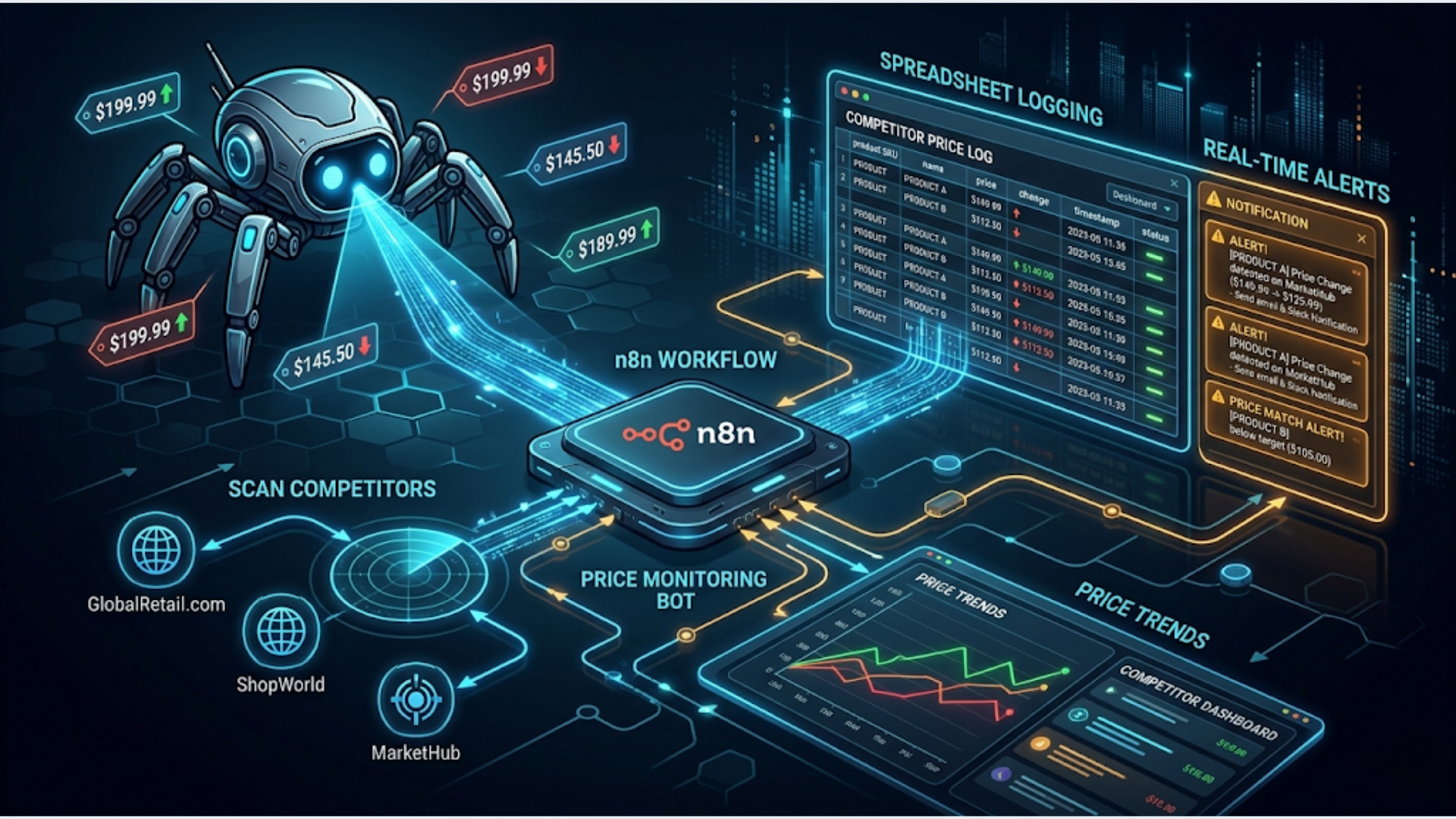
This guide covers building a complete price monitoring bot using n8n for orchestration, HTTP requests for scraping, Google Sheets for historical tracking, and Slack or WhatsApp for alerts. Total infrastructure cost: the price of your n8n instance and nothing else.
Why Automated Price Monitoring Matters
Manual price checks do not scale. If you are tracking 10 competitors across 50 products, that is 500 data points. Checking once a day means 500 page visits. Nobody does that consistently.
Dedicated price monitoring tools exist. Prisync charges $99-399/month. Competera starts at $500/month. Price2Spy is $24-200/month. These work well but charge per product, per competitor, and per check frequency. Costs add up fast for large catalogs.
An n8n-based bot handles the same job for the cost of your server. Self-hosted n8n on a $5/month VPS can monitor hundreds of products on hourly schedules without breaking a sweat.
The business case is simple. E-commerce margins are thin. In India, where price comparison is a cultural reflex (every buyer checks at least 3 sites before purchasing), being even 5% overpriced on a popular product means losing the sale to someone who bothered to update their pricing this week.
Average price change frequency across e-commerce: 12-15% of SKUs see a price change in any given week. For electronics and fashion, it is closer to 25%. If you are not monitoring, you are flying blind.
The Architecture: Scrape, Compare, Alert, Log
The flow has four stages:
Stage 1: Scrape. Hit each competitor’s product page. Extract the current price. Handle different page structures across different sites.
Stage 2: Compare. Check the scraped price against the last known price in your Google Sheet. Determine if it changed, by how much, and in which direction.
Stage 3: Alert. If a meaningful change occurred (you define the threshold), send a notification via Slack, WhatsApp, email, or all three. Include the product name, old price, new price, percentage change, and a link.
Stage 4: Log. Write every price check to Google Sheets. Build a historical record you can use for trend analysis, seasonal patterns, and pricing strategy.
What you need:
- n8n instance (self-hosted recommended for scraping workloads)
- Google Sheets for data storage
- Slack workspace or WATI account for alerts
- Target URLs for the products you want to monitor
- Basic understanding of HTML structure (for CSS selectors)
Step-by-Step: Building the Scraping Workflow
Node 1: Schedule Trigger. Set this to run every hour, every 6 hours, or daily depending on your needs. For fast-moving categories like electronics, hourly is appropriate. For industrial supplies, daily is fine.
Node 2: Google Sheets Read. Pull your product list from a Google Sheet. This sheet should have columns for: product name, competitor name, URL, CSS selector for the price element, last known price, last check timestamp.
Keeping URLs and selectors in a sheet means you can add new products without editing the workflow. Just add a row.
Node 3: Loop Over Items. n8n processes items in batches by default, but for scraping you want sequential processing to avoid rate limiting. Use the Loop Over Items node to process one URL at a time with a small delay between requests.
Node 4: HTTP Request. For each product URL, make a GET request. Set the response format to “string” (you need the raw HTML). Add headers to mimic a real browser:
- User-Agent: a standard Chrome user agent string
- Accept: text/html
- Accept-Language: en-US,en;q=0.9
Node 5: HTML Extract (Code node). This is where you parse the price from the HTML. Use a Function node with cheerio (n8n bundles it) to select the price element using the CSS selector from your spreadsheet.
The code looks roughly like this: load the HTML into cheerio, use the CSS selector to find the price element, extract the text, strip currency symbols and commas, convert to a number.
Important: Every website structures its pricing differently. Amazon wraps prices in .a-price-whole. Flipkart uses ._30jeq3. Your custom competitor might use a random class name. You need to inspect each target site and note the correct selector.
Node 6: IF node for price change detection. Compare the scraped price against the last known price from your Google Sheet. If the absolute difference exceeds your threshold (I recommend 1% to filter out rounding noise), proceed to the alert branch. Otherwise, just log and move on.
Handling Real-World Scraping Challenges
Scraping looks simple in tutorials and breaks constantly in production. Here are the problems you will hit and how to handle them.
Anti-bot protection. Many e-commerce sites use Cloudflare, DataDome, or custom bot detection. If your HTTP requests start returning 403 errors or CAPTCHA pages, you have been flagged.
Solutions in order of escalation: rotate user agents (keep a list of 10-15 real browser user agents, pick randomly), add random delays between requests (2-8 seconds), use residential proxies (Bright Data or Oxylabs for serious operations). For Indian e-commerce sites, most smaller sites have minimal bot protection. Amazon and Flipkart are the hardest to scrape reliably.
Dynamic pricing (JavaScript-rendered pages). Some sites load prices via JavaScript after the initial page load. Your HTTP request gets the HTML shell without the price. The solution is a headless browser. n8n does not have a native headless browser node, but you can run Puppeteer or Playwright as a separate service and call it from n8n via HTTP request.
Alternatively, check if the site has a mobile API. Many e-commerce apps fetch pricing from a JSON API that is easier and more reliable to scrape than the rendered page.
Price format variations. “Rs 2,999”, “INR 2999.00”, “$29.99”, “2.999,00 EUR”. Your parsing logic needs to handle all of these. Write a robust price extraction function in the Code node that strips all non-numeric characters except the decimal separator, then normalizes to a float.
Out-of-stock products. When a product goes out of stock, the price element might disappear, change to “Currently Unavailable”, or show a different layout. Your extraction code should handle this gracefully. Log “out of stock” as a status rather than crashing the workflow.
Selector changes. Websites redesign. Class names change. Your selectors break. Build in error handling: if the selector returns null, flag that product for manual review rather than logging a zero price.
Alert Configuration: Slack, WhatsApp, Email
Slack alerts are best for teams. Create a dedicated channel like #price-changes. Use n8n’s Slack node to post a formatted message with: product name, competitor, old price, new price, percentage change, and a direct link to the product page.
Color-code the messages. Green for competitor price increases (good for you). Red for competitor price decreases (you might need to respond). This visual signal lets your team scan quickly.
WhatsApp alerts via WATI work better for solo operators or small teams who live on WhatsApp. The message format should be concise: “Price Drop Alert: [Product] on [Competitor] dropped from Rs 4,999 to Rs 3,999 (-20%). Link: [URL]”. Keep it under 160 characters for quick scanning.
Email summaries work best as a daily digest rather than real-time alerts. Aggregate all price changes from the last 24 hours into a single email with a table. Use n8n’s email node or SendGrid for formatting.
For India-based e-commerce businesses, I recommend the WhatsApp + daily email combo. WhatsApp for urgent changes (drops over 10%). Email digest for the daily overview. Slack if your team is already on it.
Set thresholds wisely. A 1% price change on a Rs 500 product is noise. A 1% change on a Rs 50,000 product is Rs 500. Use percentage thresholds for cheap products (alert on 5%+ changes) and absolute thresholds for expensive products (alert on Rs 200+ changes).
Historical Tracking and Trend Analysis
Logging every price check to Google Sheets creates a powerful dataset over time.
Sheet structure: Product Name, Competitor, URL, Price, Currency, Timestamp, Price Change (%), Status (in stock/out of stock).
After 30 days of hourly checks across 50 products, you have roughly 36,000 data points. That is enough to spot patterns.
Patterns to look for:
- Day-of-week pricing. Some competitors drop prices on weekdays and raise them on weekends (or vice versa).
- Sale cycle timing. How far in advance do competitors start discounting before major sales? In India, Flipkart Big Billion Days and Amazon Great Indian Festival pricing changes start 2-3 weeks before the event.
- Margin floor detection. The lowest price a competitor has ever offered for a product gives you a reasonable estimate of their cost floor. Price below that and they likely cannot follow.
- Stockout patterns. Frequent out-of-stock indicators suggest supply chain issues. An opportunity to capture their customers with targeted ads.
Visualization: Export your Google Sheet data to Looker Studio (free) or Google Data Studio for dashboards. Or use n8n to push aggregated daily summaries to a separate “analytics” sheet that is easier to chart.
Google Sheets has a 10 million cell limit. At 36,000 rows per month with 8 columns, you have roughly 3 years before hitting limits. For larger operations, consider pushing data to a PostgreSQL database instead of Sheets. n8n connects to Postgres natively.
Legal Considerations You Cannot Ignore
Web scraping exists in a legal grey area. Here is what you need to know.
US law (Computer Fraud and Abuse Act): The hiQ Labs v. LinkedIn Supreme Court case (2022) broadly supports scraping publicly available data. But “publicly available” is the key qualifier. Scraping behind a login wall is riskier.
EU law (GDPR and Database Directive): You can scrape publicly available pricing data. You cannot scrape and store personal data. Prices are not personal data. You are fine.
India: No specific anti-scraping law as of 2026. The Information Technology Act does not explicitly address scraping public web pages. However, violating a website’s Terms of Service could lead to civil action. In practice, price comparison is widely accepted. Dozens of Indian startups (PriceBefore, BuyHatke, PriceHistory) do exactly this.
Practical guidelines:
- Respect robots.txt. If the site explicitly disallows scraping a URL path, skip it.
- Do not overload servers. One request per product per hour is reasonable. One request per second across hundreds of products is an attack.
- Do not scrape behind login walls.
- Do not republish scraped prices as your own database. Use them for internal decision-making.
- Add a reasonable delay between requests (3-5 seconds minimum).
If you are scraping Amazon specifically, be aware they are aggressive about blocking bots and have sent cease-and-desist letters to scrapers. Use their Product Advertising API instead if you are an Amazon affiliate. The API gives you real-time pricing data legally.
FAQ
How many products can I monitor with a single n8n instance? A self-hosted n8n instance on a basic VPS (2 GB RAM, 2 vCPUs) comfortably monitors 200-500 products on hourly schedules. Beyond that, you need to either reduce frequency or upgrade your server. The bottleneck is usually the delay between requests (3-5 seconds each) rather than CPU or memory.
Will this work for Amazon and Flipkart? Amazon and Flipkart have aggressive bot detection. For Amazon, use the Product Advertising API instead. For Flipkart, their affiliate API provides pricing data. For smaller e-commerce sites, direct scraping works well. I recommend starting with smaller competitors and adding the big marketplaces via their APIs.
How do I find the right CSS selector for a price element? Right-click the price on the website, click “Inspect Element” in your browser. Note the element’s tag, class, and ID. Test the selector in the browser console using document.querySelector(). If the price loads via JavaScript, the selector might not work in a raw HTTP response. You will need a headless browser approach.
What happens when a website redesigns and my selectors break? Your extraction code returns null instead of a price. Build in a check: if the price is null, mark that product as “selector broken” in your sheet and send yourself an alert. Review and update the selector manually. This typically happens once every 2-3 months per site.
Can I monitor prices on mobile apps instead of websites? Not directly with n8n’s HTTP Request node. Mobile apps use APIs, not web pages. If you can intercept the API calls (using tools like Charles Proxy or mitmproxy), you can replicate those API calls in n8n. This is more reliable than web scraping since APIs change less frequently than HTML layouts.
Is there a way to auto-adjust my prices based on competitor changes? Yes, but carefully. You can add a branch to your n8n workflow that triggers a price update in your Shopify or WooCommerce store via their APIs when a competitor changes their price. Set rules: match competitor price if within 5%, never go below your cost floor, always maintain minimum margin. Automated repricing is powerful but dangerous without guardrails.
How do I handle sites that show different prices based on location? Some sites use geolocation to show different prices. If you are self-hosting n8n in India but want to see US prices, you need a proxy server in the target country. Residential proxy services like Bright Data offer country-specific IPs. Alternatively, check if the site has a country selector in the URL (like ?country=US) that overrides geolocation.
Price monitoring is one of those automations where the value is obvious from day one. Every price change you catch before your competitors catch yours is margin preserved.
If you need help building a custom price monitoring system for your catalog, triggerAll handles the setup end to end. Scraping, alerting, historical tracking, and repricing logic included.
Need help implementing this?
Book a free 30-minute discovery call. We'll map your current setup, identify quick wins, and outline what automation can do for your business.
Book a Free Discovery Call