How to Build an AI Email Assistant for Sales Teams
How to build an AI email assistant for sales teams. Incoming email classification, auto-draft responses with GPT-4 or Claude, CRM logging, and follow-up scheduling using n8n. Cost and accuracy benchmarks included.
How to Build an AI Email Assistant for Sales Teams
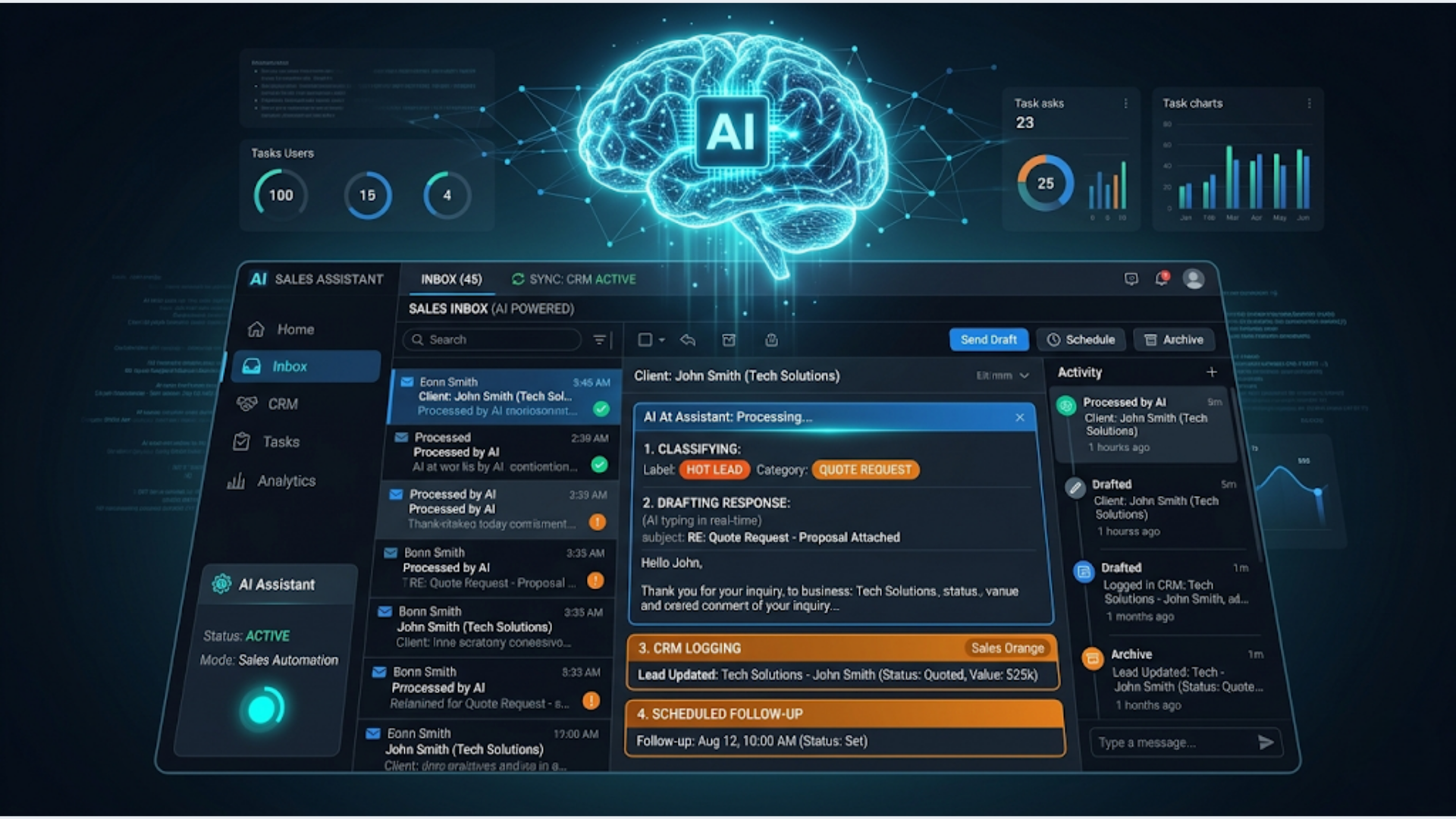
A sales rep spends 21% of their day writing emails. That is 1.7 hours daily for a rep who works 8 hours. An AI email assistant cuts that to 20 to 30 minutes by auto-classifying incoming emails, drafting responses, logging activities to your CRM, and scheduling follow-ups.
You can build this using n8n, Claude or GPT-4, and your existing email + CRM stack. No custom software required. Cost: $20 to $60 per month. Setup: 1 to 2 days.
I build these systems. The AI does not replace your sales reps. It handles the mechanical parts of email (categorizing, drafting routine responses, logging) so your reps spend their time on the parts that actually require human judgment: negotiation, relationship building, and closing.
Here is exactly how to build it.
Email Classification: Sort Before You Read
A typical sales inbox receives 50 to 150 emails per day. A rep opens each one, mentally categorizes it, decides on a response, and moves on. That classification step alone takes 30 to 45 minutes daily.
The AI classification workflow:
- n8n monitors the sales inbox (Gmail or Outlook) via IMAP or API polling every 2 to 5 minutes.
- For each new email, n8n extracts: sender, subject, body text, thread history (if it’s a reply), and any attachments.
- n8n sends the email content to Claude or GPT-4 with a classification prompt.
The classification prompt:
Classify this sales email into one of these categories:
1. HOT_LEAD: Prospect expressing interest, requesting a demo, asking about pricing
2. WARM_LEAD: Prospect responding positively but not committing, asking general questions
3. FOLLOW_UP_NEEDED: Prospect went silent, needs a follow-up
4. MEETING_REQUEST: Scheduling or rescheduling a meeting
5. OBJECTION: Price concern, competitor comparison, timeline hesitation
6. CLOSED_WON: Confirming purchase, requesting invoice, signing agreement
7. CLOSED_LOST: Declining, choosing competitor, not interested
8. INTERNAL: Team communication, not a prospect
9. SPAM: Irrelevant, vendor pitch, newsletter

Also extract:
- Sentiment: positive/neutral/negative
- Urgency: high/medium/low
- Key entities: company name, person name, deal value if mentioned

Return JSON only.- n8n parses the JSON response and routes the email accordingly.
What happens after classification:
| Category | Auto-Action |
|---|---|
| HOT_LEAD | Slack alert to rep + manager. CRM status update. Draft response prepared. |
| WARM_LEAD | CRM tag updated. Draft response prepared. |
| FOLLOW_UP_NEEDED | Added to follow-up queue. Auto-draft prepared. |
| MEETING_REQUEST | Cal.com link auto-included in draft. |
| OBJECTION | Flagged for human review. Relevant case study or comparison doc attached to draft. |
| CLOSED_WON | CRM deal moved to “Won.” Finance team notified. |
| CLOSED_LOST | CRM deal moved to “Lost.” Loss reason logged. |
| INTERNAL | No CRM action. Normal email. |
| SPAM | Archived or deleted. |
Accuracy benchmark: Claude Haiku and GPT-4o mini classify sales emails with 88 to 93% accuracy on the categories above. For a 10-category system, that means 7 to 12 misclassifications per 100 emails. Most misclassifications are between adjacent categories (WARM_LEAD vs FOLLOW_UP_NEEDED), which are low-risk errors.
Cost: At $0.25 per 1 million input tokens (Claude Haiku), classifying 100 emails per day costs approximately $0.50 to $1.00 per month. Negligible.
Auto-Draft Responses: 80% Done in Seconds
This is the highest-value feature. Your rep opens an email and a draft response is already waiting. They review, tweak, and send. Two minutes instead of ten.
The draft generation workflow:
- After classification, n8n sends the email (plus thread history) to Claude or GPT-4 with a response drafting prompt.
- The prompt includes: your company’s product/service details, pricing tiers, common objections and responses, your brand voice guidelines, and the specific classification context.
The drafting prompt structure:
You are a sales assistant for [Company]. Draft a reply to this email.

Context:
- Classification: [HOT_LEAD]
- Sender: [Name, Company]
- Thread history: [previous messages]
- Our relevant product: [details]
- Pricing: [relevant tier]

Rules:
- Professional but conversational tone
- Short paragraphs (2-3 sentences max)
- Include a clear next step (CTA)
- If a meeting is appropriate, include this scheduling link: [Cal.com link]
- If pricing was asked, provide the range, not exact quote
- Never make promises about features we don't have
- Never fabricate case studies or client names

Draft the reply. Subject line if new thread, no subject if reply.- n8n saves the draft to the rep’s email account (Gmail Drafts API or Outlook Drafts).
- n8n sends a Slack notification: “Draft ready for [Sender Name] re: [Subject]. Classification: [Category].”
Draft quality benchmarks:
From what I see building these systems across different sales teams:
- 30 to 40% of drafts are sent as-is (routine responses, meeting scheduling, follow-ups)
- 40 to 50% need minor edits (tone adjustment, adding specific details, personalizing)
- 10 to 20% need significant rewriting (complex objections, custom pricing, sensitive situations)
Even the drafts that need rewriting save time because the structure, key points, and formatting are already done.
India-specific considerations: Indian sales communication often includes more formal greetings and closings. Customize the prompt: “Use professional Indian English. Start with ‘Dear [Name]’ for first contact, switch to ‘Hi [Name]’ after first reply. Include ‘Warm regards’ as the closing.”
CRM Activity Logging: Zero Manual Entry
Sales reps hate CRM data entry. Studies show reps spend 5 to 6 hours per week on CRM updates. Most of that is logging email activities.
The auto-logging workflow:
Every email that passes through the AI assistant (incoming and outgoing) gets logged to the CRM automatically.
What n8n logs for each email:
- Activity type: Email Received or Email Sent
- Contact association: Match sender/recipient email to CRM contact. If no match, create a new contact.
- Deal association: If the contact is linked to an open deal, attach the activity to that deal.
- Classification tag: The AI classification (HOT_LEAD, OBJECTION, etc.) logged as a custom field.
- Summary: AI-generated one-line summary of the email content (not the full email, for scannability).
- Sentiment: Positive, neutral, or negative.
- Next action: What the AI recommends as the next step.
CRM integration specifics:
| CRM | n8n Integration | Notes |
|---|---|---|
| HubSpot | Native n8n module | Excellent. Auto-association with deals and contacts. |
| Zoho CRM | Native n8n module | Good. Custom fields supported. |
| Salesforce | Native n8n module | Full API access. More setup required. |
| Pipedrive | Native n8n module | Clean integration. Activity logging straightforward. |
| Google Sheet | Native n8n module | Works as a lightweight CRM for small teams. |
The result: Your CRM always reflects the latest email activity. Pipeline reviews use actual data instead of rep memory. Managers see deal movement in real time. No rep spends a minute on manual logging.
Accuracy concern: The AI sometimes misassociates emails with the wrong deal (especially when a contact has multiple open opportunities). n8n mitigates this by checking email subject line keywords against deal names and recent activity context. Accuracy: 90 to 95% correct deal association.
Follow-Up Scheduling: Never Drop a Lead
The biggest revenue leak in sales: forgotten follow-ups. A rep means to follow up in 3 days. Day 3 arrives, they are busy, the follow-up slips to day 7, then never happens.
The automated follow-up system:
Step 1: AI determines follow-up timing.
During email classification, the AI also recommends when to follow up:
- HOT_LEAD with no response: follow up in 24 hours
- WARM_LEAD: follow up in 3 days
- Post-demo, no response: follow up in 2 days
- Post-proposal, no response: follow up in 3 days, then 7 days
- Post-meeting, no action item response: follow up in 24 hours
Step 2: n8n schedules the follow-up.
n8n creates a scheduled trigger. When the follow-up date arrives:
- Check if the prospect has replied since the last email. If yes, cancel the follow-up.
- If no reply, generate a follow-up draft using the AI. The draft references the previous email and adds a new angle or value point.
- Save the draft and notify the rep via Slack.
Step 3: Escalation ladder.
If no response after 3 follow-ups:
- Alert the sales manager via Slack.
- Change CRM status to “At Risk.”
- Suggest a different channel: “Try calling [phone number] or connecting on LinkedIn.”
The math on follow-ups:
80% of sales require 5 or more follow-ups. 44% of sales reps give up after 1 follow-up. Automated follow-up scheduling alone can increase close rates by 15 to 25% simply by ensuring follow-ups actually happen.
Cost and Performance Benchmarks
Monthly cost for a 5-person sales team:
| Component | Cost/Month |
|---|---|
| n8n self-hosted (VPS) | $5-12 |
| Claude API (Haiku for classification + Sonnet for drafting) | $15-30 |
| Gmail/Outlook | Already have |
| CRM (HubSpot Free or Zoho) | $0-25 |
| Slack | $0 (free tier) |
| Total | $20-67 |
Performance benchmarks from systems I build:
| Metric | Before AI Assistant | After AI Assistant |
|---|---|---|
| Avg. email response time | 4-6 hours | 30-90 minutes |
| Time spent on email daily (per rep) | 1.5-2 hours | 20-40 minutes |
| CRM activity completion rate | 40-60% | 95%+ (automated) |
| Follow-up completion rate | 50-70% | 95%+ (automated) |
| Missed follow-ups per week (per rep) | 5-10 | 0-1 |
Compare to dedicated AI email tools:
Lavender AI: $29/user/month. Salesforge: $48/user/month. Outreach: $100+/user/month. For a 5-person team, that is $145 to $500+/month vs $20 to $67/month with this custom stack. And you own the system.
Security and Privacy Considerations
Real talk. You are sending email content to an external AI API. That means email text hits OpenAI’s or Anthropic’s servers.
What this means:
- Both OpenAI and Anthropic offer data processing agreements (DPAs) for business use.
- API data is not used for model training (both companies confirm this for API usage).
- Enterprise tiers offer additional data residency and retention controls.
- If you self-host n8n, the only external call is to the AI API. Everything else stays on your infrastructure.
What to be careful about:
- Never send email attachments to the AI (contracts, NDAs, sensitive documents). Only send the text body.
- For regulated industries (healthcare, finance), consult your compliance team before routing email through external APIs.
- Use API keys with minimal permissions. Rotate them quarterly.
- Log which emails are processed by the AI for audit trails.
India-specific: Under the Digital Personal Data Protection Act (DPDPA), processing personal data through external APIs requires documented consent or legitimate interest. If your sales emails contain personal data of Indian residents, ensure your privacy policy covers AI-assisted email processing.
FAQ
How accurate are AI-drafted responses?
For routine emails (meeting scheduling, follow-ups, pricing inquiries, information requests), 85 to 90% accuracy. The rep makes minor tweaks and sends. For complex scenarios (multi-stakeholder negotiations, custom proposals, handling sensitive objections), treat the AI draft as a starting point. It gets the structure right but the nuance needs human judgment.
Will prospects know the email was AI-drafted?
Not if you customize the prompts properly. Feed the AI examples of your actual sent emails so it learns your writing style. Include your common phrases, greeting style, and closing format. After 2 to 3 weeks of prompt refinement, the drafts sound like the rep. No “as an AI” preamble, no overly formal language.
Can this work with shared inboxes (sales@company.com)?
Yes. n8n can monitor a shared inbox and route emails to the appropriate rep based on: existing CRM contact ownership, round-robin assignment for new leads, or keyword-based routing (product mentions, region indicators). Each rep sees only their drafts and notifications.
What if the AI misclassifies an email?
Build a feedback loop. Add a Slack reaction system: rep reacts with a specific emoji if the classification was wrong. n8n logs the correction. Over time, you accumulate correction data that improves your classification prompt. Most teams reach 93%+ accuracy after 2 to 4 weeks of corrections.
Does this work with Gmail and Outlook equally well?
Yes. n8n has native modules for both. Gmail’s API is slightly easier to work with (draft creation, label management). Outlook’s Graph API is comprehensive but has more authentication complexity. Both support IMAP as a fallback if API access is restricted by your IT team.
How long before the system pays for itself?
If each rep saves 1 hour per day (conservative estimate), that is 20 hours per month per rep. At an average loaded cost of $30 to $50 per hour for a sales rep, that is $600 to $1,000 per month per rep in recovered productive time. The system costs $20 to $67/month total. ROI is immediate.
AI email assistants for sales are one of the most requested systems I build at triggerAll. The setup is straightforward, the ROI is measurable within the first week, and your reps will wonder how they worked without it. See what triggerAll can build for your sales team.
Need help implementing this?
Book a free 30-minute discovery call. We'll map your current setup, identify quick wins, and outline what automation can do for your business.
Book a Free Discovery Call