Best Workflow Automation for Shopify Stores (2026)
The best automation tools for Shopify: Shopify Flow (free), n8n (flexible), and Zapier (easy). Compared on pricing, features, and store size fit.
Best Workflow Automation for Shopify Stores (2026)
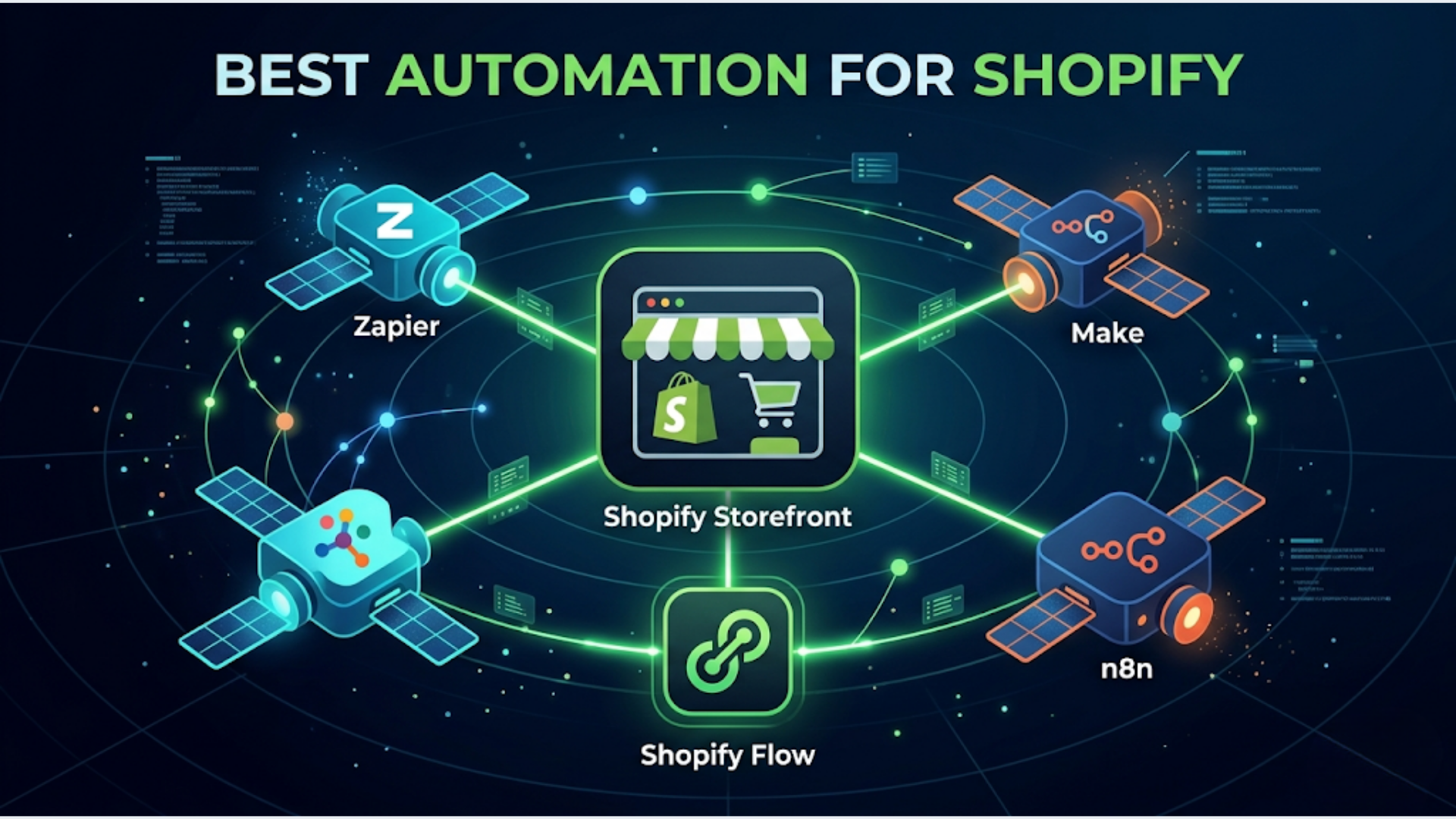
The best automation tool for your Shopify store depends on what you’re automating: Shopify Flow for basic in-platform automation (free on all plans), n8n for complex multi-tool workflows across your full stack, and Zapier for non-technical teams that need quick setup with minimal learning curve. Most stores doing 500+ orders per month need at least two of these.
Shopify automation stacks work for stores doing 200 to 8,000 orders per month. The tool that works best isn’t always the most powerful one. It’s the one your team will actually maintain.
Here’s the honest breakdown.
Shopify Flow: What It Can and Can’t Do
Shopify Flow is free on every Shopify plan as of 2026. That makes it the obvious starting point.
What Flow Handles Well
Flow works with triggers, conditions, and actions inside the Shopify ecosystem. It’s excellent for:
- Order tagging: Auto-tag orders based on product, customer location, payment method, or order value. Useful for fulfillment teams that sort orders by type.
- Inventory management: Get notified when stock drops below a threshold. Auto-hide out-of-stock products. Republish when restocked.
- Customer segmentation: Tag customers based on purchase history, total spend, or number of orders. Feed these tags into your email marketing tool.
- Fraud flagging: Auto-cancel orders from flagged IPs or addresses. Hold high-risk orders for manual review.
Where Flow Falls Short
Flow can’t talk to external systems reliably. It has limited connector options and no error handling.
You can’t use Flow to sync inventory with your warehouse management system, push order data to your accounting software in real-time, or trigger complex multi-step processes that span multiple tools.
Flow also doesn’t support loops, branching logic beyond simple if/then, or data transformations. If your automation needs to “for each line item in an order, check the vendor and route to the correct fulfillment center,” Flow can’t do it.
Think of Flow as your in-store automation. Everything that happens inside Shopify, Flow handles. Everything that crosses a system boundary, you need something else.
n8n + Shopify: The Power Combo
n8n is where things get serious. It connects Shopify to everything: your CRM, accounting software, shipping providers, WhatsApp, email tools, AI services, databases, and custom APIs.
Why n8n Works Best for Complex Shopify Automation
n8n has native Shopify nodes (trigger and action), but the real power is in webhook-based workflows. Set up a Shopify webhook for any event (order created, product updated, fulfillment shipped), and n8n catches it and runs your workflow.
What you can build with n8n + Shopify:
- Multi-channel inventory sync: Shopify + Amazon + your physical POS, all synced in real-time through a central n8n workflow.
- Payment reconciliation: Match Shopify payouts against your bank transactions. Flag discrepancies. Push to your accounting software.
- Custom fulfillment routing: Based on product type, vendor, or customer location, automatically route orders to different fulfillment partners via their APIs.
- AI-powered customer support: Incoming customer emails get classified by n8n, answers get drafted by an LLM, and responses get sent (or queued for human review) automatically.
The Trade-off
n8n requires technical setup. Self-hosting, workflow building, maintenance. If nobody on your team can build and debug workflows, n8n becomes a liability.
For stores without technical capacity, hire someone to build the workflows and document them. The workflows themselves are low-maintenance once built correctly. But someone needs to be able to troubleshoot when an API changes or a webhook fails.
Zapier and the Rest: Quick Comparison
For the complete picture, here’s how all five major options compare for Shopify automation.
| Feature | Shopify Flow | n8n | Zapier | Make | Alloy |
|---|---|---|---|---|---|
| Monthly cost | Free | $0 (self-hosted) or $24+ (cloud) | $29.99+ | $10.59+ | $49+ |
| Shopify integration | Native (deepest) | Webhook + nodes | Native trigger + actions | Native trigger + actions | Native (deep, Shopify-focused) |
| External integrations | Very limited | 400+ nodes + any API | 7,000+ apps | 1,800+ apps | 300+ (commerce-focused) |
| Complexity handling | Basic if/then only | Full programming logic | Moderate (Paths, Filters) | Moderate (Routers, Iterators) | Moderate |
| Error handling | None | Built-in retry, error workflows | Basic retry | Built-in error routes | Basic |
| Self-hosting option | No | Yes | No | No | No |
| Learning curve | Low | High | Low | Medium | Medium |
| Best for | Simple in-Shopify rules | Complex multi-system workflows | Quick non-technical setup | Visual workflow builders | Shopify-first automation |
| Execution limits | Unlimited | Unlimited (self-hosted) | 750-50,000/month (by plan) | 10,000-800,000/month | Varies by plan |
My Recommendation by Store Size
Solo store, under 200 orders/month: Shopify Flow only. It’s free and covers the basics.
Growing store, 200-1,000 orders/month: Shopify Flow + Zapier. Use Flow for in-Shopify automation, Zapier for 3-5 critical cross-system workflows (order to accounting, new customer to email list, support ticket routing).
Scaling store, 1,000-5,000 orders/month: Shopify Flow + n8n. At this volume, Zapier’s per-task pricing gets expensive. n8n (self-hosted) handles unlimited executions. Worth the setup investment.
High-volume store, 5,000+ orders/month: n8n as the central automation hub. Shopify Flow for simple in-store rules. Custom API integrations where needed. At this scale, you likely have (or need) a technical person managing operations.
7 Shopify Automations That Save the Most Time
These are the automations I build most often for Shopify clients, ranked by time saved.
1. Order Tagging and Routing
Time saved: 5-10 hours/week (for stores with 500+ orders/month)
Auto-tag orders based on rules: product type, shipping zone, order value, payment method. Route tagged orders to the correct fulfillment queue. A store with 3 warehouses needs this. Without it, someone is manually sorting orders every morning.
2. Inventory Alerts and Auto-Actions
Time saved: 3-5 hours/week
When stock drops below threshold: notify the purchasing team, auto-reorder from supplier (if API available), hide product from store, add “back soon” badge. When restocked: republish, notify waitlisted customers.
3. Abandoned Cart Recovery via WhatsApp
Time saved: 2-3 hours/week, plus 10-25% cart recovery rate
Email-based abandoned cart recovery gets 5-10% open rates. WhatsApp gets 80%+ open rates. Set up a webhook: when cart is abandoned for 30 minutes, send a personalized WhatsApp message via WATI or Interakt with the cart link and a time-limited discount.
For Indian stores, this is the single highest-ROI automation you can build.
4. Review Request Automation
Time saved: 2-3 hours/week
7 days after delivery (not order date, delivery date), automatically send a review request via email or WhatsApp. Include the product name, an image, and a one-click review link. Follow up once if no response in 5 days. Stop there. Nobody likes being pestered.
5. Fulfillment Status Updates
Time saved: 3-5 hours/week (especially in reducing “where’s my order” support tickets)
When fulfillment status changes, send an update via WhatsApp or SMS with tracking link. Proactive updates reduce inbound support queries by 30-50%. Build this as a Shopify webhook > n8n workflow > WhatsApp API.
6. Refund Processing Automation
Time saved: 3-4 hours/week
When a return request is approved, automatically: process the refund in Shopify, update inventory, notify the accounting system, send the customer a confirmation with expected refund timeline. Manual refund processing is one of the most error-prone tasks in e-commerce operations.
7. Loyalty Points and VIP Tagging
Time saved: 1-2 hours/week, plus increased repeat purchase rate
Track customer lifetime value automatically. When a customer crosses spend thresholds (Rs 5,000, Rs 15,000, Rs 50,000), auto-tag them as Silver/Gold/Platinum. Trigger personalized offers for each tier. You can build this without a dedicated loyalty app using n8n + Shopify customer tags + your email tool.
India-Specific: The Shopify + Razorpay + WhatsApp + Shiprocket Stack
Indian Shopify stores have a specific automation stack that global guides ignore. Here’s the stack I recommend and the pricing.
The Stack
| Tool | Role | Monthly Cost (INR) |
|---|---|---|
| Shopify Basic | Store platform | Rs 1,999 |
| Razorpay | Payments | 2% per transaction (no monthly fee) |
| WATI | WhatsApp Business API | Rs 2,499 (1,000 conversations/month) |
| Shiprocket | Shipping aggregator | Rs 0 (pay per shipment, Rs 27+) |
| n8n (self-hosted) | Automation hub | Rs 2,350 (DigitalOcean BLR1) |
| Total fixed cost | ~Rs 6,850/month |
Key Automations for This Stack
Razorpay payment confirmation > WhatsApp: When Razorpay confirms payment, instantly send an order confirmation via WATI on WhatsApp. Customers get confirmation in 5 seconds instead of waiting for email.
Shopify order > Shiprocket: Auto-create shipment in Shiprocket when order is placed. Select courier based on destination pincode and weight. No manual data entry.
Shiprocket tracking > WhatsApp: When shipping status changes (picked up, in transit, out for delivery, delivered), send WhatsApp update via WATI. Include AWB tracking link.
COD order verification: For Cash on Delivery orders (still 50-60% of Indian e-commerce), auto-send a WhatsApp confirmation asking the customer to confirm the order. Reduces RTO (return to origin) by 15-25%.
Abandoned cart WhatsApp: As mentioned above, this is the highest-ROI automation for Indian stores. Open rates of 80%+ vs 10-15% for email. Build it in n8n with a 30-minute delay after cart abandonment.
Why This Stack Works for India
Razorpay is the default payment gateway. WATI or Interakt for WhatsApp Business API. Shiprocket aggregates 17+ courier partners with auto-selection based on price and delivery time.
The total monthly cost of Rs 6,850 (~$82) is less than a Zapier Pro plan. And n8n gives you unlimited automations with no per-execution charges. For a store doing 500+ orders/month, the automation saves 15-25 hours per week of manual work.
FAQ
Q1: Is Shopify Flow good enough for automation or do I need a third-party tool? A: Shopify Flow is good enough if your automation stays within Shopify. Order tagging, inventory alerts, customer segmentation, fraud flagging. The moment you need to connect Shopify to your CRM, accounting software, WhatsApp, or shipping provider, you need n8n, Zapier, or Make. Most stores beyond 200 orders/month need at least one external automation tool.
Q2: How much does it cost to automate a Shopify store with Zapier? A: A typical Shopify store needs 5-10 Zaps (automations). Zapier’s Starter plan at $29.99/month gives you 750 tasks. At 500 orders/month with 3 tasks per order (order sync, fulfillment update, review request), you’ll use 1,500 tasks, which requires the Professional plan at $73.50/month. High-volume stores (2,000+ orders) quickly hit the $448.50/month Business plan. That’s why I recommend switching to n8n at scale.
Q3: Can I connect Shopify to WhatsApp for order updates? A: Yes. Use n8n or Zapier to connect Shopify webhooks to the WhatsApp Business API (via WATI, Interakt, or Twilio). When an order event fires (created, fulfilled, delivered), your automation sends a templated WhatsApp message to the customer. WATI is the most popular option in India, starting at Rs 2,499/month for 1,000 conversations.
Q4: What’s the best Shopify automation for reducing support tickets? A: Proactive fulfillment updates via WhatsApp or SMS. “Where is my order?” queries account for 40-60% of e-commerce support volume. If you send tracking updates at each fulfillment stage (shipped, in transit, out for delivery), customers don’t need to ask. Stores that implement this consistently report 30-50% fewer inbound support tickets.
Q5: Is n8n too technical for a small Shopify store owner? A: If you’re comfortable with basic spreadsheet formulas and can follow a tutorial, you can learn n8n basics in a weekend. The visual workflow builder is intuitive for simple automations. For complex workflows (multi-channel sync, payment reconciliation), you’ll likely need a developer to set up initially. The good news: once built, n8n workflows require minimal maintenance. Budget Rs 15,000-30,000 for initial setup by a freelancer if you’re not technical.
Q6: Should I use Alloy instead of n8n or Zapier for Shopify? A: Alloy is purpose-built for e-commerce and has deeper Shopify integration than general-purpose tools. If you only automate within the e-commerce ecosystem (Shopify + shipping + reviews + loyalty), Alloy is worth evaluating. If you need to connect to non-commerce tools (CRM, accounting, project management, custom APIs), n8n or Zapier gives you broader coverage. Alloy’s pricing starts at $49/month, which is competitive with Zapier but more expensive than self-hosted n8n.
I build Shopify automation stacks for stores that need operations to run without constant manual intervention. If your store is growing faster than your team can manage, triggerAll can help.
Need help implementing this?
Book a free 30-minute discovery call. We'll map your current setup, identify quick wins, and outline what automation can do for your business.
Book a Free Discovery Call