Best Event RSVP and Check-in Automation Stack (2026)
Compare the best event RSVP and check-in automation stacks for 2026. Zoho Backstage vs Eventbrite vs Luma vs custom n8n. QR check-in, WhatsApp confirmations, and real costs by event size.
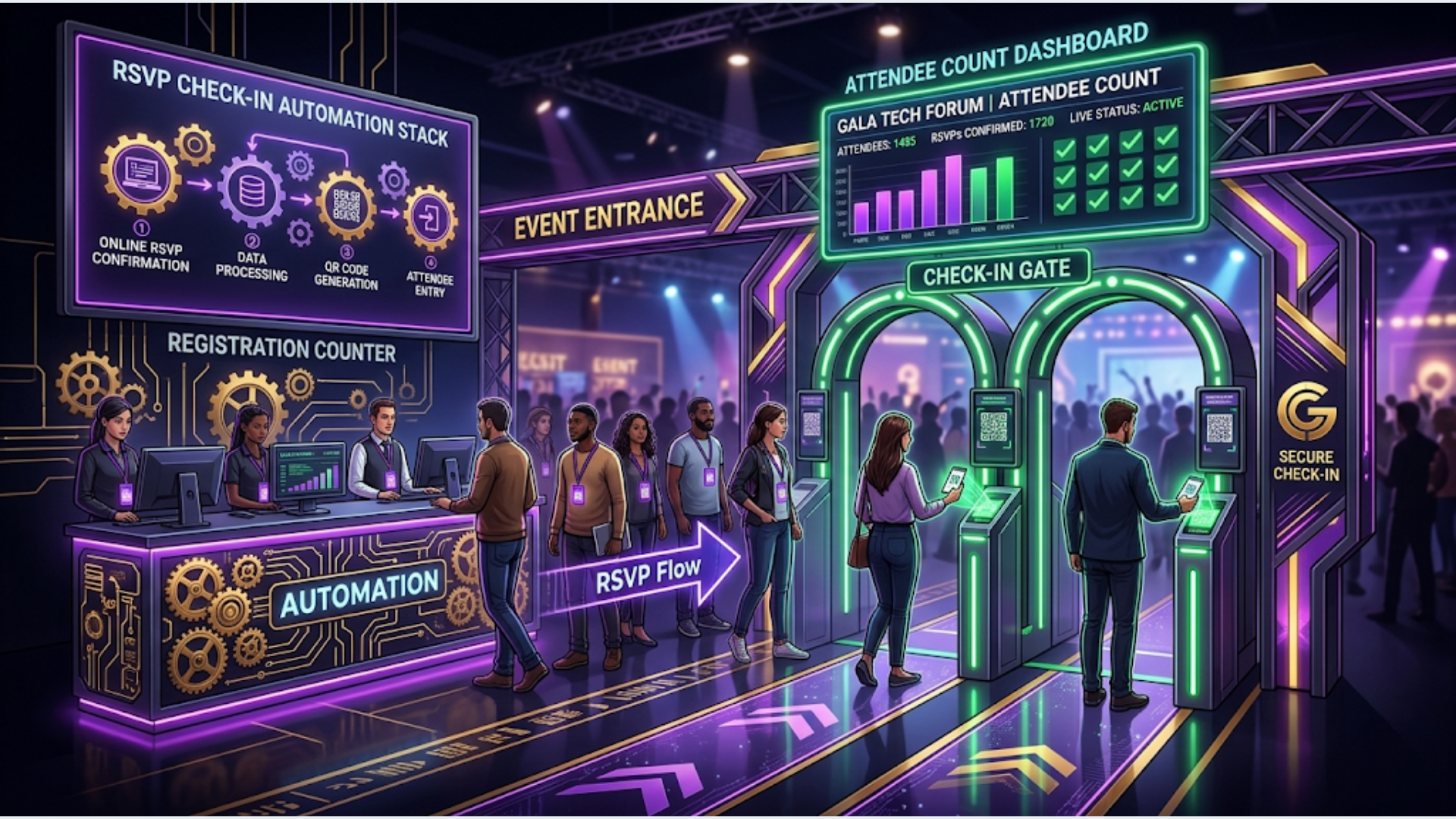
Best Event RSVP and Check-in Automation Stack (2026)
The best event RSVP and check-in stack for most organizers in 2026 is Luma for free/community events under 500 attendees, Zoho Backstage for paid corporate events needing CRM integration, and a custom n8n + QR system for multi-event operations doing 50+ events per year. Cost ranges from $0 (Luma free tier) to $3,000-8,000 for a fully custom build.
Event automation follows a consistent pattern: everyone starts with a registration page and a spreadsheet, then panics at check-in when 300 people show up and nobody knows who actually paid. The fix isn’t one tool. It’s a stack that handles registration, payment, confirmation, check-in, and post-event follow-up as one connected flow.
Here’s every option worth considering and what actually works at each scale.
The 4 Stacks Compared: Features, Limits, and Real Costs
Before diving into each option, here’s the comparison that matters. I’m evaluating based on what breaks first at scale, not what the marketing page promises.
| Feature | Luma | Eventbrite | Zoho Backstage | Custom (n8n + QR) |
|---|---|---|---|---|
| Free tier | Yes (unlimited free events) | Yes (free events only) | Yes (1 event, 100 attendees) | Self-hosted n8n: $0 |
| Paid events pricing | 5% + Stripe fees | 3.7% + $1.79/ticket | ₹750/event or $29/event | Your payment gateway fees only |
| QR check-in app | Built-in | Built-in (Organizer app) | Built-in | Custom (generate + scan) |
| WhatsApp integration | No (email only) | No (email only) | Via Zoho Flow | Native (full control) |
| CRM integration | Limited (Zapier) | Zapier, HubSpot native | Native Zoho CRM | Any CRM via API |
| Custom registration fields | Yes (basic) | Yes | Yes (advanced) | Unlimited |
| Multi-event dashboard | Limited | Yes | Yes | Custom-built |
| Attendee cap (free tier) | Unlimited | Unlimited (free events) | 100 | Unlimited |
| Offline check-in | No | Yes | Yes | Depends on build |
| API access | Limited | Full REST API | Full REST API | Full control |
The honest verdict: Luma wins for simplicity. Eventbrite wins for ticketed events with high volume. Zoho Backstage wins when you’re already in the Zoho ecosystem. Custom wins when you need WhatsApp, multi-channel follow-up, and no per-ticket fees eating your margins.
Option 1: Luma (Best for Free and Community Events)
Luma became the default for tech meetups, community events, and creator gatherings for a reason. It’s fast to set up, looks good, and the RSVP experience is smooth.
What it does well:
Registration pages go live in under 5 minutes. The design is clean without customization. Calendar integration (Google, Apple, Outlook) is automatic. Attendees get email reminders at 24 hours and 1 hour before the event. The built-in QR check-in works through the Luma app on your phone.
Where it breaks:
No WhatsApp notifications. This is a problem if your audience lives on WhatsApp (which most of Asia and Latin America does). Email open rates for event reminders average 35-45%. WhatsApp open rates: 90%+. If you’re running events in India or Southeast Asia, email-only confirmation means 15-25% of confirmed attendees won’t see the reminder.
No CRM integration beyond basic Zapier connections. You can push attendee data to a Google Sheet or Airtable, but there’s no native sync to Zoho, HubSpot, or Salesforce. For one-off events, this doesn’t matter. For companies running a recurring event series where attendees become sales leads, this gap is expensive.
Actual cost:
Free events: $0. Paid events: 5% of ticket price + Stripe processing fees (2.9% + $0.30). For a $50 ticket, you lose about $4.25 per attendee. At 200 paid attendees, that’s $850 in platform + processing fees. Compare that to a custom build where you only pay Stripe’s cut.
Best for: Community meetups, free workshops, creator events, anything under 500 attendees where email-only communication is acceptable.
Option 2: Eventbrite (Best for High-Volume Ticketed Events)
Eventbrite is the incumbent for a reason. Discovery, ticketing infrastructure, and the organizer app are mature. If you sell tickets to public events and want walk-in discoverability, Eventbrite’s marketplace matters.
What it does well:
The ticketing engine handles complex scenarios: early bird pricing, group discounts, reserved seating, multi-day passes, and promo codes. The Eventbrite Organizer app supports offline QR scanning (critical for venues with poor WiFi). Analytics are solid. You see real-time sales, conversion rates, and traffic sources.
The API is comprehensive. You can build custom integrations for attendee data, order management, and event creation. For agencies managing multiple client events, the API enables white-label solutions.
Where it breaks:
Fees add up fast. 3.7% + $1.79 per ticket. For a ₹500 ($6) ticket, Eventbrite takes ₹110 ($1.32). That’s 22% of a budget event ticket. For premium events at $200+, the percentage hurts less, but the flat fee per ticket still stings at scale.
No WhatsApp integration. Same problem as Luma. You’re limited to email for all communications. Eventbrite’s email deliverability is decent, but you can’t compete with WhatsApp for time-sensitive updates like “event starts in 30 minutes” or “parking lot B is full, use gate C.”
CRM integration exists but it’s basic. The HubSpot native integration syncs attendee data, but field mapping is limited. For Zoho or Salesforce, you’re going through Zapier or building custom API flows.
Actual cost:
Free events: $0 (no fees). Paid events: 3.7% + $1.79/ticket (passed to buyer or absorbed). For a 1,000-attendee conference at $100/ticket, that’s $5,490 in fees. Not trivial.
Best for: Public ticketed events where marketplace discovery matters. Conferences, festivals, and recurring paid events with 500+ attendees.
Option 3: Zoho Backstage (Best for Corporate Events with CRM Integration)
If your company runs on Zoho, Backstage is the obvious choice. Not because it’s the best event tool in isolation, but because the CRM integration is zero-effort.
What it does well:
Native Zoho CRM sync. Every registrant automatically becomes a CRM contact or updates an existing record. Lead score changes, deals get tagged, and your sales team sees which prospects attended which events. This is the single biggest advantage over every other option.
Registration forms support conditional logic, multi-page flows, and custom fields that map directly to CRM fields. Speaker management, session scheduling, and sponsor portals are built in. The check-in app supports offline scanning.
Zoho Flow (their automation tool) connects Backstage to everything else in the Zoho ecosystem. Registration triggers a welcome email from Zoho Campaigns, creates a task in Zoho Projects for the event coordinator, and logs the interaction in CRM. All without external tools.
Where it breaks:
The UI feels dated compared to Luma. Registration pages work but they don’t look modern without significant customization. If brand experience matters (and for premium events it does), you’ll want to build a custom landing page and use Backstage only for backend registration processing.
WhatsApp integration requires Zoho Flow + a WhatsApp Business API provider (WATI, Twilio, etc.). It works, but it’s a separate setup. Not native.
Pricing gets confusing. The free tier allows 1 event with 100 attendees. After that, it’s per-event pricing that varies by region. In India, it starts at ₹750/event. For agencies managing 20+ events/month, costs add up.
Best for: Companies already using Zoho CRM that need event data flowing directly into their sales pipeline.
Option 4: Custom Stack (n8n + QR + WhatsApp + Any CRM)
This is what I build for clients who run 50+ events per year and are tired of per-ticket fees eating into margins. The upfront cost is higher. The long-term cost is dramatically lower.
The architecture:
Registration: Custom form (Typeform, Tally, or a simple web form) submits to n8n via webhook. n8n validates the data, creates the attendee record in your CRM, generates a unique QR code, and sends a WhatsApp confirmation with the QR code attached. Total time from form submission to WhatsApp with QR: under 10 seconds.
Payment: Stripe or Razorpay handles paid registrations. Webhook confirms payment, n8n triggers the confirmation flow. No platform taking 3-5% on top of payment processing fees.
Check-in: A simple web app (runs on any tablet or phone) scans QR codes against your attendee database. Real-time dashboard shows check-in numbers, no-show rates, and VIP arrivals. Works offline if you cache the attendee list locally.
Post-event: Automated feedback survey via WhatsApp (not email). Follow-up sequence based on attendance: attended vs. no-show get different messages. CRM records updated with event participation data.
What this costs to build:
Initial setup: $3,000-8,000 depending on complexity. This includes the n8n workflows, QR generation system, check-in app, WhatsApp integration, and CRM connections.
Ongoing: n8n cloud ($20-50/month) or self-hosted ($0 + server costs). WhatsApp Business API ($0.05-0.08 per message). No per-ticket fees. No per-event fees.
Break-even calculation: If you run 100 events/year with 200 paid attendees at $50/ticket, Eventbrite takes about $35,000/year in fees. A custom stack costs $5,000-10,000 to build and $500-1,000/year to operate. You break even in 2-3 months.
Best for: Event companies, hospitality groups, and agencies managing high-volume recurring events where per-ticket fees are a significant cost.
The India Stack: What Changes for Indian Events
Event automation in India has specific requirements that global platforms handle poorly. This is where most organizers get stuck.
WhatsApp is mandatory, not optional.
In India, 95% of your attendees are on WhatsApp. Email confirmation for event registration is effectively invisible. Event organizers with 40% no-show rates switch to WhatsApp confirmation and drop to 15-18%. That’s not a small improvement. For a 500-person event, that’s 110 fewer empty seats.
The WhatsApp flow for Indian events should be: instant confirmation with event details, calendar reminder 48 hours before, day-of reminder with venue map/parking instructions, and a check-in QR code. All automated. Total WhatsApp cost per attendee: ₹3-5 ($0.04-0.06).
Payment complexity:
Indian events deal with UPI, net banking, credit/debit cards, and sometimes cash at the door. Razorpay handles all digital payment methods. The challenge is reconciliation. When someone pays via UPI and the webhook fails (happens more often than you’d think), you need a reconciliation job that checks Razorpay’s payment status against your attendee list every 15 minutes. Without this, you’ll have paid attendees who never got their confirmation.
Regional language support:
For events outside Tier-1 cities, WhatsApp messages in Hindi, Tamil, Telugu, or the local language dramatically improve open rates and attendance. Zoho Backstage doesn’t support multilingual WhatsApp templates natively. A custom n8n flow with WATI handles this easily. Template your WhatsApp messages in multiple languages, detect the attendee’s language preference from the registration form, and route accordingly.
GST complications:
Paid events in India require GST-compliant invoices. Eventbrite doesn’t generate GST invoices. Zoho Backstage does (if you’re on Zoho Books). For a custom stack, connect Razorpay + Zoho Invoice or ClearTax for automatic GST invoice generation per ticket purchase.
The recommended India stack: Custom registration form + Razorpay (payments) + WATI (WhatsApp) + n8n (orchestration) + Zoho CRM (attendee management) + custom QR check-in app. Total build cost: ₹2,00,000-6,00,000. Monthly operating cost: ₹3,000-8,000.
QR Check-in: What Actually Works at Scale
QR check-in sounds simple until 200 people arrive in the first 10 minutes and your system can’t keep up. Here’s what matters.
Generation: Each attendee gets a unique QR code containing their registration ID (not their personal data). The QR is generated during registration and sent via WhatsApp/email. Use a simple library (qrcode in Node.js, or python-qrcode) to generate them. Don’t use a third-party QR service. It’s unnecessary overhead.
Scanning speed: Your scanner needs to process a QR in under 1 second. Any phone camera works, but dedicated apps (like the Zoho Backstage app or a custom PWA) are faster because they’re optimized for QR parsing. Test with your actual devices before the event. Some older Android phones struggle with small QR codes in low light.
Offline capability: Venue WiFi will fail during large events. Your check-in system must work offline. Cache the full attendee list locally. Process scans offline and sync when connectivity returns. This is non-negotiable for venues with 500+ people, especially in India where venue WiFi is unreliable.
Multi-gate check-in: For large events, you need multiple check-in points. All scanning devices must share state. If Gate A checks in an attendee, Gate B should show that attendee as already checked in. This requires either real-time sync (WebSocket) or a simple polling mechanism (check server every 5 seconds). The custom n8n approach handles this through a central database that all scanning devices query.
VIP and category routing: Premium attendees, speakers, and sponsors should be flagged during check-in so your team can provide appropriate handling. The QR scan response should show: name, ticket category, any special notes, and whether they have dietary requirements for catered events.
How to Choose: Decision Framework
Pick based on your reality, not feature lists.
Choose Luma if:
- You run free or community events
- Your audience is primarily in North America or Europe (email-comfortable)
- You don’t need CRM integration
- Event frequency: 1-4 per month
- Budget: $0
Choose Eventbrite if:
- You sell tickets to public events
- Marketplace discovery matters for your event type
- You need proven, reliable infrastructure for 1,000+ attendee events
- You can absorb or pass through the per-ticket fees
- Budget: 3.7% + $1.79/ticket
Choose Zoho Backstage if:
- Your company uses Zoho CRM and wants native attendee-to-lead sync
- You run corporate events, webinars, or conferences
- You need speaker and session management built in
- Budget: ₹750-2,000/event ($29-50)
Choose custom (n8n + QR + WhatsApp) if:
- You run 50+ events per year
- Per-ticket fees cost you more than $10,000/year
- WhatsApp communication is essential (India, Southeast Asia, Latin America)
- You need multi-language support
- You want full control over the attendee experience and data
- Budget: $3,000-8,000 upfront, $500-1,000/year ongoing
For most Indian event companies doing 20+ events/year with paid registrations, the custom stack pays for itself within a quarter. The WhatsApp confirmation alone cuts no-shows enough to justify the investment.
If you’re running events and losing money to no-shows, per-ticket platform fees, or manual check-in chaos, we build these systems at triggerAll.
FAQ
How much does event RSVP automation cost? Free platforms like Luma cost $0 for free events. Eventbrite charges 3.7% + $1.79/ticket. A fully custom automation stack with QR check-in and WhatsApp costs $3,000-8,000 to build with $500-1,000/year in operating costs. The right choice depends on event volume and whether per-ticket fees exceed a custom build’s cost.
What is the best QR check-in system for events? For most organizers, the built-in check-in apps from Eventbrite or Zoho Backstage work fine for events under 500 attendees. For larger events or multi-gate setups, a custom QR system built on n8n with offline capability and real-time sync across scanning devices is more reliable. The key requirement is offline scanning, because venue WiFi always fails when 300 people arrive simultaneously.
How do I send WhatsApp RSVP confirmations automatically? Connect your registration form to a WhatsApp Business API provider (WATI, Twilio, or the official WhatsApp Cloud API) via n8n or Zapier. When someone registers, the webhook triggers a WhatsApp template message with their event details and QR code. Total per-message cost: $0.04-0.08. Setup time with n8n: 2-3 hours.
Can I automate event check-in without WiFi? Yes. The solution is to cache your attendee list locally on the scanning device before the event starts. A Progressive Web App (PWA) or native app stores the data in local storage, processes QR scans offline, and syncs with the server when connectivity returns. Both Zoho Backstage and Eventbrite’s organizer apps support offline check-in natively.
What is the best event registration platform for India? For Indian events, a custom stack (Razorpay + WATI + n8n + Zoho CRM) outperforms global platforms because of WhatsApp integration, UPI payment support, GST-compliant invoicing, and regional language messaging. Eventbrite and Luma don’t support WhatsApp natively, which is a dealbreaker when 95% of your audience communicates via WhatsApp.
How do I reduce event no-shows with automation? The biggest lever is switching from email-only reminders to WhatsApp reminders. Email open rates for event reminders average 35-45%. WhatsApp: 90%+. Send reminders at 48 hours, 24 hours, and 2 hours before the event via WhatsApp. Include a “Can’t make it?” button so no-shows can cancel early, letting you manage waitlists. This approach typically reduces no-shows from 35-40% to 15-18%.
How much does WhatsApp Business API cost for event notifications? WhatsApp Business API charges per conversation (not per message). A 24-hour session costs $0.04-0.08 depending on your region and provider. For a 500-attendee event with 4 messages per attendee (confirmation, reminder, day-of, feedback), you’re looking at $80-160 total. That’s less than what Eventbrite charges in fees for a single 200-person paid event.
Need help implementing this?
Book a free 30-minute discovery call. We'll map your current setup, identify quick wins, and outline what automation can do for your business.
Book a Free Discovery Call