Best Automation for Education and Training Businesses (2026)
Best automation tools for education and training businesses in 2026. Student enrollment, course notifications, certificate generation, WhatsApp communication, and LMS integration with n8n.
Best Automation for Education and Training Businesses (2026)
A training institute with 500 active students handles approximately 2,500 touchpoints per month. Enrollment inquiries, payment reminders, course notifications, assignment deadlines, certificate requests, feedback forms, re-enrollment campaigns. Every one of these is someone on staff sending a message, updating a spreadsheet, or generating a document.
The average training business with 200-500 students employs 2-3 admin staff just for operations. Not teaching. Not curriculum. Just keeping the machine running. Payment follow-ups alone consume 15-20 hours per month.
Education automation connects your LMS, CRM, payment gateway, and communication channels so the operational load doesn’t scale linearly with student count. I build these systems. Here’s what works in 2026, with specific attention to the Indian market where coaching institutes and online courses are a Rs 7.3 lakh crore industry.
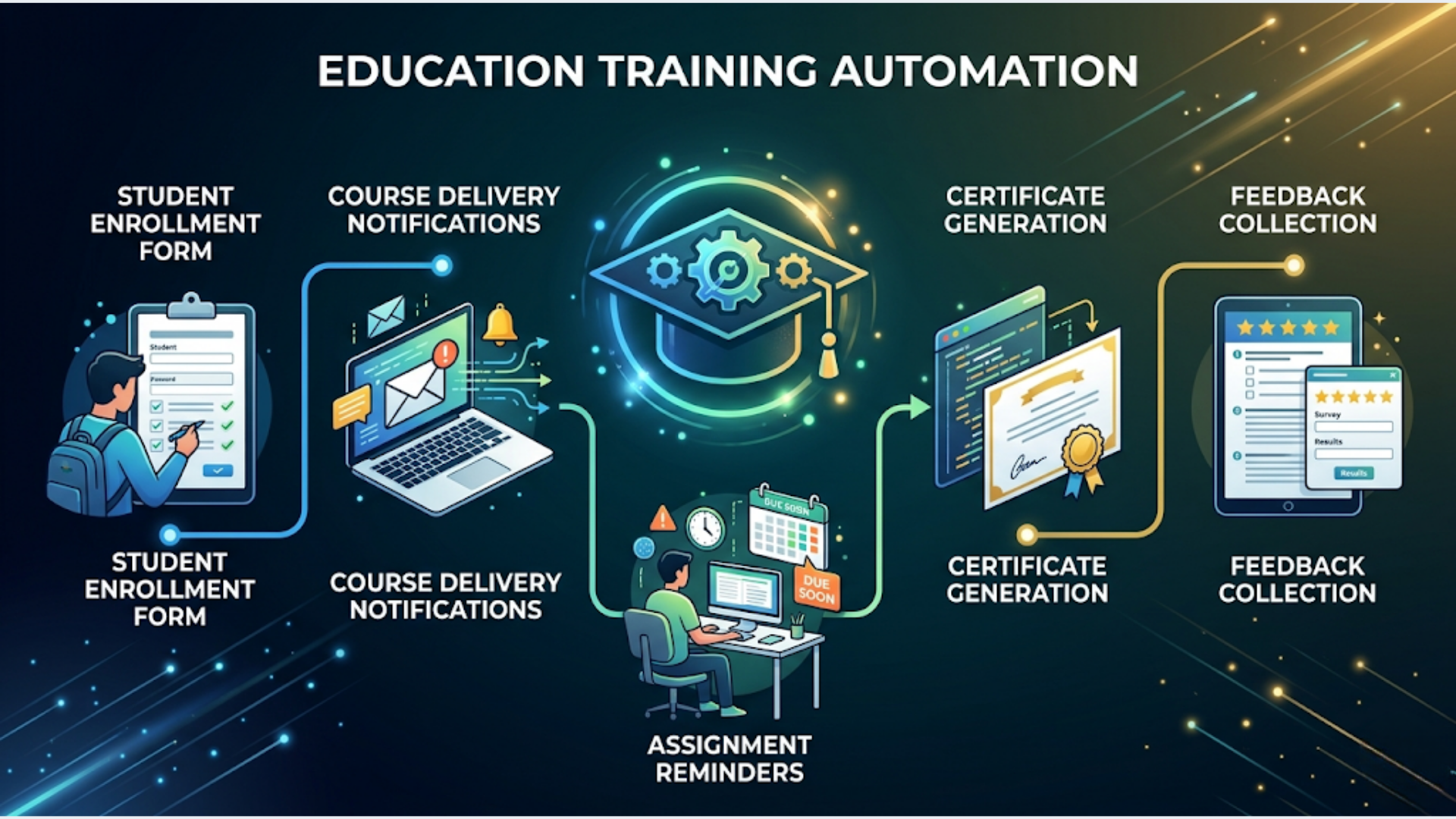
Student Enrollment Automation
Manual enrollment is the first bottleneck. Student inquires via phone, WhatsApp, or website form. Someone collects their details, explains course options, follows up, processes payment, grants access. For a popular course with 50 enrollments per batch, this cycle repeats 50 times.
The automated enrollment pipeline:
Stage 1: Lead capture. Inquiry comes in from any channel (website form, WhatsApp message, Facebook lead ad, phone call logged in CRM). All leads flow into one system.
| Lead Source | Integration | Tool |
|---|---|---|
| Website form | Webhook to n8n | Typeform / Google Forms |
| WhatsApp inquiry | WATI webhook | WATI |
| Facebook Lead Ads | Facebook API | n8n HTTP node |
| Instagram DM | Manual entry (no API for DMs) | Google Sheets |
| Walk-in | Manual entry | Google Sheets |
| Phone call | Logged by receptionist | Google Sheets / CRM |
Stage 2: Automated nurture sequence. Not every inquiry converts immediately. Some people are comparing options. Some are waiting for salary day. The nurture sequence keeps them warm.
Day 0: Instant acknowledgment via WhatsApp. “Thanks for your interest in [Course Name]. Here’s what you’ll learn: [link to syllabus].”
Day 1: Course brochure (PDF) sent via WhatsApp. Includes syllabus, instructor bio, batch schedule, pricing, and student testimonials.
Day 3: FAQ document. Top 10 questions previous students asked before enrolling.
Day 5: Limited-time offer or early bird pricing (if applicable).
Day 7: “Any questions? Reply to chat with our team.” Human handoff for interested leads.
Day 14: Final follow-up. “Enrollment for the next batch closes on [date].”
This sequence runs in n8n with WATI for WhatsApp delivery. Each message is a pre-approved template. The sequence stops if the student enrolls (payment webhook triggers removal from the nurture list).
Stage 3: Payment and access. Student decides to enroll. Payment options:
| Method | Tool | Best For |
|---|---|---|
| UPI payment link | Razorpay | India, instant payment |
| EMI (0% or low-interest) | Razorpay EMI | High-ticket courses (Rs 20,000+) |
| Credit/debit card | Razorpay or Stripe | All markets |
| Bank transfer | Manual reconciliation | Large corporate training |
| Cash (walk-in) | Manual entry | Local coaching centers |
On payment confirmation (Razorpay webhook), n8n automatically:
- Creates the student record in the LMS
- Enrolls them in the correct course/batch
- Sends welcome message via WhatsApp with login credentials
- Adds them to the course WhatsApp group
- Sends first-day preparation instructions
- Updates the CRM status from “Lead” to “Enrolled”
- Generates and sends a fee receipt (GST compliant)
Zero manual steps from payment to course access. The student pays at 11 PM and wakes up to their complete onboarding package.
Course Delivery Notifications
Once enrolled, students need consistent communication. Class schedules, content updates, assignment deadlines, and session reminders.
Pre-class reminders:
- 24 hours before: “Your session on [Topic] is tomorrow at [Time]. Join link: [URL]. Please complete the pre-reading: [link].”
- 1 hour before: “Starting in 1 hour. Join here: [link].”
- At session time: “Live session starting now. Join: [link].”
For recorded/self-paced courses:
- New module released: “Module 5: [Title] is now available. Start here: [link].”
- Weekly nudge: “You’ve completed 3 of 8 modules. This week’s focus: Module 4.”
n8n workflow for class reminders:
- Google Sheets or database holds the class schedule (date, time, topic, join link, batch ID)
- n8n Schedule Trigger runs daily at midnight
- Checks for classes scheduled in the next 24 hours
- Sends 24-hour reminder via WhatsApp to all enrolled students in that batch
- Second trigger at class time minus 1 hour sends the 1-hour reminder
Multi-channel delivery:
| Channel | Open Rate | Best For |
|---|---|---|
| WhatsApp (WATI) | 85-95% | Urgent reminders, India |
| 20-30% | Detailed content, resources | |
| SMS | 40-60% | Backup for WhatsApp failures |
| Slack/Discord | 70-80% | Tech-savvy student communities |
| Push notification (app) | 50-70% | If you have a mobile app |
In India, WhatsApp is the primary channel. Every other channel is a backup. For international audiences, email takes the primary slot with SMS as backup.
Assignment Reminders and Submission Tracking
Students procrastinate. That’s universal. Automated reminders reduce late submissions by 30-40%.
The reminder sequence for each assignment:
| Timing | Message |
|---|---|
| Assignment released | ”New assignment: [Title]. Due by [date]. Submit here: [link].“ |
| 3 days before deadline | ”Reminder: [Title] is due in 3 days. Need help? Reply to this message.” |
| 1 day before deadline | ”Last day to submit [Title]. Don’t miss the deadline.” |
| Deadline day (morning) | “Today is the deadline for [Title]. Submit by 11:59 PM.” |
| Overdue (next day) | “You missed the deadline for [Title]. Late submissions accepted until [grace date]. Submit now: [link].” |
Submission tracking via Google Forms or LMS: When a student submits (form submission webhook or LMS API event), n8n:
- Marks them as “Submitted” in the tracking sheet
- Removes them from the reminder sequence (no more nagging)
- Sends confirmation: “Assignment received. You’ll get your feedback by [date].”
Tracking dashboard for instructors: A Google Sheet auto-updated by n8n showing:
| Student | Assignment 1 | Assignment 2 | Assignment 3 | Completion % |
|---|---|---|---|---|
| Rahul M. | Submitted (Apr 10) | Submitted (Apr 17) | Pending | 66% |
| Priya S. | Submitted (Apr 10) | Late (Apr 19) | Pending | 66% |
| Amit K. | Missing | Missing | Pending | 0% |
Instructors see at a glance who’s falling behind. n8n can flag students with completion below 50% for manual outreach.
Certificate Generation
Manual certificate creation is tedious. Design in Canva, add student name, course name, date, download as PDF, email to student. For a batch of 50 students, that’s 2-3 hours of repetitive work.
Automated certificate pipeline:
Step 1: Certificate template. Create a base template in Google Slides or a design tool. Leave placeholder text for: student name, course name, completion date, certificate ID, instructor signature.
Step 2: n8n generation workflow. Triggered when a student completes all course requirements (modules completed + assignments submitted + attendance threshold met).
- n8n reads student data (name, course, completion date)
- Generates a unique certificate ID (format: CERT-2026-COURSE-001)
- Uses Google Slides API to duplicate the template and replace placeholders
- Exports as PDF
- Stores in Google Drive (organized by course/batch)
- Sends to student via WhatsApp and email
- Logs in a “Certificates Issued” sheet for verification
Verification system. Each certificate has a unique ID and a verification URL. Anyone can verify authenticity by visiting yoursite.com/verify/CERT-2026-COURSE-001. This is a simple lookup page that checks the certificate ID against your issued certificates database. Adds significant credibility.
Bulk generation for batch completion: When an entire batch completes, n8n processes all qualifying students in a loop. 50 certificates generated, personalized, and delivered in under 10 minutes.
Cost: $0. Google Slides API is free. Google Drive storage is free up to 15 GB (thousands of certificates). WhatsApp delivery cost is negligible.
Feedback Collection and Net Promoter Score
Feedback improves courses. But asking for it manually means most students ignore it.
Automated feedback sequence:
Immediately after course completion: WhatsApp message with a Google Form link. “You just completed [Course Name]. Your feedback helps us improve. Takes 2 minutes: [link].”
If no response after 2 days: Reminder. “We’d love to hear about your experience with [Course Name]. Quick 2-min survey: [link].”
NPS question format: “On a scale of 0-10, how likely are you to recommend [Course Name] to a friend or colleague?”
- 9-10 (Promoters): Auto-send Google Reviews link. “Thank you! Would you share your experience on Google? [link].” These are your happiest students. Capture their enthusiasm while it’s fresh.
- 7-8 (Passives): Send a follow-up asking what would make it a 9 or 10.
- 0-6 (Detractors): Alert the course manager immediately. “Student [Name] rated the course [Score]. Reason: [feedback text]. Action needed.”
n8n processes the form responses:
- Google Forms webhook triggers on submission
- n8n reads the NPS score
- Switch node routes based on score range
- Promoters get the Google Reviews prompt
- Detractors trigger manager alert
- All responses logged in a feedback dashboard sheet
Monthly feedback digest: n8n aggregates monthly feedback data and sends a summary to the management team:
- Overall NPS score
- Top 3 positive themes
- Top 3 improvement areas
- Individual course NPS comparison
- Trend vs previous month
Alumni Engagement and Re-enrollment
The student relationship doesn’t end at course completion. Alumni are your best source of referrals and re-enrollments.
Alumni automation sequences:
30 days post-completion: “How are you applying what you learned in [Course Name]? We’d love to hear your story.”
60 days post-completion: “Advanced [Topic] course launching next month. As a [Course Name] graduate, you get early access + 15% alumni discount.”
Quarterly: Industry update newsletter. Relevant content that keeps your brand top-of-mind. Not salesy. Genuinely useful.
Annual: “It’s been a year since you completed [Course Name]. Here’s what’s new in the field + our latest courses.”
Referral program automation:
- Alumni gets a unique referral code
- When a new student enrolls using the code, n8n:
- Applies the referral discount to the new student
- Credits the referrer (cash, course credit, or gift)
- Sends notification to the referrer: “Your referral [Name] just enrolled. Your Rs 500 credit has been applied.”
- Track referral performance in a dashboard
Re-enrollment triggers:
- Student browsed the advanced course page (website tracking pixel)
- Student asked about advanced courses in feedback
- Student’s course certification is about to expire (for certifications with validity periods)
Each trigger starts a targeted WhatsApp sequence for that specific course, not a generic “check out our courses” blast.
LMS + CRM + WhatsApp + n8n: The Full Stack
Here’s the complete technology stack for education automation in 2026.
| Function | Tool | Monthly Cost |
|---|---|---|
| LMS (course delivery) | Teachable / Thinkific / Moodle | $0-149 |
| CRM (student pipeline) | Zoho Free / HubSpot Free | $0 |
| Communication (primary) | WATI (WhatsApp) | $49 |
| Communication (email) | Mailchimp Free / Brevo | $0-25 |
| Payment gateway | Razorpay | 2% per transaction |
| Orchestration | n8n (self-hosted) | $5-10 |
| Data hub | Google Sheets | $0 |
| Forms | Google Forms / Typeform | $0-29 |
| Certificate template | Google Slides | $0 |
| Total (basic) | $54-60/month | |
| Total (full stack) | $100-260/month |
LMS choices for the Indian market:
| LMS | Best For | India Pricing |
|---|---|---|
| Teachable | Solopreneurs, simple courses | $39-119/month |
| Thinkific | Course + community | $0-99/month |
| Graphy (Indian) | Indian creators, UPI native | Rs 4,999/month |
| Moodle (self-hosted) | Institutes with IT staff | Free (hosting cost only) |
| LearnDash (WordPress) | WordPress-based schools | $199/year |
| Google Classroom | Schools, basic delivery | Free |
For Indian coaching institutes, Graphy is worth considering. Built for the Indian market. Native Razorpay integration. UPI payments. WhatsApp integration. Regional language support. The trade-off: less flexible than international alternatives.
For self-paced online courses, Teachable or Thinkific with n8n automation on top gives you the best of both worlds. Professional course delivery plus custom operational automation.
India-Specific Considerations
WhatsApp is the student communication channel. Not email. Not SMS. Not an app notification. In India, students check WhatsApp 20-30 times a day. Email maybe once. Your entire communication strategy should be WhatsApp-first.
Razorpay for fees collection. UPI is how students pay. EMI option for courses above Rs 15,000 is important because many students (and their parents) prefer installments. Razorpay’s EMI feature lets you offer 3/6/9 month EMI on credit cards without negotiating with individual banks.
Regional language support. India has 22 official languages. A coaching institute in Chennai needs Tamil communication. One in Pune needs Marathi. WATI supports template messages in regional languages. Your enrollment forms, reminders, and certificates should be in the language your students speak.
GST on course fees. Educational services by institutions providing qualifications recognized by law are GST exempt. But commercial training, coaching, and online courses typically attract 18% GST. Your fee receipts and invoices need to reflect this correctly. Razorpay’s invoicing handles GST calculation.
Seasonal enrollment patterns. Indian education has predictable cycles: new academic year (June-July), post-board-results (May-June for 10th/12th), January batch starts, competitive exam seasons. Your automation should ramp up nurture sequences 4-6 weeks before these peaks.
Parent communication. For courses targeting students under 25, parents are often the decision-makers and bill-payers. Include parent phone numbers in your enrollment data. Send fee receipts and progress reports to parents via WhatsApp. This builds trust and reduces payment defaults.
Frequently Asked Questions
How do I automate attendance tracking? For live online sessions (Zoom, Google Meet), use the meeting attendance report API. Zoom provides attendee data via webhook after each meeting. n8n logs attendance in a Google Sheet. For in-person classes, a simple Google Form check-in (QR code at the door) works. Students scan, form submits, n8n logs.
Can I automate grading? For objective assessments (MCQs), yes. Google Forms auto-grades quiz responses. n8n picks up the score and updates the student’s record. For subjective assignments, automation helps with distribution (send assignment to reviewer, collect feedback, deliver to student) but the actual grading needs a human.
How do I handle refund requests? Build a refund workflow: student submits refund request form, n8n checks eligibility (within refund window, completion percentage below threshold), routes eligible requests for manager approval, processes refund via Razorpay API on approval, updates student status. The policy enforcement is automated. The approval is human.
What about student data privacy? Collect minimum necessary data. Store in access-controlled Google Sheets or a database with role-based access. Don’t share student data with third parties without consent. For Indian institutes, comply with DPDPA 2023. For international students, GDPR applies. Include a data privacy notice in your enrollment form.
How do I measure the ROI of education automation? Track three metrics: (1) Admin hours saved per month (before vs after automation), (2) Enrollment conversion rate (automated nurture vs no nurture), (3) Student retention/completion rate (with reminders vs without). Most training businesses see 30-50% reduction in admin workload and 15-25% improvement in enrollment conversion within 3 months of automation.
Can small coaching centers with 50-100 students benefit from this? Yes. Start with the basics: WhatsApp reminders for classes and payments (WATI + n8n, $54/month). Even at 50 students, automated payment reminders alone save 5-10 hours/month and reduce payment delays by 30-40%. Scale the automation as you grow.
Need help implementing this?
Book a free 30-minute discovery call. We'll map your current setup, identify quick wins, and outline what automation can do for your business.
Book a Free Discovery Call