Best AI Agent Framework for Customer Support (2026)
Best AI agent frameworks for customer support: OpenAI Assistants for simplicity, LangChain for flexibility, CrewAI for multi-agent. Honest comparison with costs.
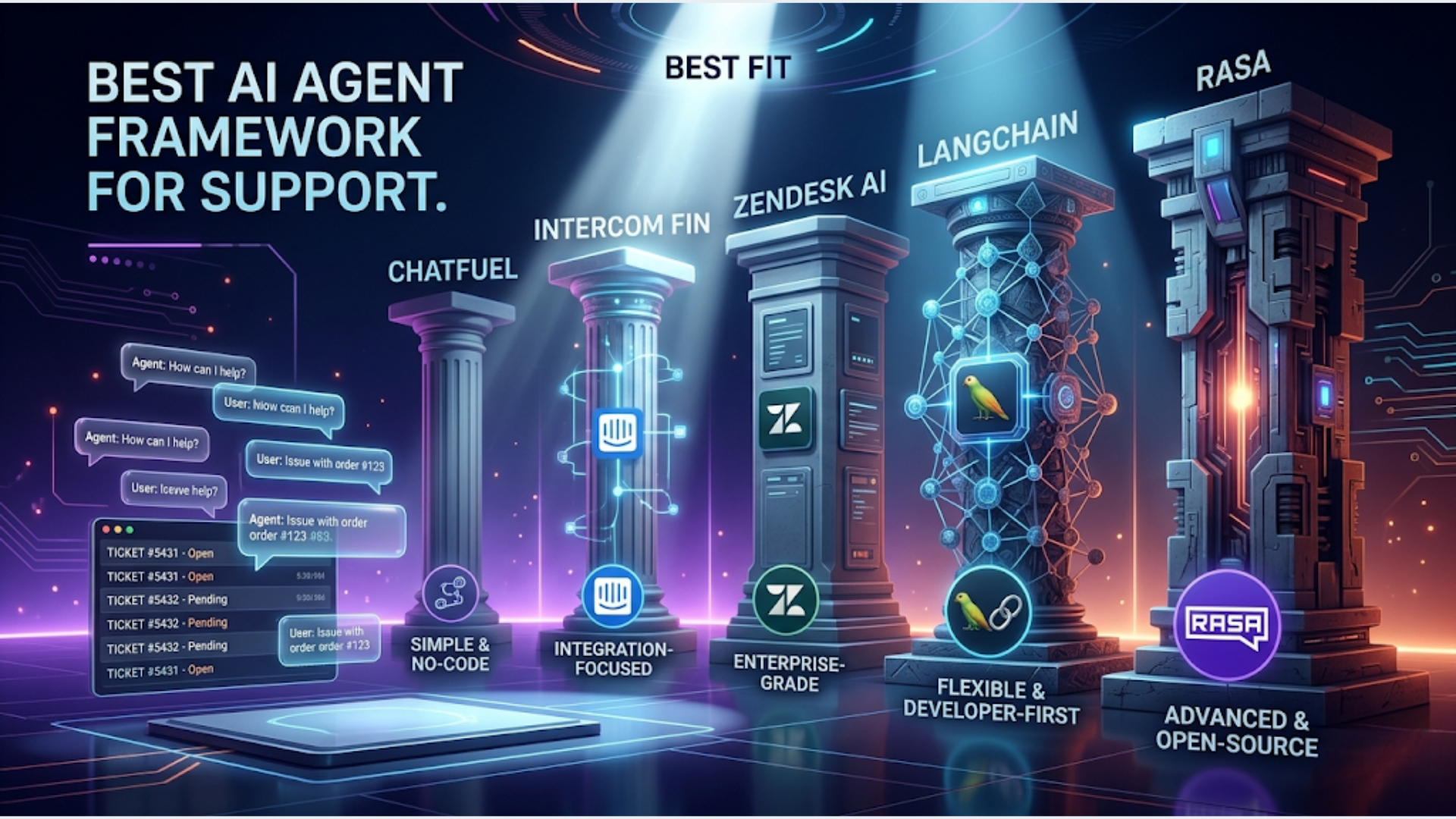
Best AI Agent Framework for Customer Support (2026)
For most businesses, the best AI agent framework for customer support is OpenAI Assistants for quick deployment (live in days, not weeks), LangChain for custom RAG pipelines that need fine-grained control, and CrewAI for multi-agent setups where different specialists handle different ticket types. The right pick depends on your team’s technical depth, ticket volume, and how custom your support knowledge base is.
I build AI agent systems for clients. Not theoretical ones. Production systems that handle real customer conversations. The framework debates in developer communities are mostly noise. What matters is whether you can get it deployed, keep it accurate, and scale it without the cost curve going vertical.
Here’s what actually works in 2026.
What Customer Support Actually Needs From an AI Framework
Before comparing frameworks, let’s define the requirements. Most “AI framework comparisons” skip this step and go straight to feature tables. That’s backwards.
A support AI agent needs five core capabilities:
Knowledge base retrieval (RAG). The agent must search your product docs, FAQs, past tickets, and policies, then ground its answers in that data. Without RAG, you have a generic chatbot that hallucinates your return policy. This is the most important capability. Get this wrong and nothing else matters.
Conversation memory. Customers don’t state their full problem in one message. The agent needs to remember what was said earlier in the conversation and reference it naturally. “You mentioned your order was placed on April 10” is the difference between a useful agent and an infuriating one.
Escalation logic. The agent must know when to stop trying and hand off to a human. Billing disputes, legal questions, angry customers, anything the agent isn’t confident about. Bad escalation logic is worse than no AI at all because it means customers argue with a bot before reaching a person.
Multi-language support. For global and Indian businesses, the agent needs to handle English, Hindi, and regional languages without separate deployments. Most LLMs handle this natively now, but your RAG pipeline needs multilingual embeddings.
Analytics and feedback loops. You need to track: resolution rate, escalation rate, customer satisfaction, hallucination incidents, and cost per ticket. Without analytics, you can’t improve the agent and you can’t prove ROI.
Framework Comparison
Here’s the honest comparison based on what I’ve seen in production.
| Feature | OpenAI Assistants | LangChain | CrewAI | AutoGen | n8n AI Nodes |
|---|---|---|---|---|---|
| Setup time | 1-3 days | 1-3 weeks | 1-2 weeks | 2-4 weeks | 2-5 days |
| Customization | Low-Medium | Very High | High | Very High | Medium |
| RAG quality | Good (built-in file search) | Excellent (full control) | Good (tool-based) | Good | Good (vector store nodes) |
| Conversation memory | Built-in (Threads API) | Manual setup required | Built-in per agent | Built-in | Session-based |
| Escalation logic | Manual (function calling) | Full control | Agent delegation | Agent handoff | Workflow branching |
| Multi-agent support | No (single assistant) | Yes (with orchestration) | Yes (native, this is its strength) | Yes (native) | Yes (sub-workflows) |
| Production-readiness | High (hosted by OpenAI) | Medium (you host everything) | Medium (newer framework) | Low-Medium (complex setup) | High (visual, debuggable) |
| Learning curve | Low | High | Medium | High | Low-Medium |
| Vendor lock-in | High (OpenAI only) | Low (any LLM) | Low (any LLM) | Low (any LLM) | Low (any LLM via API) |
| Best for | Fast deployment, simpler needs | Custom RAG, full control | Multi-agent routing | Research, complex agents | Non-developers, visual builders |
OpenAI Assistants: The Fast Path
If you want a support AI agent running in production this week, OpenAI Assistants is the fastest path.
Upload your knowledge base (PDFs, docs, past tickets). Create an assistant with instructions that define your support persona, policies, and escalation rules. Use the Threads API for conversation memory. Use function calling for actions (create ticket, check order status, process refund).
Strengths: Minimal code. Hosted infrastructure. Built-in file search (vector store). Conversation memory handled automatically. Production-grade reliability.
Weaknesses: You’re locked to OpenAI models. Limited control over retrieval. Can’t customize the embedding model or chunking strategy. When the built-in RAG isn’t accurate enough, you have no levers to pull except rewriting your documents.
I use OpenAI Assistants for clients who need something working fast and have straightforward knowledge bases (under 500 documents, mostly structured FAQs and product guides).
LangChain: Maximum Control
LangChain gives you control over every piece of the pipeline: document loading, chunking, embedding, vector store, retrieval, prompting, and response generation.
Strengths: Swap any LLM (OpenAI, Anthropic, local models). Custom chunking strategies. Advanced retrieval (hybrid search, re-ranking, multi-query). Full control over prompts and chains.
Weaknesses: You build and host everything. The abstraction layers add complexity. Debugging a chain with 5 components is harder than debugging a single API call. LangChain’s API has changed significantly across versions, which makes tutorials unreliable.
I use LangChain when the knowledge base is complex (technical documentation, legal policies, thousands of product variants) and the built-in RAG of simpler tools isn’t accurate enough. The extra control matters when you need to tune retrieval precision.
CrewAI: Multi-Agent Ticket Routing
CrewAI’s strength is orchestrating multiple specialized agents. For customer support, this means:
- Triage agent: Classifies the incoming ticket (billing, technical, shipping, general)
- Specialist agents: Each handles their domain with domain-specific knowledge and tools
- Escalation agent: Monitors confidence levels and routes to humans when needed
Strengths: Natural multi-agent architecture. Each agent can have different knowledge bases, tools, and LLM configurations. Clear separation of concerns. Easy to add new specialist agents as your support grows.
Weaknesses: Higher cost (multiple LLM calls per ticket). More complex to debug. Newer framework with less production track record than LangChain.
I use CrewAI when the client has distinct support categories that require genuinely different knowledge bases and response styles. If all your tickets draw from the same knowledge base, multi-agent is overkill.
n8n AI Nodes: The Visual Builder
n8n’s AI nodes deserve mention because they make AI agents accessible to non-developers.
You build the agent visually: connect an AI Agent node to a vector store, add tools (HTTP requests, database queries), set up memory, define the system prompt. Everything is visible and debuggable in the workflow canvas.
Strengths: Visual debugging. Easy integration with 400+ services. Non-developers can understand and modify the workflow. Production-ready infrastructure (if you already run n8n).
Weaknesses: Less flexibility than code-first frameworks. Complex RAG customization is limited. Performance at high volume depends on your n8n server specs.
I use n8n AI nodes for clients who want to own and modify their AI support agent without depending on a developer for every change.
Cost Comparison at Scale
This is where framework decisions get real. The LLM API costs dominate everything else.
Monthly cost by ticket volume (using GPT-4o-mini for cost efficiency)
| Volume | OpenAI Assistants | LangChain + OpenAI | CrewAI (3 agents) | n8n + OpenAI |
|---|---|---|---|---|
| 1,000 tickets/month | $25-40 | $20-35 | $50-80 | $20-35 + hosting |
| 5,000 tickets/month | $120-200 | $100-170 | $250-400 | $100-170 + hosting |
| 20,000 tickets/month | $480-800 | $400-680 | $1,000-1,600 | $400-680 + hosting |
Key assumptions:
- Average 3 messages per ticket conversation
- ~1,000 tokens per message (prompt + response)
- GPT-4o-mini at $0.15/1M input tokens, $0.60/1M output tokens
- CrewAI multiplied by ~2.5x due to multi-agent LLM calls
- RAG retrieval adds ~500 tokens of context per query
Cost optimization strategies
Use GPT-4o-mini as default. Route only complex or escalation-worthy tickets to GPT-4o or Claude. This cuts costs by 70-80% compared to using a frontier model for everything.
Cache frequent questions. If 30% of your tickets are the same 20 questions, cache the answers. No LLM call needed. Semantic similarity matching against your cache is nearly free.
Set token limits. Cap response length at 500 tokens for support. Customers don’t want essays. Short, accurate answers are better and cheaper.
India-Specific: Why n8n + OpenAI Is the Sweet Spot
For Indian support teams, the combination of n8n and OpenAI hits the right balance of cost, capability, and local integration.
Lower API Costs Hit Different in India
At 5,000 tickets/month, the OpenAI API cost is roughly $100-170 (Rs 8,400-14,300). That’s the cost of one junior support agent’s monthly salary in a tier-2 city. The AI handles the first response for 60-70% of tickets, meaning your human agents focus on complex issues only.
For budget-conscious teams, use GPT-4o-mini for all initial responses. The quality difference for straightforward support queries is negligible. Switch to a larger model only for escalated conversations.
Hindi and Regional Language Support
GPT-4o and GPT-4o-mini handle Hindi, Tamil, Telugu, Bengali, and Marathi well enough for customer support conversations. Not perfect, but functional.
The key: write your system prompt in English, but include explicit instructions like “Respond in the same language the customer uses. If the customer writes in Hindi, respond in Hindi.” The model follows this reliably.
For RAG, use multilingual embeddings (OpenAI’s text-embedding-3-small handles Hindi reasonably). Store your knowledge base in both English and Hindi if your customer base is mixed.
WhatsApp Integration
70%+ of Indian customer support happens on WhatsApp, not email or chat widgets.
n8n connects to WATI or the WhatsApp Business API directly. Your workflow: WhatsApp message arrives via webhook > n8n AI agent processes it with RAG > response sent back via WhatsApp API.
This is the stack I build most for Indian clients: n8n (self-hosted on DigitalOcean BLR1) + OpenAI API + WATI for WhatsApp. Total infrastructure cost: Rs 5,000-7,000/month for the platform, plus API costs based on volume.
No other framework gives you this integration as cleanly. LangChain requires custom WhatsApp integration code. OpenAI Assistants requires a middleware layer. n8n has it as a visual workflow.
Implementation Timeline and Team Requirements
How long it takes and who you need depends entirely on the framework.
| Framework | Implementation Time | Team Required | Ongoing Maintenance |
|---|---|---|---|
| OpenAI Assistants | 3-7 days | 1 developer (junior OK) | 2-4 hours/week |
| LangChain | 2-4 weeks | 1-2 developers (mid-senior) | 5-10 hours/week |
| CrewAI | 2-3 weeks | 1-2 developers (mid-senior) | 5-10 hours/week |
| AutoGen | 3-5 weeks | 2 developers (senior) | 8-15 hours/week |
| n8n AI Nodes | 3-7 days | 1 person (developer or technical ops) | 2-4 hours/week |
What “implementation” actually includes
- Knowledge base preparation and chunking (this is 40% of the work, regardless of framework)
- Agent configuration and prompt engineering
- Integration with your support channels (email, chat, WhatsApp)
- Escalation logic and human handoff
- Testing with real ticket data
- Monitoring and analytics setup
Knowledge base preparation is the part everyone underestimates. Your existing docs are probably not structured for RAG. You’ll spend days cleaning, chunking, and organizing them before any framework code matters.
My Recommended Approach
Start with OpenAI Assistants or n8n AI Nodes. Get something working in a week. Run it on 10% of your tickets for 2 weeks. Measure resolution rate and customer satisfaction.
If accuracy is good enough (70%+ resolution without escalation), scale it up. If accuracy is poor, the problem is almost always your knowledge base, not your framework. Fix the data first.
Only move to LangChain or CrewAI if you’ve identified specific limitations that simpler tools can’t solve. Most businesses never need to.
FAQ
Q1: How accurate are AI agents for customer support in 2026? A: With a well-structured knowledge base and proper RAG setup, AI agents resolve 60-75% of support tickets without human intervention. The remaining 25-40% get escalated. Accuracy depends almost entirely on your knowledge base quality, not the framework. A mediocre framework with excellent documentation beats an advanced framework with poor docs every time.
Q2: Can an AI agent handle angry or emotional customers? A: Not well. AI agents can detect negative sentiment and respond empathetically, but they can’t truly de-escalate a frustrated customer the way a skilled human can. Best practice: set escalation triggers for negative sentiment (detected via the LLM’s built-in understanding). Route frustrated customers to humans within 2 messages. Don’t let a bot argue with an upset customer.
Q3: What’s the cheapest way to add AI to customer support? A: OpenAI Assistants with GPT-4o-mini. No hosting costs (OpenAI handles infrastructure). API costs start at $20-40/month for 1,000 tickets. Add a simple webhook integration to your existing support tool. Total setup cost: a few days of developer time. Ongoing cost: API usage only. This is the lowest barrier to entry.
Q4: Should I use Claude or GPT for a support AI agent? A: Both work well. GPT-4o-mini is cheaper for high-volume support. Claude (Haiku) is competitive on price and some users find its responses more natural. The practical difference: OpenAI has more framework integrations and the Assistants API gives you a managed solution. Anthropic requires more custom integration. For most support use cases, pick based on cost and integration ease, not model quality. They’re close enough.
Q5: How do I prevent my AI support agent from hallucinating? A: Three techniques: (1) Use RAG with strict grounding. Tell the agent to only answer based on retrieved documents. If no relevant document is found, say “I don’t have information about this, let me connect you with a team member.” (2) Set temperature to 0 or 0.1. No creativity needed for support. (3) Implement confidence scoring. If the agent’s response doesn’t strongly match retrieved content, auto-escalate. The hallucination rate for well-configured RAG agents is under 5%.
Q6: Is it worth building a multi-agent system for customer support? A: Only if you have 5+ distinct support categories with genuinely different knowledge bases. A single-agent RAG system with good routing handles most businesses fine. Multi-agent adds cost (2-3x more LLM calls), complexity (harder to debug), and maintenance burden. I recommend starting single-agent and splitting into multi-agent only when you have data showing that one agent can’t handle the variety of your tickets accurately.
I build AI support agents that actually work in production, not demos that break on real customer conversations. If you’re evaluating frameworks and want an honest assessment for your specific needs, talk to triggerAll.
Need help implementing this?
Book a free 30-minute discovery call. We'll map your current setup, identify quick wins, and outline what automation can do for your business.
Book a Free Discovery Call