How to Build an Automated Sales Pipeline with Zoho CRM
Build an automated sales pipeline in Zoho CRM with auto deal movement, task assignment, email sequences, stale deal alerts, and win/loss analysis using Zoho Blueprint and n8n.
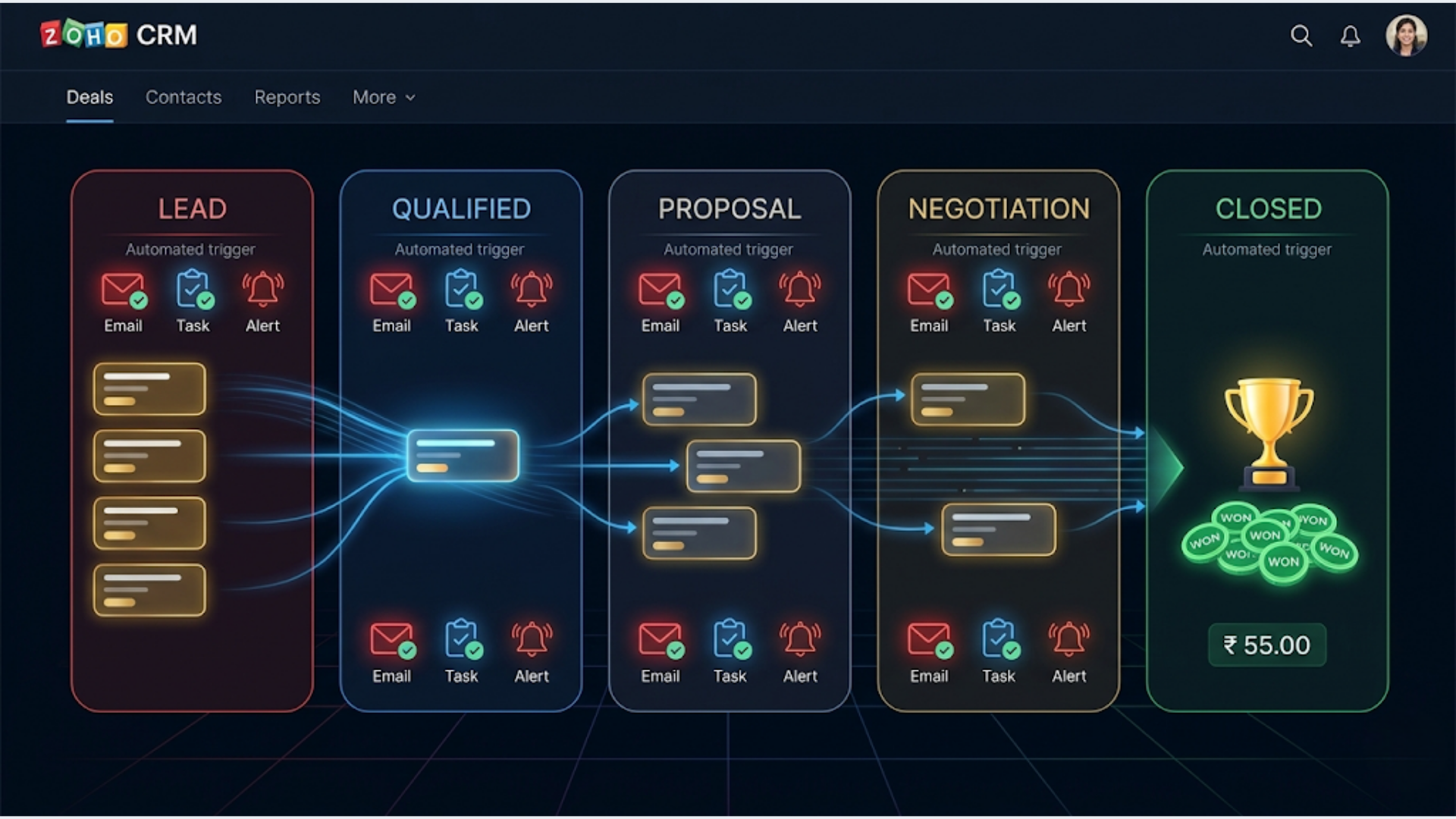
How to Build an Automated Sales Pipeline with Zoho CRM
An automated Zoho CRM sales pipeline moves deals through stages without manual dragging, assigns tasks to reps automatically, sends follow-up emails on schedule, flags stale deals before they die, and generates win/loss reports without anyone building a spreadsheet. Setup takes 2 to 3 days. The result: reps spend time selling, not updating CRM records.
Most sales pipelines die from neglect. Deals sit in “Proposal Sent” for three weeks. Follow-ups happen when someone remembers. Pipeline reviews are based on gut feeling because the data is stale.
Zoho CRM has the tools to fix this. Blueprint for process enforcement, workflow rules for automation, and n8n for anything Zoho can’t handle natively. Here’s how to wire it all together.
Pipeline Stages: Get the Foundation Right
Before automating anything, your stages need to match how your sales process actually works. Not how you wish it worked. How it works.
A proven B2B pipeline structure:
| Stage | Entry Criteria | Exit Criteria | Typical Duration |
|---|---|---|---|
| New Lead | Lead created from any source | Qualified or disqualified | 1-3 days |
| Qualified | Budget, authority, need, timeline confirmed | Discovery call scheduled | 3-5 days |
| Discovery | Discovery call completed | Requirements documented | 1-2 days |
| Proposal Sent | Proposal delivered to prospect | Prospect reviews and responds | 5-10 days |
| Negotiation | Prospect engaged, discussing terms | Agreement on scope and price | 5-15 days |
| Closed Won | Contract signed, payment confirmed | N/A | N/A |
| Closed Lost | Deal disqualified or lost to competitor | Loss reason documented | N/A |
Setting this up in Zoho CRM:
Go to Setup > Customization > Modules > Deals > Layouts > Pipeline. Create your stages with probability percentages:
| Stage | Probability |
|---|---|
| New Lead | 10% |
| Qualified | 25% |
| Discovery | 40% |
| Proposal Sent | 60% |
| Negotiation | 80% |
| Closed Won | 100% |
| Closed Lost | 0% |
These probabilities drive your weighted pipeline forecast. A Rs 10L deal at “Proposal Sent” (60%) counts as Rs 6L in your forecast. This is how you predict revenue without guessing.
Custom fields to add:
- Lead source (dropdown): Website, referral, LinkedIn, cold outreach, event, portal
- Deal size (currency): Expected contract value
- Decision timeline (date): When the prospect plans to decide
- Competitor (text): Who else they’re evaluating
- Loss reason (dropdown): Price, timing, competitor, no decision, wrong fit
- Last meaningful contact (date): Auto-updated by automation
These fields are the data your automations and reports will run on. Skip them now, and you’ll be retrofitting later.
Zoho Blueprint: Enforcing the Sales Process
Zoho Blueprint is a process automation tool built into Zoho CRM. It forces deals to follow a defined path. Reps can’t skip stages. Each transition requires specific information.
Why Blueprint matters:
Without it, reps drag deals from “New Lead” straight to “Proposal Sent” because they had one good conversation. No qualification. No discovery. The pipeline looks healthy. The close rate is 5%.
Blueprint prevents this by requiring data entry and actions at each stage transition.
Setting up the Blueprint:
Navigate to Setup > Automation > Blueprint. Create a new blueprint for the Deals module.
Transition 1: New Lead to Qualified
Required before transition:
- BANT fields filled: Budget (range), Authority (decision maker name), Need (pain point documented), Timeline (expected decision date)
- Lead source field populated
- At least one note added to the record
Actions on transition:
- Auto-create task: “Schedule discovery call” assigned to deal owner, due in 2 days
- Send email to prospect: “Thanks for your interest, here’s what happens next”
- Update “Last meaningful contact” to today
Transition 2: Qualified to Discovery
Required:
- Discovery call event logged in Activities
- At least one attached note with meeting summary
Actions:
- Auto-create task: “Send proposal” assigned to deal owner, due in 3 days
- Notify sales manager via Zoho Cliq/Slack about the advancing deal
Transition 3: Discovery to Proposal Sent
Required:
- Proposal document attached to the deal record
- Deal amount field populated (no more “$0” deals in the pipeline)
Actions:
- Auto-send email to prospect with proposal (from template)
- Create follow-up task: “Follow up on proposal” due in 3 days
- Start the proposal follow-up email sequence (more on this below)
Transition 4: Proposal Sent to Negotiation
Required:
- Prospect response logged (note or email)
- Objections/concerns documented in a custom field
Actions:
- Notify sales manager: “Deal entering negotiation”
- Create task: “Prepare revised terms if needed” due in 2 days
Transition 5: Negotiation to Closed Won
Required:
- Contract attached
- Payment status field updated
- Close date set
Actions:
- Notify finance/operations: “New deal closed, begin onboarding”
- Send customer welcome email
- Create onboarding tasks for delivery team
- Update revenue report
Transition 6: Any Stage to Closed Lost
Required:
- Loss reason field populated (mandatory)
- Competitor field populated (if applicable)
Actions:
- Notify sales manager
- Add to “nurture” list for future re-engagement
- Send a graceful “door’s always open” email
Blueprint sounds rigid. It is. That’s the point. Your pipeline data becomes trustworthy because every deal went through the same process. Forecasting works. Reviews are data-driven. Coaching conversations are specific instead of vague.
Automated Task Assignment and Reminders
Tasks are where deals move forward or stall. Automated task creation and reminders ensure nothing slips.
Automatic task creation rules (Zoho Workflow Rules):
Go to Setup > Automation > Workflow Rules. Create rules for the Deals module.
| Trigger | Task Created | Assigned To | Due |
|---|---|---|---|
| Deal created | ”Qualify this lead” | Deal owner | 1 day |
| Stage = Qualified | ”Schedule discovery call” | Deal owner | 2 days |
| Stage = Discovery | ”Prepare and send proposal” | Deal owner | 3 days |
| Stage = Proposal Sent | ”Follow up on proposal” | Deal owner | 3 days |
| Stage = Negotiation | ”Prepare contract” | Deal owner | 5 days |
| Deal won | ”Set up client onboarding” | Account manager | 1 day |
| Deal lost | ”Document loss and add to nurture” | Deal owner | 1 day |
Overdue task escalation (using n8n):
Zoho’s native reminders work for simple cases. For escalation logic, n8n adds more power.
n8n workflow (runs daily at 9 AM):
- Query Zoho CRM API for tasks that are overdue by 1+ day
- Group by deal owner
- Send each rep a Slack/Cliq DM listing their overdue tasks
- If any task is overdue by 3+ days, notify the sales manager
- If overdue by 7+ days, escalate to VP/founder
This three-tier escalation ensures nothing gets buried. The rep gets first notice. The manager gets visibility. Leadership gets alerted only when the system has already failed at two levels.
Meeting logging automation:
When a rep schedules a Google Calendar event with a prospect, n8n can detect it (via Google Calendar webhook), match the attendee email to a Zoho CRM contact, and log the meeting as an activity on the deal record. No manual CRM entry.
This sounds like a small convenience. It’s actually a huge data integrity improvement. Most reps don’t log meetings manually. Automatic logging means your activity reports reflect reality.
Email Sequences for Each Pipeline Stage
Email sequences keep the deal warm when the rep is busy with other prospects.
Proposal follow-up sequence:
This kicks off automatically when a deal moves to “Proposal Sent.”
| Day | Subject Line | Content Focus |
|---|---|---|
| Day 0 | Proposal for [Company]: [Project Name] | Proposal delivery email with attachment/link |
| Day 3 | Quick check-in on the proposal | ”Had a chance to review? Happy to walk through any questions.” |
| Day 7 | Common questions about [service type] | Anticipate objections, share relevant case study |
| Day 10 | ”Is the timeline still [date]?” | Reference their stated timeline, offer to adjust |
| Day 14 | ”Want me to follow up later?” | Give them an easy exit. “No worries if now isn’t the right time.” |
Implementation in Zoho:
Use Zoho CRM’s built-in email sequences (available on Professional plan and above). Or use n8n for more control.
Zoho native approach: Create an email sequence under Setup > Automation > Email Sequences. Trigger it via workflow rule when deal stage changes. Zoho handles the timing and sends from the rep’s email.
n8n approach: Build a workflow that triggers on deal stage change (via Zoho webhook or scheduled poll). n8n manages the timing (using wait nodes), personalizes emails with deal data, and sends via Gmail or Zoho Mail API. Advantage: more flexibility in logic, conditional sends based on prospect behavior.
Sequence pause logic:
If the prospect replies to any email in the sequence, pause the automated emails. The rep takes over manually. In Zoho native sequences, this is automatic (reply detection). In n8n, you build a check: before sending the next email, query recent email activity on the deal. If there’s a reply, skip the send and notify the rep.
Sequences for other stages:
| Stage | Sequence Purpose | Emails | Duration |
|---|---|---|---|
| New Lead | Qualification nudge | 3 emails | 7 days |
| Post-Discovery | Recap and next steps | 2 emails | 3 days |
| Negotiation | Urgency and reassurance | 2 emails | 5 days |
| Closed Lost (nurture) | Re-engagement over time | Monthly email | 6 months |
The nurture sequence for closed-lost deals is underrated. Prospects who said “not now” six months ago often become ready buyers. A monthly touchpoint (industry insight, relevant case study, company update) keeps you in their mind without being pushy.
Stale Deal Detection and Alerts
Stale deals are the silent killer of sales pipelines. They sit there inflating your forecast while quietly dying.
Define “stale” by stage:
| Stage | Stale After | Alert Trigger |
|---|---|---|
| New Lead | 5 days | No activity logged |
| Qualified | 7 days | No discovery call scheduled |
| Discovery | 5 days | No proposal sent |
| Proposal Sent | 14 days | No prospect response |
| Negotiation | 14 days | No progress toward contract |
Implementing stale deal alerts with n8n:
Daily workflow (runs at 8 AM):
- Query Zoho CRM for all open deals
- For each deal, check “Last meaningful contact” date against the stale threshold for its current stage
- Classify as: Active, Warning (approaching stale), Stale, Critical (stale 2x threshold)
- Warning deals: Slack DM to deal owner. “Your deal with [Company] hasn’t had activity in [X] days. What’s the status?”
- Stale deals: Slack DM to deal owner + sales manager. “Deal [Company] is stale. Last contact [date]. Action needed.”
- Critical deals: Slack message to #sales channel. “Critical: [Company] deal has been inactive for [X] days at [Stage]. Decision needed: pursue or close.”
Why n8n over Zoho native for this:
Zoho’s workflow rules can send alerts, but the logic for “days since last activity at this specific stage” is cumbersome to build natively. n8n lets you write this logic cleanly, pull data from multiple Zoho modules (deals + activities + emails), and send rich Slack messages with deal context.
Weekly pipeline hygiene report:
In addition to daily stale alerts, build a weekly summary that goes to the sales manager every Monday:
- Total pipeline value and weighted forecast
- Number of deals per stage
- Deals that moved forward this week
- Deals that went stale this week
- Deals closed (won and lost) with reasons
- Average time in each stage vs target
This report takes 30 minutes to compile manually. n8n generates it in seconds and delivers it to Slack or email before the Monday morning meeting.
Win/Loss Analysis and Reporting
Your pipeline generates data. Use it to get better at selling.
Win/loss tracking setup:
The “Loss reason” and “Competitor” fields on Closed Lost deals (made mandatory by Blueprint) feed your analysis.
Zoho CRM reports to build:
-
Win rate by lead source. Which sources produce deals that close vs deals that waste time? If LinkedIn outreach has a 20% close rate and cold email has 3%, reallocate your time.
-
Average deal cycle by stage. How long do deals spend in each stage? If “Proposal Sent” averages 18 days but “Negotiation” averages 4, your bottleneck is proposal follow-up, not negotiation.
-
Loss reason breakdown. If 40% of losses are “price,” you have a positioning problem. If 30% are “no decision,” you have a qualification problem.
-
Revenue by close date. Monthly revenue trend with forecasted vs actual. This is your accountability report.
-
Rep performance. Deals per stage, activities logged, close rate, average deal size. Not for micromanagement. For coaching.
Building these in Zoho:
Go to Analytics > Reports. Zoho’s report builder handles most of these natively. Create a dashboard that pulls all five reports into a single view.
For the weekly automated report via Slack, use n8n to query the Zoho Analytics API or the CRM API directly, format the data, and send it to your preferred channel.
Quarterly win/loss review:
Every quarter, pull all Closed Won and Closed Lost deals. Look for patterns:
- Which competitor do you lose to most? Why?
- Which deal sizes do you win most reliably?
- Which industries close fastest?
- Which lead sources have the highest close rate?
- What’s the average discount given during negotiation?
This data shapes your strategy. If you win 80% of deals under Rs 5L but only 20% above Rs 10L, you either need to get better at large deals or double down on your sweet spot.
India-Specific: Zoho Advantages and GST Considerations
Zoho CRM has a natural advantage for Indian businesses that no other CRM matches.
Pricing in INR:
| Zoho CRM Plan | INR/User/Month (Annual) |
|---|---|
| Free (3 users) | Rs 0 |
| Standard | Rs 800 |
| Professional | Rs 1,400 |
| Enterprise | Rs 2,400 |
| Ultimate | Rs 2,600 |
Compare this to HubSpot (Professional starts at $450/month, roughly Rs 37,500) or Salesforce (Essentials at $25/user/month, roughly Rs 2,100/user). Zoho’s pricing is built for the Indian market.
GST integration:
Zoho CRM connects natively with Zoho Books and Zoho Invoice, both of which handle GST invoicing (CGST, SGST, IGST, HSN codes, e-invoicing). When a deal moves to Closed Won, the automation can:
- Create an invoice in Zoho Books with correct GST treatment
- Send the invoice to the client
- Track payment status
- Send payment reminders automatically
This CRM-to-invoice pipeline eliminates the manual process of “deal closed, now let me create an invoice in separate software.”
Indian sales workflow nuances:
- WhatsApp integration: Indian prospects communicate on WhatsApp. Use WATI + n8n to log WhatsApp conversations as notes on CRM deals. Without this, a huge chunk of your sales communication is invisible in the CRM.
- Festive season pipeline management: Diwali, Navratri, and end-of-financial-year (March) drive B2B purchasing decisions in India. Build pipeline stages that account for “waiting for budget approval” which often aligns with April (new FY) or post-Diwali spending.
- Multi-currency deals: If you serve global clients from India, Zoho CRM handles multi-currency natively. A deal in USD converts to INR at current rates for your forecasting.
Zoho One bundle:
For Indian businesses already invested in the Zoho ecosystem, Zoho One (Rs 2,000/user/month for all 45+ Zoho apps) is outstanding value. You get CRM, Books, Invoice, Sign, Cliq, Campaigns, and SalesIQ all connected. No integration headaches.
The automated pipeline described in this article works entirely within Zoho One. No external tools needed except n8n for the advanced alerts and reporting that Zoho’s native automation can’t handle cleanly.
FAQ
How long does it take to set up an automated sales pipeline in Zoho CRM? Plan 2 to 3 full days. Day 1: pipeline stages, custom fields, and Blueprint configuration. Day 2: workflow rules, email sequences, and task automation. Day 3: n8n integration for stale alerts, reporting, and testing. Allow another week for your team to adapt and for you to refine based on real usage.
Is Zoho CRM’s Blueprint available on all plans? Blueprint is available on the Professional plan (Rs 1,400/user/month) and above. The free and Standard plans don’t include it. Blueprint is worth the upgrade because it enforces your sales process rather than hoping reps follow it voluntarily.
Can I automate Zoho CRM with n8n? Yes. n8n has a native Zoho CRM node for creating, reading, updating, and deleting records. You can also use Zoho’s REST API directly for operations the node doesn’t cover. The combination of Zoho’s built-in automation (workflow rules, Blueprint) and n8n for advanced logic gives you full coverage.
How do I prevent reps from skipping pipeline stages? Zoho Blueprint enforces stage order. Reps can only move deals along defined transitions, and each transition requires mandatory fields to be filled. You can’t drag a deal from “New Lead” to “Closed Won” without going through qualification, discovery, and proposal stages.
What’s the best way to handle stale deals in Zoho CRM? Combine Zoho’s native workflow alerts for simple cases with an n8n daily check for multi-layer escalation. Define “stale” thresholds per stage. Alert the rep first, then the manager, then flag for pipeline review. Force a decision: pursue actively or close as lost. Stale deals that linger for months corrupt your forecast.
Can Zoho CRM handle the full sales process for Indian B2B companies? Yes. Zoho CRM with Zoho Books handles the entire flow from lead capture through invoicing and payment collection. GST compliance, INR pricing, e-invoicing, and WhatsApp integration (via WATI + n8n) cover Indian-specific requirements. It’s the most cost-effective full-stack CRM for Indian B2B companies.
Need help implementing this?
Book a free 30-minute discovery call. We'll map your current setup, identify quick wins, and outline what automation can do for your business.
Book a Free Discovery Call