How to Automate Real Estate Property Listing Updates
Automate real estate property listings across 99acres, MagicBricks, Zillow, and more. Price updates, photo management, availability sync using n8n and Google Sheets.
How to Automate Real Estate Property Listing Updates
A real estate agent managing 40 properties across 4 listing portals makes 160 manual updates every time a price changes, a property gets rented, or new photos are added. That’s not sales work. That’s data entry.
Most agents spend 5-8 hours per week updating listings across portals. Duplicate the listing on 99acres. Copy it to MagicBricks. Post it on Housing.com. Update Zillow. Change the price on one portal and forget the other three. A buyer sees two different prices for the same property and loses trust instantly.
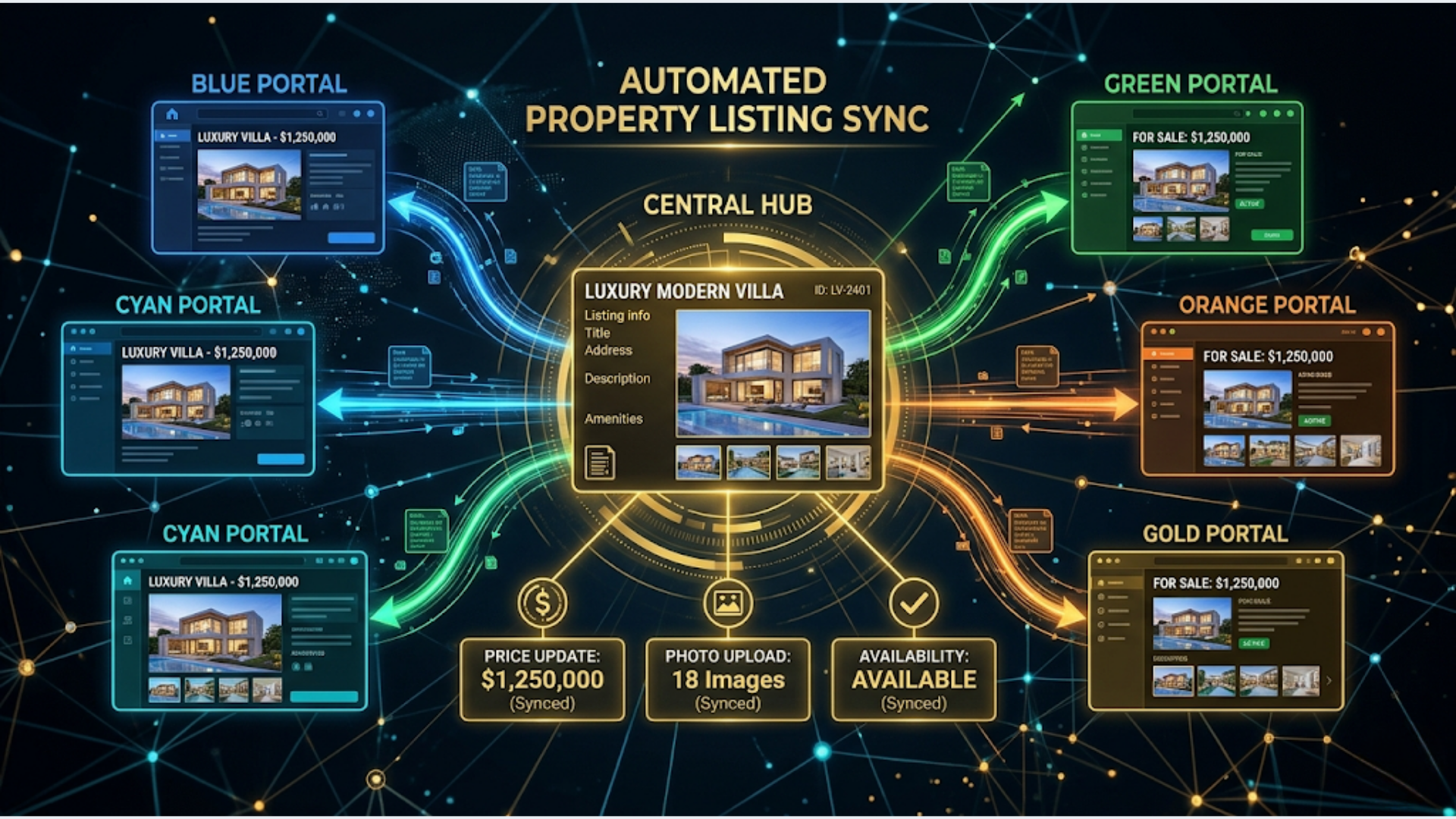
The fix is a central hub (Google Sheets) connected to all portals through n8n automation. Update once, sync everywhere. I build these systems for real estate operations. Here’s the full architecture.
The Central Hub: Google Sheets as Your Listing Database
Every property listing lives in one Google Sheet. This is your single source of truth. All portal updates flow from this sheet.
Sheet structure:
| Column | Purpose | Example |
|---|---|---|
| Property ID | Unique identifier | PROP-2026-041 |
| Title | Listing headline | 3 BHK Apartment in Bandra West |
| Type | Sale/Rent/Lease | Rent |
| Property Type | Apartment/Villa/Plot/Commercial | Apartment |
| Bedrooms | Number | 3 |
| Bathrooms | Number | 2 |
| Area (sq ft) | Carpet/built-up area | 1,200 |
| Price | Current asking price | 85,000 |
| Price Currency | INR/USD/AED | INR |
| Price Type | Per month / Total | Per month |
| Location | Full address | Bandra West, Mumbai |
| City | City name | Mumbai |
| State | State name | Maharashtra |
| PIN Code | Postal code | 400050 |
| Description | Full listing text | Spacious 3 BHK with sea view… |
| Amenities | Comma-separated | Gym, Pool, Parking, Security |
| Photos Folder | Google Drive folder link | [Drive URL] |
| Status | Active/Rented/Sold/Draft | Active |
| Published Portals | Where it’s live | 99acres, MagicBricks, Housing |
| 99acres ID | Portal-specific listing ID | 99A-78291 |
| MagicBricks ID | Portal-specific listing ID | MB-45102 |
| Housing ID | Portal-specific listing ID | HOU-33841 |
| Zillow ID | For international listings | Z-9928371 |
| Last Updated | Timestamp | 2026-04-26 10:30 |
| Agent | Assigned agent name | Rahul M. |
Why Google Sheets and not a database?
For teams under 100 listings, Google Sheets is perfect. It’s visual, editable by anyone on the team without training, supports real-time collaboration, and has a solid API. Your agents can update a price by editing a cell. The automation handles the rest.
For larger operations (500+ listings), consider Airtable or a proper database (PostgreSQL with a Retool frontend). The automation architecture stays the same. Only the data source node in n8n changes.
Photo Management with Google Drive
Property photos are the most painful part of multi-portal listings. Each portal has different size requirements, watermark policies, and upload limits.
Setup:
Create a Google Drive folder structure:
Properties/
  PROP-2026-041/
    originals/     (high-res photos from photographer)
    web/           (resized for web portals, 1200x800)
    thumbnails/    (300x200 for listing cards)
  PROP-2026-042/
    originals/
    web/
    thumbnails/
Automated photo processing workflow:
- Agent drops original photos into the
originals/folder - n8n detects new files using a Google Drive trigger (polls every 15 minutes)
- A Function node resizes images to web dimensions (1200x800) and thumbnail dimensions (300x200) using the Sharp image processing library via n8n’s Code node
- Resized images are saved to the
web/andthumbnails/folders - The workflow updates the Google Sheet with the photo count and last photo update timestamp
Watermarking. Add your brokerage logo/phone number as a watermark on the web/ versions. This prevents other agents from stealing your listing photos. The Sharp library supports composite image operations for watermark overlay.
Photo ordering. Name photos with numeric prefixes (01-living-room.jpg, 02-master-bedroom.jpg) to control the display order across portals. The automation uploads them in filename order.
Syncing Listings to Indian Portals
Indian real estate portals (99acres, MagicBricks, Housing.com, NoBroker) don’t have public APIs designed for automated listing management. This is the biggest technical challenge and where most agents give up.
The realistic approach:
99acres
99acres offers a paid listing management API for verified brokers and developers. Contact their business team for API access. Once approved, n8n connects via HTTP Request nodes.
For agents without API access, 99acres supports bulk upload via CSV. The n8n workflow:
- Reads active listings from Google Sheets
- Formats them into 99acres’ CSV template (specific column headers and formatting rules)
- Generates the CSV file
- Emails it to the agent (or uploads to a shared folder)
- The agent uploads the CSV to 99acres manually (2-minute process vs 2-hour manual entry)
This is semi-automated, not fully automated. But it cuts listing time by 90%.
MagicBricks
MagicBricks has a developer/broker portal with bulk upload capabilities. Similar to 99acres, the realistic automation is:
- Generate a formatted CSV/XML from your Google Sheet
- Upload through MagicBricks’ broker dashboard
MagicBricks also supports an email-to-post feature for premium accounts. The n8n workflow can email formatted listing details to MagicBricks’ posting email address. This creates a draft listing that needs approval but saves manual data entry.
Housing.com
Housing.com’s broker platform (Housing Edge) provides better integration options for larger brokerages. For individual agents, the CSV bulk upload path applies.
NoBroker
NoBroker is owner-focused but has a broker partner program with API access for qualified brokers. The API supports listing creation, updates, and status changes.
The pattern across all Indian portals: Direct API access is limited and usually requires business-tier accounts. CSV bulk upload is the universal fallback. n8n excels at generating formatted CSV files from your central Google Sheet on a schedule or on-demand.
Syncing to International Portals
International portals have more mature APIs.
Zillow/Trulia (US)
Zillow’s API is read-only for most users. Listing management goes through Zillow’s partner feed program or through your MLS (Multiple Listing Service). If your MLS supports RETS or RESO Web API (most do), n8n can push listing updates to your MLS, which then syndicates to Zillow, Trulia, and Realtor.com automatically.
For international investors listing US properties, the MLS feed path is the standard approach. Direct Zillow API posting isn’t available for individual agents.
Bayut/Dubizzle (UAE/Middle East)
Bayut offers an XML feed integration for agencies. The n8n workflow generates an XML file in Bayut’s specified format, uploads it to your server, and Bayut’s system pulls updates on a schedule. This is fully automated once configured.
Rightmove/Zoopla (UK)
Both support data feeds via their Rightmove Plus and Zoopla ZPG platforms. Similar XML feed approach as Bayut.
Price Update Propagation
Price changes need to propagate instantly. A stale price on one portal while others show the new price creates confusion and erodes buyer trust.
The workflow:
-
Trigger: Google Sheets trigger detects a price change in the Price column (n8n polls the sheet every 5 minutes, comparing current values to the last known state stored in n8n’s static data)
-
Identify affected portals: Check which portals the listing is published on (from the Published Portals column)
-
Update each portal: Branch into parallel update paths for each portal. For API-connected portals, send the update directly. For CSV-based portals, flag the listing for the next bulk update.
-
Log the change: Append a row to a Price History sheet: Property ID, Old Price, New Price, Change Date, Changed By, Reason (if provided).
-
Notify the team: Send a Slack/WhatsApp message to the assigned agent confirming the price update has propagated.
Bulk price adjustments. For seasonal price changes (lowering all rental prices by 5% during off-season), the agent updates the Google Sheet using a formula or script. The automation detects all changes and processes them in batch, respecting API rate limits per portal.
Price validation. Add a sanity check before propagating. If the price changes by more than 20% up or down, flag it for manual review instead of auto-pushing. This prevents accidental typos (Rs 85,000 instead of Rs 8,50,000) from going live on all portals.
Availability Status Sync
When a property is rented or sold, it needs to come off all portals immediately. Leads contacting you about an already-sold property waste everyone’s time and damage your reputation.
Status change workflow:
- Agent changes the Status column from “Active” to “Rented” or “Sold”
- n8n detects the change
- For each portal where the listing is published:
- API portals: Send a deactivation/mark-as-rented API call
- CSV portals: Add to the next bulk update with “Inactive” status
- Archive the listing row (move to an “Archived” sheet or add an archive flag)
- Send a team notification: “PROP-2026-041 (3 BHK Bandra West) marked as Rented. Removed from 99acres, MagicBricks, Housing.”
- If sold: trigger a “similar properties” email to leads who had inquired about this listing, suggesting active alternatives
Re-listing workflow. When a rental becomes available again, change status back to “Active.” The automation re-publishes to all previous portals. No re-entering the listing from scratch.
Lead Capture Integration
Listing automation isn’t just about pushing data out. Capturing incoming leads from all portals into one system is equally important.
The problem: Each portal sends lead notifications differently. 99acres emails you. MagicBricks sends SMS and email. NoBroker sends in-app notifications. You’re checking 4 different inboxes and missing leads.
The solution:
-
Email parsing. Most portals send lead notifications via email. Set up Gmail filters that label portal leads (label: 99acres-leads, label: magicbricks-leads). n8n reads labeled emails, extracts lead name, phone number, email, and the property they inquired about using regex patterns specific to each portal’s email format.
-
Central lead sheet. All parsed leads go into a Leads Google Sheet: Lead Name, Phone, Email, Source Portal, Property ID, Inquiry Date, Status, Assigned Agent.
-
Instant notification. When a new lead is captured, send a WhatsApp message (via WATI) to the assigned agent with the lead details and property info. Response time in real estate directly correlates with conversion. The agent who responds first wins.
-
Auto-response. Send the lead an immediate acknowledgment: “Thanks for your interest in [Property Title]. [Agent Name] will contact you within 30 minutes.” This buys time while ensuring the lead knows their inquiry was received.
-
Follow-up automation. If the agent hasn’t contacted the lead within 2 hours (checked via status column in the Leads sheet), escalate to the team lead via Slack/WhatsApp.
For Indian markets, WhatsApp response is critical. 70%+ of property inquiries in Indian metros happen via WhatsApp or phone calls, not portal messages. The automation should prioritize WhatsApp notification to the agent over email.
Cost and Tools Summary
| Component | Tool | Cost |
|---|---|---|
| Central database | Google Sheets | Free |
| Photo storage | Google Drive | Free (15 GB) or Workspace ($7/user/mo) |
| Automation engine | n8n Cloud | $24-50/month |
| Photo processing | Sharp via n8n Code node | Free (included in n8n) |
| WhatsApp notifications | WATI | Rs 2,499/month |
| Portal CSV generation | n8n (built-in) | Free |
| Lead email parsing | Gmail + n8n | Free |
| Total | $25-75/month + WATI |
Compare this to property management SaaS tools that charge $100-500/month with portal limitations and rigid workflows. The n8n approach is cheaper, more flexible, and handles Indian portal quirks that international SaaS tools ignore entirely.
The real estate agents who win in 2026 aren’t the ones with the best properties. They’re the ones who respond to leads in 5 minutes instead of 5 hours, and whose listings are always accurate across every portal.
If you need a custom listing automation system for your brokerage connecting portals, lead capture, and agent workflows, that’s what I build at triggerAll.
Frequently Asked Questions
Do Indian property portals have APIs? Limited. 99acres and MagicBricks offer API access for verified brokers/developers with business accounts. NoBroker has a partner API. Housing.com’s broker platform has some integration options. For most agents, CSV bulk upload is the practical approach, which n8n automates effectively.
Can this handle commercial property listings? Yes. The Google Sheet structure accommodates commercial properties by adding columns for lease terms, carpet vs super built-up area, floor plate size, and commercial-specific amenities (power backup, fire safety compliance, parking ratio). The automation logic is identical.
How do I handle properties listed in multiple cities? Add a City column to your Google Sheet and use it for portal-specific formatting. Some portals require city-specific categories (e.g., 99acres uses different locality trees per city). Store locality mappings in a separate reference sheet that the automation looks up during CSV generation.
What about virtual tours and video walkthroughs? Store video links (YouTube, Matterport) in a dedicated column. When generating portal-specific content, include the video link where the portal supports it. 99acres and Housing.com support video links in listings. For portals that don’t, include the video link in the description text.
Can I automate festive/seasonal pricing? Yes. Create a “Pricing Rules” sheet with seasonal adjustments: Property Type, City, Season, Adjustment %. A scheduled n8n workflow checks for active seasonal rules and applies percentage adjustments to the Price column. The price propagation workflow then pushes the updated prices to all portals.
How do I prevent duplicate listings across portals? The Google Sheet’s portal-specific ID columns (99acres ID, MagicBricks ID, etc.) prevent duplicates. Before creating a new listing on any portal, the workflow checks if an ID already exists. If it does, the workflow updates instead of creating a duplicate. Manual deduplication audit: run a weekly check comparing your sheet count to portal listing counts.
What if a portal changes their CSV format? This happens occasionally. The CSV generation logic in n8n is in a Function node with explicit column mappings. When a portal changes their format, update the mapping in the Function node. This takes 10-15 minutes. Keep a “Portal Format Versions” reference sheet documenting each portal’s current column requirements and last verified date.
Need help implementing this?
Book a free 30-minute discovery call. We'll map your current setup, identify quick wins, and outline what automation can do for your business.
Book a Free Discovery Call