How to Automate Google Reviews Collection with WhatsApp
Automate Google Reviews collection via WhatsApp. Trigger post-service, send review links, follow up automatically, intercept negatives. 3x more reviews vs email using n8n and WATI.
How to Automate Google Reviews Collection with WhatsApp
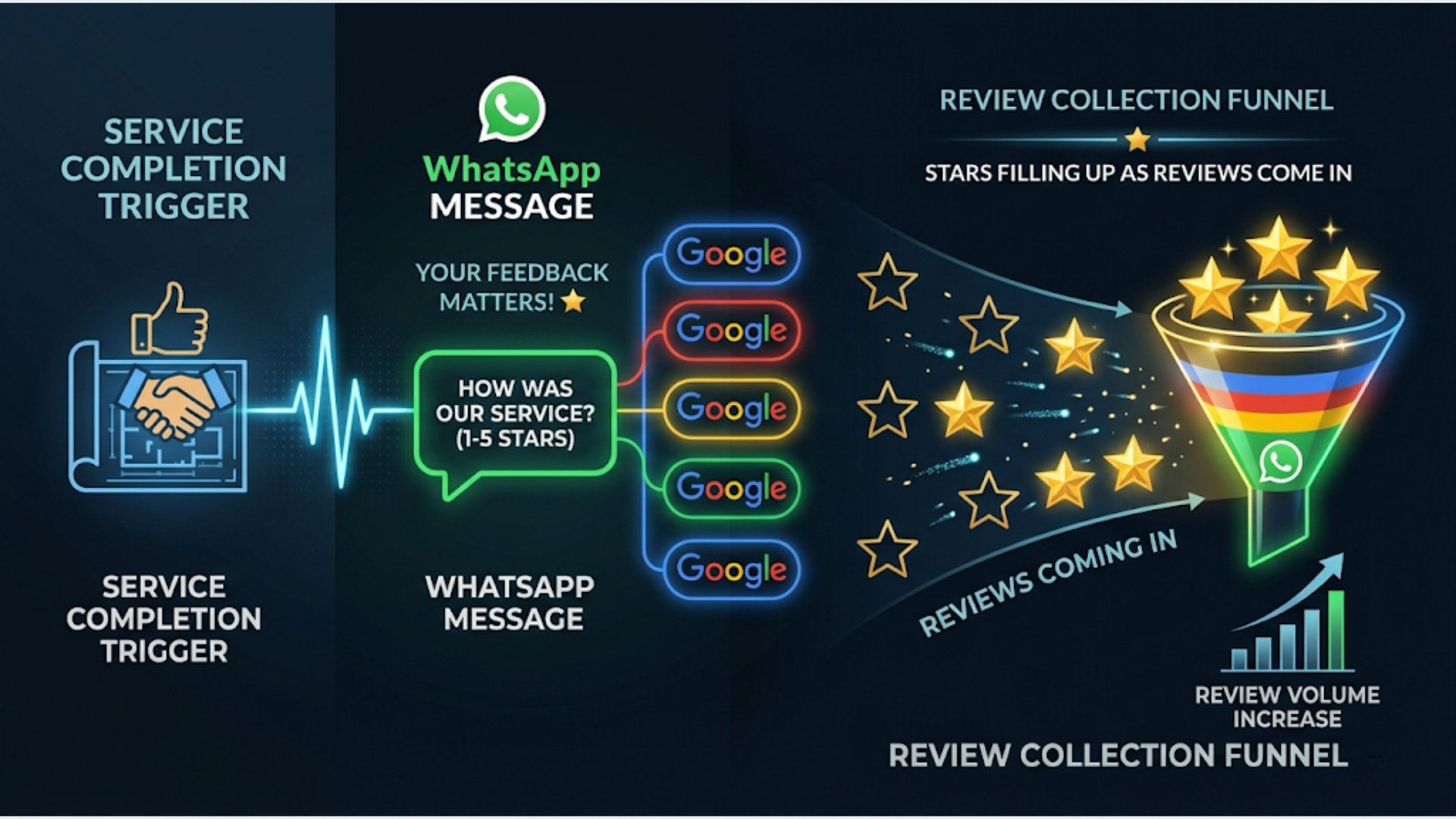
Automated WhatsApp review requests generate 3x more Google reviews than email requests. The workflow: trigger a WhatsApp message 2 hours after service completion, include your Google review link, follow up once if no action, and intercept negative feedback before it hits your public profile. Average result: 25 to 35% of customers leave a review, compared to 5 to 10% with email.
Google reviews are the single most important local SEO factor. A business with 50 reviews and a 4.5 star average ranks higher and converts more searchers than a competitor with 10 reviews and 5 stars. Volume and recency matter as much as rating.
The problem: asking for reviews is awkward, easy to forget, and most methods (email, in-store signs, business cards) have terrible response rates. WhatsApp changes this because it’s where your customers already are, messages get read within minutes, and the review link is one tap away.
Here’s the complete automation setup.
The Core Workflow: Service Completion to Review
The entire system runs on a simple trigger: service completed. Everything after that is automatic.
Workflow overview:
Service completed (CRM/POS update)
    |
    v
Wait 2 hours
    |
    v
Send WhatsApp: "How was your experience?" (1-5 rating buttons)
    |
    +--> Rating 4-5: Send Google review link
    |         |
    |         +--> Wait 24 hours
    |         |
    |         +--> If no review detected: Send gentle reminder
    |
    +--> Rating 1-3: Send apology + internal alert to manager
              |
              +--> Manager follows up personally
              |
              +--> DO NOT send review link
Tools needed:
| Component | Tool | Cost |
|---|---|---|
| Workflow engine | n8n (self-hosted) | $12-24/month |
| WhatsApp API | WATI or Interakt | $49/month or Rs 999/month |
| CRM/trigger source | Zoho CRM, Google Sheets, or POS system | Varies |
| Review link | Google Business Profile | Free |
Total cost: $60 to $75/month for the complete setup. If you’re already using n8n and WATI for other automations, the incremental cost is zero.
Getting your Google review link:
- Go to Google Business Profile Manager
- Click your business
- Go to “Ask for reviews” or use the short link generator
- Your link will look like:
https://g.page/r/YOUR-ID/review
This link takes the customer directly to the review form. No searching, no navigating. One tap and they’re writing.
Timing: Why 2 Hours Post-Service Is the Sweet Spot
Timing is everything with review requests. Too soon feels pushy. Too late and the customer has moved on.
The data on timing:
| Timing | Response Rate | Review Quality |
|---|---|---|
| Immediately after service | 15-20% | Mixed (feels transactional) |
| 1 hour after | 20-25% | Good |
| 2 hours after | 25-35% | Best (experience is fresh, customer has settled) |
| 24 hours after | 15-20% | Good but declining |
| 48+ hours after | 5-10% | Lower detail, less enthusiasm |
| 1 week after | 3-5% | Minimal |
The 2-hour window works because:
- The customer has left your location or received your deliverable
- The experience is still vivid (they remember specific details to mention)
- They’re not in the middle of the service interaction
- It doesn’t feel like you’re standing over them asking for a favor
Adjusting by business type:
| Business Type | Optimal Timing |
|---|---|
| Restaurant | 2 hours after bill payment |
| Salon/spa | 2-3 hours after appointment |
| Home service (plumber, electrician) | 2-4 hours after job completion |
| Doctor/dentist | 3-4 hours after appointment |
| E-commerce (delivery) | 2 hours after delivery confirmed |
| Professional services (consulting, legal) | Same day, after deliverable sent |
| Hotel | Morning after checkout |
Implementation in n8n:
The “Wait” node in n8n handles this. When the service completion trigger fires, the workflow hits a Wait node set to 2 hours, then continues to the WhatsApp send step. n8n manages the timer internally. No external scheduling needed.
For businesses with high volume (50+ customers per day), the n8n workflow handles all timers concurrently. Each customer gets their own 2-hour wait independently.
The WhatsApp Message: What to Send
The message makes or breaks your response rate. Generic “please leave a review” gets ignored. Specific, personal, and easy gets action.
Step 1: The satisfaction check (sent 2 hours post-service)
Template (submit this to Meta for WhatsApp Business API approval):
Hi {{customer_name}}, thanks for visiting {{business_name}} today!

We'd love to know how your experience was. Quick rating?

1 - Not great
2 - Could be better
3 - It was okay
4 - Good experience
5 - Loved it
This is a quick-reply interactive message. The customer taps a number. No typing required.
Why the satisfaction check comes first:
Never send an unhappy customer directly to Google reviews. The satisfaction check is a filter. Happy customers (4-5) get the review link. Unhappy customers (1-3) get personal attention.
Step 2a: For happy customers (rating 4 or 5)
That's wonderful to hear! Thank you, {{customer_name}}.

Would you mind sharing that experience on Google? It helps other people find us and means a lot to our team.

{{google_review_link}}

Takes less than 30 seconds. We really appreciate it!
Step 2b: For unhappy customers (rating 1, 2, or 3)
We're sorry to hear that, {{customer_name}}. That's not the experience we want you to have.

Our manager {{manager_name}} will reach out to you personally to make this right. Is there anything specific you'd like us to address?
No review link. No ask. Just accountability.
Step 3: Follow-up for non-responders (24 hours later, only for 4-5 raters who haven’t reviewed)
Hi {{customer_name}}, just a gentle reminder about the Google review. Here's the link if you have 30 seconds:

{{google_review_link}}

No worries if not. Thanks again for choosing {{business_name}}!
One follow-up. Not two. Not three. One. Respect the customer’s time and decision.
WhatsApp template approval tips:
Meta reviews and approves WhatsApp Business API message templates. To get approval:
- Keep messages short and clear
- Include your business name
- Don’t use all caps or excessive punctuation
- Avoid words like “free,” “discount,” or “offer” (these get flagged as promotional)
- Categorize as “utility” not “marketing”
- Approval takes 24 to 48 hours typically
Negative Feedback Interception
This is the most valuable part of the entire system. It prevents negative reviews before they happen.
How it works:
When a customer rates 1, 2, or 3 in the satisfaction check:
- No review link is sent. The conversation shifts to service recovery.
- Internal alert fires immediately. The manager gets a Slack/WhatsApp notification: “Unhappy customer alert. {{customer_name}} rated {{rating}}/5 after their visit today. Phone: {{phone}}. Reach out within 1 hour.”
- Manager calls or messages the customer directly. Personal attention, not automated responses.
- Resolution is logged in CRM. What happened, what was done, outcome.
Why this matters:
A customer who had a bad experience and gets a prompt personal call from the manager is 70% more likely to return than a customer who had a bad experience and heard nothing. Some of these customers, after resolution, voluntarily leave positive reviews about the recovery experience.
Without interception, that same customer goes to Google, writes a 1-star review, and you spend weeks trying to get it addressed.
The math:
Assume 100 customers per month. Without the filter, 5 to 8 might leave negative reviews. With interception, you catch them before they go to Google. Even if you convert only half of those into neutral or positive outcomes, you’ve prevented 3 to 4 negative reviews per month.
Over a year, that’s 36 to 48 fewer negative reviews. For a local business, that’s the difference between a 4.5 star average and a 3.8.
Tracking resolution outcomes:
In your CRM (or even a Google Sheet), track:
| Field | Purpose |
|---|---|
| Customer name | Identification |
| Rating given | Severity |
| Issue description | What went wrong |
| Manager assigned | Accountability |
| Response time | How fast did you reach out |
| Resolution | What was done |
| Outcome | Retained, refunded, lost, reviewed |
This data shows patterns. If 40% of complaints are about wait times, that’s an operational issue to fix. If a specific service consistently gets low ratings, you know where to invest in training.
Multi-Location and High-Volume Setup
For businesses with multiple locations (restaurants, clinics, salons, retail chains), the workflow needs to route review requests to the right Google Business Profile.
Location routing logic:
Each location has its own Google review link. The workflow needs to know which location served the customer.
| Data Source | How Location Is Determined |
|---|---|
| CRM deal/ticket | Location field on the record |
| POS system | Terminal/store ID in transaction data |
| Appointment system | Location selected during booking |
| Google Sheet | Column with location name |
n8n uses a Switch node to route based on location:
Location = "Koramangala" --> Google review link for Koramangala
Location = "Indiranagar" --> Google review link for Indiranagar
Location = "HSR Layout" --> Google review link for HSR Layout
Volume considerations:
WhatsApp Business API has conversation rate limits. WATI’s starter plan handles 1,000 conversations per month. For a business doing 500+ customers per month, you need:
| Monthly Customers | Conversations Needed | WATI Plan | Approximate Cost |
|---|---|---|---|
| 100-500 | 100-500 | Starter ($49) | $49/month |
| 500-2,000 | 500-2,000 | Growth ($98) | $98/month |
| 2,000-5,000 | 2,000-5,000 | Pro ($198) | $198/month |
| 5,000+ | 5,000+ | Custom | Contact WATI |
Plus Meta’s per-conversation fees (approximately $0.005 to $0.08 depending on conversation category and country).
Dashboard for multi-location:
Build a Google Sheet or Notion dashboard that tracks:
- Reviews collected per location per week
- Average rating per location
- Response rate (messages sent vs reviews received)
- Negative interception rate
- Manager follow-up compliance
n8n updates this dashboard automatically after each review cycle. The operations manager sees which locations are performing and which need attention.
The India Implementation: WATI, Interakt, and Local Nuances
WhatsApp review automation is particularly effective in India because WhatsApp has 500+ million users and 95%+ message open rates. No other channel comes close.
WATI vs Interakt for Indian businesses:
| Feature | WATI | Interakt (by Jio) |
|---|---|---|
| Starting price | $49/month (~Rs 4,100) | Rs 999/month |
| Indian pricing | USD only | INR pricing, UPI accepted |
| Template approval speed | 24-48 hours | 24-48 hours |
| Integration with Indian tools | Good (Razorpay, Zoho) | Good (Razorpay, Shopify India) |
| Support | Global hours | IST hours |
| Best for | Businesses that need advanced features | Budget-conscious Indian businesses |
Interakt at Rs 999/month is hard to beat for Indian small businesses. That’s roughly one-fourth the cost of WATI. The feature set is more limited, but for review collection workflows (send template, receive reply, route based on response), it covers everything needed.
Language considerations:
India is multilingual. Your review request should match the customer’s language when possible.
Options:
- Single language (English + Hindi): Works for most urban businesses. Send the message in English with a Hindi alternative.
- Language-based routing: If your CRM stores language preference, use n8n’s Switch node to send templates in the customer’s language. Requires approved templates in each language.
- Regional defaults: Bangalore locations send English. Chennai locations send Tamil + English. Mumbai sends Hindi + English. Kolkata sends Bengali + English.
WhatsApp Business API supports templates in all Indian languages. The overhead is creating and getting approval for templates in each language.
Google review link for Indian businesses:
Indian business owners sometimes struggle to find their Google review link because their business listing might be claimed under a different name or have multiple locations with confusing naming.
Steps to find or create your link:
- Google your business name
- Click “Write a review” on the knowledge panel
- Copy the URL from the review dialog
- Or use the Google Business Profile Manager under “Ask for reviews”
For businesses that aren’t on Google yet: create your Google Business Profile first. Verification takes 1 to 2 weeks via postcard (some businesses qualify for phone or email verification). Don’t start the review automation until verification is complete.
Compliance note:
India’s Telecom Regulatory Authority (TRAI) has regulations about unsolicited commercial communication. WhatsApp Business API messages to customers who initiated contact or have an existing business relationship are generally compliant. The review request falls under “utility” communication since it’s related to a completed service. Don’t send review requests to people who never interacted with your business.
Cost breakdown for Indian small businesses:
| Component | Monthly Cost (INR) |
|---|---|
| Interakt (WhatsApp API) | Rs 999 |
| n8n self-hosted (DigitalOcean BLR) | Rs 1,000-2,000 |
| Meta conversation fees (~200 conversations) | Rs 200-500 |
| Google Business Profile | Rs 0 |
| Total | Rs 2,200 - 3,500/month |
For context: one new customer acquired through better Google ranking (driven by more reviews) typically has a lifetime value far exceeding Rs 3,500. The ROI math is straightforward.
Measuring Results and Optimizing
You can’t improve what you don’t measure. Here’s what to track.
Key metrics:
| Metric | How to Measure | Target |
|---|---|---|
| Message delivery rate | WATI/Interakt dashboard | 95%+ |
| Satisfaction response rate | Replies / messages sent | 40-60% |
| Review conversion rate | Reviews / positive ratings | 30-50% |
| Average star rating | Google Business Profile | 4.5+ |
| Negative interception rate | Low ratings / total responses | Track, not target |
| Manager follow-up time | CRM timestamp | Under 1 hour |
| Monthly review volume | Google Business Profile | Growing month over month |
Optimization levers:
-
Message timing. Test 1 hour vs 2 hours vs 3 hours post-service. Track conversion rates for each. The optimal timing varies by business type.
-
Message wording. A/B test different templates. “Would you mind sharing your experience?” vs “Your feedback helps others find us.” Small wording changes can shift response rates by 5 to 10%.
-
Follow-up timing. Test 12 hours vs 24 hours vs 48 hours for the reminder. Too soon feels nagging. Too late loses momentum.
-
Seasonal patterns. Track response rates by day of week and time of day. Some businesses get better responses on weekday evenings. Others on weekend mornings.
What good looks like:
A well-optimized WhatsApp review system produces:
- 20 to 40 new Google reviews per month (for a business with 200+ monthly customers)
- 4.5+ average star rating (because negative experiences are intercepted)
- Under 5% negative review rate on Google (vs 15-20% without interception)
- Review velocity that keeps you above competitors in local search rankings
The compound effect:
Google’s algorithm favors businesses with consistent, recent reviews over businesses with a large but stagnant review count. 20 new reviews per month beats 200 total reviews that are all from 2023. The automation ensures a steady stream of fresh reviews, which is exactly what the algorithm rewards.
After 6 months of automated review collection, most businesses see measurable improvement in Google Maps ranking for their primary keywords. More visibility means more clicks. More clicks means more customers. More customers means more reviews. The flywheel spins.
FAQ
Is it legal to ask customers for Google reviews via WhatsApp? Yes. Asking for reviews is legal. What’s not allowed: offering incentives for reviews (gift cards, discounts), asking only happy customers to review (which is what the satisfaction check does, but Google’s guidelines focus on not filtering by sentiment for review solicitation). The satisfaction check is designed as a service recovery tool, not a review filter. You’re not preventing anyone from reviewing. You’re addressing complaints proactively.
How many WhatsApp messages can I send per day for review requests? WhatsApp Business API limits depend on your tier (determined by phone number quality). New numbers start at 250 conversations/day and scale to 1,000, then unlimited as your quality score improves. For most local businesses, 250/day is more than sufficient.
What if a customer gives 4-5 stars but doesn’t leave a Google review? Send one follow-up after 24 hours. If they still don’t review, accept it gracefully. Aggressive follow-ups damage the customer relationship and violate WhatsApp Business API terms. A 30% conversion rate from happy customers to reviews is excellent. Don’t chase 100%.
Can I use this system with personal WhatsApp instead of the Business API? Technically possible with manual sending, but don’t automate personal WhatsApp. It violates WhatsApp’s terms of service and risks account ban. Always use the official Business API through providers like WATI or Interakt.
How do I handle fake or competitor negative reviews? This automation doesn’t prevent external fake reviews. For those, flag them through Google Business Profile’s review reporting tool. The automation helps by ensuring you have a high volume of legitimate positive reviews, which dilutes the impact of occasional fake negatives.
Does the timing of the review request affect the star rating? Yes. Requests sent 2 to 3 hours post-service tend to receive higher ratings than those sent 24+ hours later. The experience is still fresh and positive emotions haven’t faded. This is another reason the 2-hour window is optimal.
Can I automate review collection for multiple Google Business Profile locations? Yes. Store the Google review link per location in your CRM or a lookup table. The n8n workflow routes each customer to their location’s specific review link using a Switch node. Each location builds its own review volume independently.
Need help implementing this?
Book a free 30-minute discovery call. We'll map your current setup, identify quick wins, and outline what automation can do for your business.
Book a Free Discovery Call