How to Automate Content Repurposing Across Platforms
Automate content repurposing from blog posts to LinkedIn, X threads, newsletters, and YouTube scripts. n8n + Claude/GPT-4 workflow with Notion as content hub. Save 8-12 hours per week on content production.
How to Automate Content Repurposing Across Platforms
One blog post can become a LinkedIn post, an X thread, a newsletter section, and a YouTube script in under 10 minutes with the right automation. Manually, that same repurposing takes 2 to 3 hours per piece. If you publish twice a week, that’s 16 to 24 hours per month spent reformatting content you already wrote.
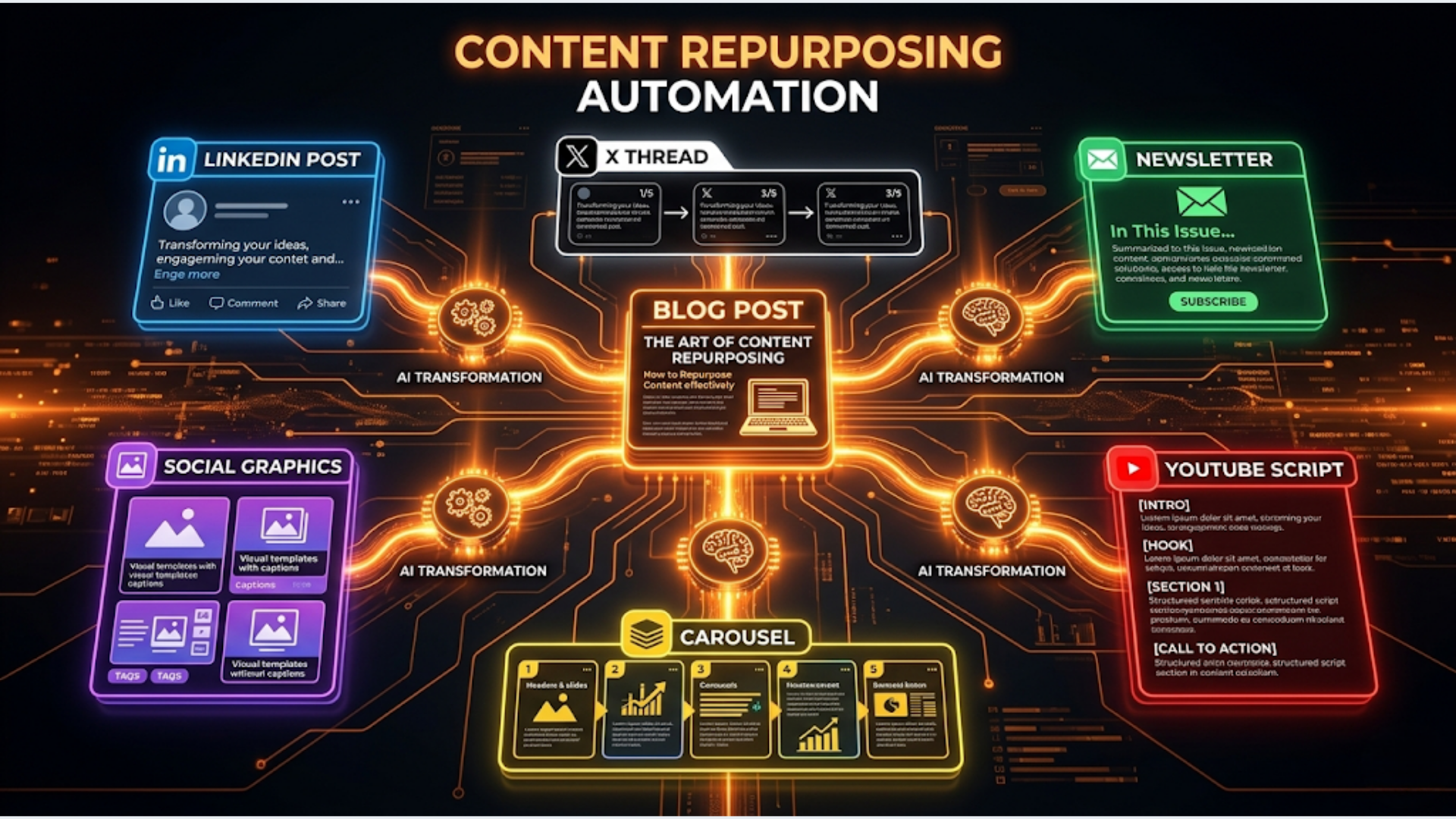
The automation: publish a blog post (or add it to your content hub), n8n triggers the repurposing pipeline, Claude or GPT-4 adapts the content for each platform’s format and tone, and formatted drafts land in your review queue. You approve, edit if needed, and schedule. The AI handles the transformation. You handle the quality check.
I build these systems. I run one for my own content. The principle is simple: create once, distribute everywhere. The execution is what most people get wrong.
The Content Repurposing Architecture
The entire system flows from a single source of truth to multiple platform-specific outputs.
Original content created (blog post, newsletter, video transcript)
    |
    v
Added to Content Hub (Notion database)
    |
    v
n8n detects new entry (Notion API polling or webhook)
    |
    v
Pull full content + metadata
    |
    v
AI generates platform-specific versions (parallel):
    |
    +--> LinkedIn post (hook + insight + CTA, 150-300 words)
    |
    +--> X thread (5-8 tweets, numbered, standalone value each)
    |
    +--> Newsletter section (summary + key insight, 200-400 words)
    |
    +--> YouTube script (hook + 3 key points + CTA, 800-1200 words)
    |
    v
Save all drafts back to Notion (status: "Review")
    |
    v
Notify via Slack: "4 content pieces ready for review"
Tools and costs:
| Component | Tool | Cost |
|---|---|---|
| Content hub | Notion (Free or Plus) | Free to $10/month |
| Workflow engine | n8n (self-hosted) | $12-24/month |
| AI generation | Claude API or OpenAI GPT-4 | $5-15/month |
| Scheduling | Buffer, Typefully, or native scheduling | Free to $15/month |
| Alerts | Slack | Free |
Total cost: $17 to $65/month. Compare that to a content assistant at $500 to $1,500/month who does the same reformatting work.
Setting Up the Content Hub in Notion
Notion serves as both your content library and your production queue. Every piece of content has one record with multiple output slots.
Notion database structure:
| Property | Type | Purpose |
|---|---|---|
| Title | Title | Content piece name |
| Source Type | Select | Blog, Newsletter, Video, Podcast |
| Source URL | URL | Link to original content |
| Full Text | Rich text / Page content | Complete original content |
| Status | Select | Draft, Published, Repurposing, Review, Distributed |
| LinkedIn Draft | Rich text | AI-generated LinkedIn version |
| LinkedIn Status | Select | Pending, Review, Approved, Scheduled, Posted |
| X Thread Draft | Rich text | AI-generated X thread |
| X Thread Status | Select | Pending, Review, Approved, Scheduled, Posted |
| Newsletter Draft | Rich text | AI-generated newsletter section |
| Newsletter Status | Select | Pending, Review, Approved, Scheduled, Posted |
| YouTube Script | Rich text | AI-generated script |
| YouTube Status | Select | Pending, Review, Approved, Scheduled, Posted |
| Publish Date | Date | When the original was published |
| Tags | Multi-select | Topic tags for organization |
Why Notion over Google Sheets:
Notion handles rich text natively. Your blog content, with formatting, headers, and links, lives cleanly in a Notion page. Google Sheets can’t do this without losing formatting. Notion’s API also supports rich text read/write, which means n8n can pull formatted content and write formatted drafts back.
Workflow trigger options:
- Manual: Change the Status to “Repurposing” to trigger n8n
- Automatic: n8n polls the Notion database every 30 minutes for new entries with Status = “Published”
- Webhook: Use Notion’s webhook (via Make or a middleware) to trigger n8n instantly on status change
I recommend the automatic polling approach. Less setup, reliable, and a 30-minute delay doesn’t matter for repurposing.
AI Prompt Engineering for Each Platform
This is where most people fail. They send the same generic prompt for every platform and get garbage output. Each platform needs a specific prompt with format rules, length constraints, and tone adjustments.
LinkedIn Post Prompt:
You are a content strategist writing LinkedIn posts for a professional audience.

Convert the following blog post into a LinkedIn post. Rules:
- Start with a hook that creates curiosity or states a surprising fact
- 150-300 words total
- Short paragraphs (1-2 sentences each)
- Use "I" perspective from the author's viewpoint
- Include one specific number or data point from the original content
- End with a question or call-to-action that drives comments
- No hashtags, no emojis, no em dashes
- No links in the post body
- Tone: direct, opinionated, practitioner perspective

Blog post:
{{full_text}}
X Thread Prompt:
Convert the following blog post into an X (Twitter) thread. Rules:
- 5-8 tweets maximum
- First tweet is the hook. Must stand alone and make people want to read more
- Each tweet delivers one idea or insight. No filler tweets
- Number each tweet (1/, 2/, etc.)
- Last tweet summarizes the key takeaway + links to the full post
- Under 280 characters per tweet
- No hashtags in the thread body (one or two on the last tweet is fine)
- Use line breaks for readability
- Tone: concise, punchy, direct

Blog post:
{{full_text}}
Newsletter Section Prompt:
Summarize the following blog post for inclusion in a weekly newsletter. Rules:
- 200-400 words
- Start with why this matters to the reader
- Include 2-3 key insights or takeaways, formatted as bullet points
- End with a one-sentence link to the full post
- Tone: informative, helpful, slightly more casual than the blog
- Avoid repeating the blog's introduction verbatim

Blog post:
{{full_text}}
YouTube Script Prompt:
Convert the following blog post into a YouTube video script. Rules:
- 800-1200 words (5-8 minute video)
- Start with a 2-sentence hook that states the problem and hints at the solution
- Structure: Hook > Context (why this matters) > 3 key points > Summary > CTA
- Write for spoken delivery: use contractions, conversational language
- Include transition phrases between sections ("Here's the thing...", "Now...")
- End with a specific call to action (subscribe, comment, check the link)
- Add [B-ROLL] markers where visual examples would help
- Tone: energetic but not hype, teacher explaining to a friend

Blog post:
{{full_text}}
Model recommendation: Claude (Haiku or Sonnet) for LinkedIn and X threads. It follows format instructions well and maintains a natural tone. GPT-4 for YouTube scripts where you need more creativity in transitions and hooks. Both work for newsletter summaries.
Cost per piece: Using Claude Haiku: approximately $0.005 per repurposing run (all four formats). Using GPT-4: approximately $0.15 per run. Using Claude Sonnet: approximately $0.03 per run. At 8 pieces per month, you’re spending $0.04 to $1.20/month on AI. Negligible.
The n8n Workflow: Step by Step
Here’s the complete n8n workflow from trigger to draft delivery.
Node 1: Schedule Trigger Runs every 30 minutes. Triggers the workflow to check for new content.
Node 2: Notion API - Query Database Queries your content hub for entries where Status = “Published” and LinkedIn Status = “Pending” (indicating the content hasn’t been repurposed yet).
Node 3: IF Node - Check Results If no new content found, stop. If content found, continue.
Node 4: Notion API - Get Page Content Pull the full page content (the blog post text) for the first unprocessed entry.
Nodes 5-8: AI Generation (Parallel) Four HTTP Request nodes, each calling the AI API with a platform-specific prompt:
- Node 5: LinkedIn post generation
- Node 6: X thread generation
- Node 7: Newsletter section generation
- Node 8: YouTube script generation
These run in parallel using n8n’s split-in-batches or by connecting all four to the same output of Node 4.
Nodes 9-12: Notion API - Update Page Write each AI-generated draft back to the corresponding field in the Notion record. Update each platform’s status from “Pending” to “Review.”
Node 13: Notion API - Update Status Change the main Status from “Published” to “Review.”
Node 14: Slack Notification Send a message: “Content repurposed: [Title]. 4 drafts ready for review in Notion.”
Error handling: Add an Error Trigger workflow that catches failures (API timeout, rate limit, Notion down) and sends you a Slack alert with the error details and the content piece that failed. n8n’s error workflow feature handles this natively.
Quality Control and Human Review
The AI gets you 80% there. The human review gets you to 100%. Never skip this step.
Review checklist per platform:
LinkedIn:
- Hook is genuine, not clickbait
- Specific number or claim is accurate (check against source)
- Tone matches your personal voice
- No banned phrases or corporate jargon
- CTA is relevant to the post topic
X Thread:
- First tweet stands alone (would you click “read more”?)
- Each tweet delivers value independently
- Character count under 280 per tweet
- Thread flows logically
- Last tweet has the right link
Newsletter:
- Summary captures the core insight, not just the topic
- Bullet points are actionable, not vague
- Links to the right source article
- Fits the newsletter’s overall tone
YouTube Script:
- Hook would make you stop scrolling
- B-ROLL markers make sense
- Script sounds natural when read aloud (do a quick read-through)
- CTA is specific and relevant
Review time budget: 5 to 10 minutes per piece. If you’re spending more than 15 minutes editing, your prompts need improvement. Track which platform consistently needs the most edits and refine that prompt first.
India-specific: If you’re publishing in Hindi or Hinglish alongside English, add a translation step. Claude handles Hindi translation well. Add a fifth parallel AI node that translates the LinkedIn post into Hindi or generates a Hinglish version for the Indian audience.
Scheduling and Distribution
Once drafts are approved, they need to get scheduled on each platform.
Scheduling options:
| Platform | Scheduling Tool | Cost | n8n Integration |
|---|---|---|---|
| Buffer or native scheduler | Free to $15/month | Buffer API via HTTP Request | |
| X | Typefully or Buffer | Free to $12/month | API available |
| Newsletter | Beehiiv, Substack, or ConvertKit | Free to $42/month | API available |
| YouTube | YouTube Studio (native) | Free | Manual upload + metadata |
Automation level by platform:
- LinkedIn: Fully automatable. n8n can post directly using LinkedIn’s API or through Buffer’s API. Schedule posts for optimal times (Tuesday to Thursday, 8 to 10 AM recipient’s timezone)
- X: Fully automatable through Typefully’s API or Buffer. Schedule threads for mornings or lunch hours
- Newsletter: Semi-automatable. n8n adds the section to a draft in your newsletter tool. You still arrange the full newsletter and hit send
- YouTube: Manual upload required. The script helps you record faster, but video production is still hands-on
Content calendar integration:
Maintain a content calendar view in Notion that shows:
- What was published when (source content)
- What’s in the review queue
- What’s scheduled on each platform
- What’s been posted
This gives you a bird’s-eye view of your distribution pipeline. No content falls through the cracks.
Optimal posting schedule:
| Day | X | Newsletter | |
|---|---|---|---|
| Monday | - | Thread from Friday’s blog | - |
| Tuesday | Post from Monday’s newsletter | - | - |
| Wednesday | - | - | Weekly send |
| Thursday | Post from Tuesday’s blog | Thread from Tuesday’s blog | - |
| Friday | - | Standalone insight thread | - |
Stagger your repurposed content. Don’t post the LinkedIn version and X thread on the same day as the blog. Space them 1 to 3 days apart. This maximizes reach and avoids your audience seeing the same content simultaneously on multiple platforms.
Measuring the Impact
Track these numbers to know if your repurposing system is working.
Metrics to track:
| Metric | Tool | Target |
|---|---|---|
| Time saved per week | Manual tracking | 8-12 hours/week |
| Content pieces distributed per week | Notion database | 8-15 (from 2-3 source pieces) |
| LinkedIn engagement rate | LinkedIn analytics | 3-5% |
| X thread impressions | X analytics | Trending upward MoM |
| Newsletter click-through rate | Newsletter platform | 2-5% |
| YouTube watch time per script | YouTube Studio | Trending upward |
| AI draft approval rate (no edits needed) | Notion status tracking | 70%+ |
The compound effect:
A solo creator publishing 2 blog posts per week and repurposing each into 4 formats produces 10 pieces of content per week. That’s 40 per month. Manually, that would require 80 to 120 hours. With automation, it takes 20 to 30 hours (10 to 15 for original creation, 5 to 8 for review, 5 to 7 for scheduling and monitoring).
That’s the real ROI. Not just time saved on repurposing, but the ability to maintain a consistent presence across platforms without burning out or hiring a team.
Prompt refinement loop:
Every month, review the drafts that required the most edits. Look for patterns. If LinkedIn posts consistently need hook rewrites, add better hook examples to your prompt. If X threads are always too long, add a stricter word count constraint. The system gets better over time as your prompts improve.
FAQ
Which AI model is best for content repurposing?
Claude Sonnet offers the best balance of quality and cost for repurposing tasks. It follows format instructions precisely and maintains natural tone. GPT-4 is slightly better for creative hooks and YouTube scripts. GPT-4o-mini works for simple reformatting but struggles with nuance. Start with Claude Sonnet and switch models per platform if needed.
How do I maintain my unique voice across AI-generated content?
Include a “voice guide” in every prompt: 3 to 5 sentences describing your tone, 2 to 3 example paragraphs in your voice, and a list of phrases to avoid. The more specific your voice guide, the closer the AI output matches your style. Update it quarterly as your voice evolves.
Can I repurpose video content too?
Yes. Start with the transcript (YouTube auto-generates one, or use Whisper for better accuracy). Feed the transcript into the same pipeline. Video-to-text repurposing works even better than blog-to-social because video content tends to be more conversational, which translates well to social platforms.
What about copyright when repurposing others’ content?
This system is for repurposing YOUR content across YOUR platforms. If you’re summarizing or commenting on others’ content, always add original insight, credit the source, and never reproduce more than 10 to 15% of the original. The AI should transform, not copy.
How many source pieces per week should I create?
Two to three high-quality source pieces per week is the sweet spot for most creators and businesses. Each becomes 4 to 5 distributed pieces. That gives you 8 to 15 content touchpoints per week across platforms. More than that and quality drops unless you have a content team.
Will platforms penalize AI-generated content?
As of 2026, no major platform penalizes AI-assisted content. LinkedIn, X, and YouTube care about engagement, not production method. The risk is quality, not detection. If your repurposed content is generic or robotic, it won’t perform. That’s why the human review step exists. Edit for voice and authenticity, and platform algorithms won’t distinguish it from manually written content.
Can I use this for client content management?
Absolutely. This is exactly the system behind a managed content service. Set up one Notion workspace per client, configure their voice guide and platform preferences, and run the same n8n workflow. Scale by adding clients, not adding hours. I’ve seen content agencies manage 5 to 10 clients this way with one operator.
I build content automation systems that turn one piece of content into a multi-platform distribution engine. If you’re spending hours reformatting content for different platforms, that time is recoverable. Talk to triggerAll about automating your content pipeline.
Need help implementing this?
Book a free 30-minute discovery call. We'll map your current setup, identify quick wins, and outline what automation can do for your business.
Book a Free Discovery Call