How to Automate Cart Abandonment Recovery with n8n + WhatsApp
Build a cart abandonment recovery system using n8n and WhatsApp via WATI. Step-by-step: Shopify webhooks, timed delays, discount codes, and 15-25% recovery rates.
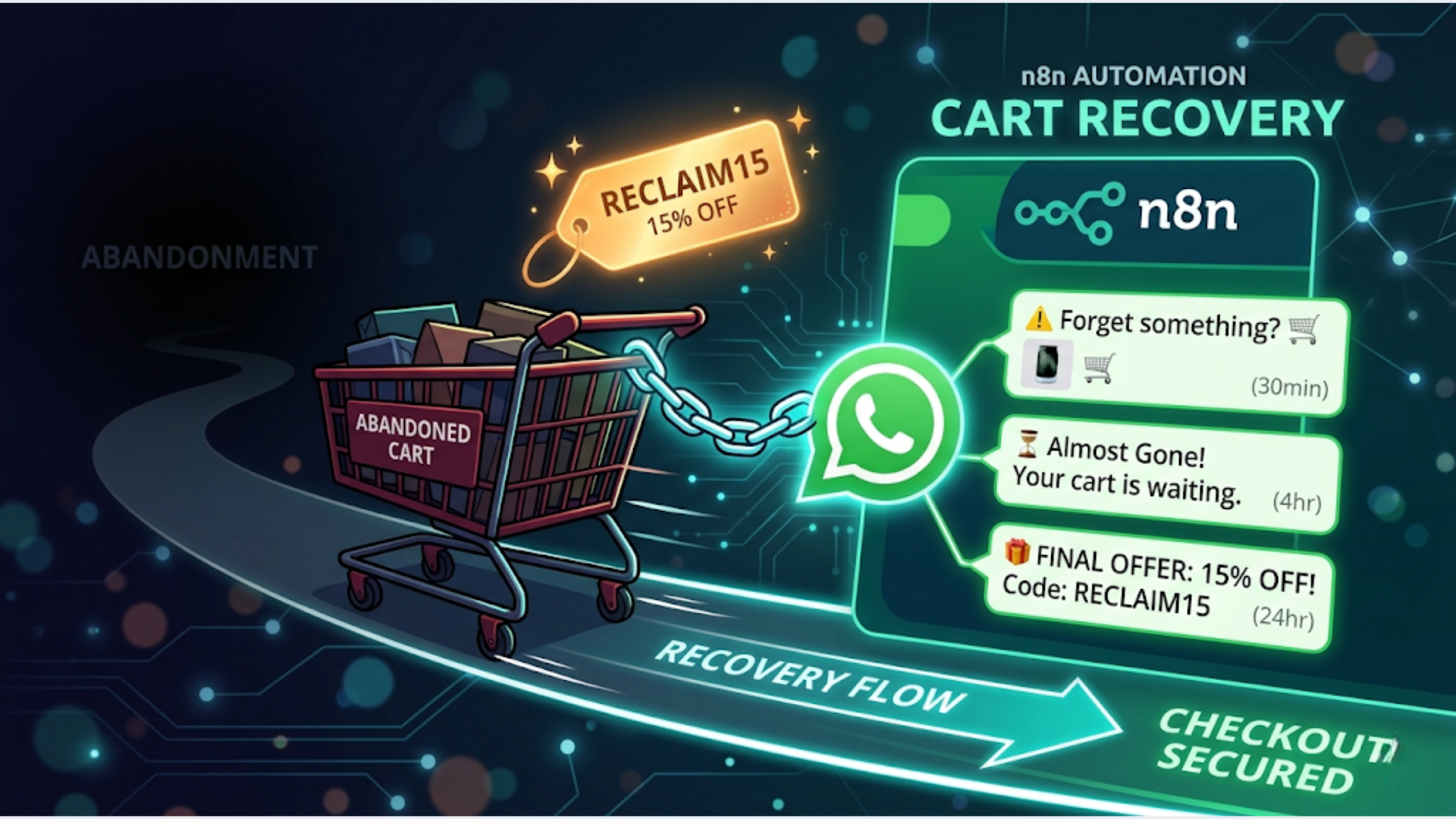
How to Automate Cart Abandonment Recovery with n8n + WhatsApp
Your abandoned cart emails are getting 5-8% recovery rates. WhatsApp messages recover 15-25%. That is not a marginal improvement. That is a different category of results.
I build these systems for e-commerce clients. The math is simple. If your store loses 200 carts a month at an average value of Rs 2,500, even a 15% WhatsApp recovery rate brings back Rs 75,000/month. The automation costs maybe Rs 3,000/month to run.
This guide walks through building a complete cart abandonment recovery flow using Shopify webhooks, n8n for orchestration, and WATI for WhatsApp delivery. Three messages, timed correctly, with escalating incentives.
Why WhatsApp Beats Email for Cart Recovery
Email open rates for abandoned cart campaigns hover around 40-45%. Sounds decent until you realize click-through rates drop to 8-10%, and actual recovery sits at 5-8% of abandoned carts.
WhatsApp flips the numbers.
Open rates hit 95-98%. People read WhatsApp messages within 3 minutes on average. Recovery rates land between 15-25% depending on your offer and timing.
The reason is obvious. Email competes with 50 other unread messages. WhatsApp competes with messages from friends and family. It feels personal. It gets attention.
In India specifically, WhatsApp is the default communication channel. Your customers already use it to talk to businesses. They expect it. An abandoned cart message on WhatsApp feels natural. The same message via email feels like spam.
There are rules, though. WhatsApp Business API requires pre-approved message templates. You cannot send freeform marketing messages. This is actually a good thing. It forces you to be concise and clear, which improves conversion anyway.
The Architecture: Shopify to n8n to WATI
Here is the complete flow:
- Customer abandons cart on Shopify
- Shopify fires a webhook to n8n
- n8n waits 30 minutes (first delay)
- n8n checks if the customer already completed the purchase
- If still abandoned, n8n sends message #1 via WATI
- n8n waits 4 hours
- n8n checks again, sends message #2 if still abandoned
- n8n waits 24 hours
- Final check, sends message #3 with a discount code
Three touchpoints. Three escalating urgency levels. Automatic exit if the customer converts at any point.
What you need:
- Shopify store (any plan)
- n8n instance (self-hosted or cloud)
- WATI account with WhatsApp Business API access
- Pre-approved WhatsApp message templates (3 templates)
- A way to generate unique discount codes (Shopify API or a pre-generated pool)
Step 1: Configure the Shopify Webhook
Go to your Shopify admin. Navigate to Settings, then Notifications, then Webhooks. Create a new webhook.
Event: Checkouts > Checkout creation Format: JSON URL: Your n8n webhook URL (you will create this in the next step)
Shopify does not have a dedicated “cart abandoned” event. It fires on checkout creation instead. You use n8n’s delay nodes to determine if the checkout was abandoned or completed.
In n8n, create a new workflow. Add a Webhook node as the trigger.
Set the HTTP method to POST. Copy the webhook URL and paste it into Shopify’s webhook configuration. Save both.
Test by starting a checkout on your store without completing it. You should see the webhook payload arrive in n8n within a few seconds.
The payload includes everything you need: customer email, phone number (if provided), cart items, cart total, and a checkout token you can use to check completion status later.
Important for India: Make sure your checkout flow collects the phone number. Many Indian Shopify stores have phone as a required field already. If yours does not, add it. You cannot send WhatsApp messages without a phone number.
Extract these fields using a Set node in n8n:
customer_phone(format to E.164: +91XXXXXXXXXX for India)customer_name(first name)cart_total(formatted with currency)cart_items(product names, truncated to top 2-3)checkout_token(for completion checks)checkout_url(the recovery link)
Phone number formatting matters. WATI expects E.164 format. Indian numbers need +91 prefix with no spaces. Build a simple Function node to clean and format the number.
Step 2: Build the Three-Message Delay Sequence
This is where most abandoned cart automations fail. They either send too early (customer is still browsing), too late (customer forgot and moved on), or do not check if the purchase was already completed.
Message #1: The Gentle Reminder (30 minutes after abandonment)
Add a Wait node after your data extraction. Set the delay to 30 minutes.
After the wait, add an HTTP Request node to check if the checkout was completed. Hit the Shopify Admin API:
GET /admin/api/2024-01/checkouts/{checkout_token}.jsonCheck the completed_at field. If it is not null, the customer already bought. Stop the workflow. Use an IF node to branch: completed goes to a “No Action” node, still abandoned continues to the WATI send.
For the WATI integration, use an HTTP Request node:
POST https://live-server-{id}.wati.io/api/v1/sendTemplateMessageHeaders:
Authorization: Bearer YOUR_WATI_API_KEYContent-Type: application/json
Body:
{
  "template_name": "cart_reminder_gentle",
  "broadcast_name": "cart_recovery",
  "parameters": [
    {"name": "customer_name", "value": "{{customer_name}}"},
    {"name": "product_names", "value": "{{cart_items}}"},
    {"name": "checkout_url", "value": "{{checkout_url}}"}
  ]
}
Your WhatsApp template for message #1 should be something like:
“Hi {{customer_name}}, you left some items in your cart: {{product_names}}. Your cart is saved and ready when you are. Complete your order here: {{checkout_url}}”
No discount. No urgency. Just a helpful reminder.
Message #2: The Urgency Nudge (4 hours after abandonment)
Add another Wait node. 3.5 hours this time (4 hours total from abandonment, minus the 30 minutes already elapsed).
Same checkout completion check. Same IF branch. If still abandoned, send template #2:
“Hi {{customer_name}}, your cart with {{product_names}} is still waiting. Items are selling fast and we cannot guarantee stock. Complete your purchase: {{checkout_url}}”
Light urgency. Stock scarcity. Still no discount.
Message #3: The Discount Offer (24 hours after abandonment)
Add a Wait node for 20 hours (24 hours total).
Same checkout check. If still abandoned, this is your final attempt. This one includes a discount.
Before sending, generate a unique discount code. You have two options:
Option A: Pre-generate a pool of single-use codes in Shopify and store them in a Google Sheet. n8n pulls the next unused code, marks it as used.
Option B: Use the Shopify Admin API to create a discount code on the fly:
POST /admin/api/2024-01/price_rules/{price_rule_id}/discount_codes.jsonOption A is simpler and does not require additional Shopify API permissions. I recommend it for most stores.
Template #3: “Hi {{customer_name}}, we noticed you did not complete your order. Here is 10% off with code {{discount_code}}. Valid for 48 hours. Complete your order: {{checkout_url}}”
10% is the sweet spot for most stores. High enough to nudge action, low enough to protect margins. Some stores go 15% for carts above a certain value. Test what works for your audience.
Step 3: Handle Edge Cases That Break Automations
Every cart recovery system looks clean in a demo. Production is different. Here are the edge cases I see break these flows:
Duplicate webhooks. Shopify sometimes fires the checkout creation webhook more than once for the same checkout. Add a deduplication check. Use n8n’s Function node to check if you have already processed this checkout token (store processed tokens in a Google Sheet or database).
Invalid phone numbers. Not every checkout includes a valid phone number. Add a validation step. Check that the phone number matches E.164 format and has the right number of digits. If invalid, skip WhatsApp and fall back to email.
Customer opts out. WATI handles opt-out management, but you need to respect it in your flow. Before sending, check the WATI API for the contact’s opt-in status. If they have opted out, do not send.
Rate limits. WATI has API rate limits. If you are processing hundreds of abandoned carts per hour, batch your sends. n8n’s SplitInBatches node handles this. Process 10 at a time with a 1-second delay between batches.
Currency formatting. For Indian stores, format cart totals with the Rs symbol and Indian number formatting (1,00,000 not 100,000). Small detail, but it affects trust.
Timezone considerations. Do not send WhatsApp messages at 3 AM. Add a time check before each send. If it is between 10 PM and 8 AM in the customer’s timezone (IST for most Indian stores), delay until 9 AM.
Step 4: WhatsApp Template Approval Process
This trips up most people. You cannot just send any message through WhatsApp Business API. Every template needs Meta’s approval.
Submit your three templates through WATI’s dashboard. Here are tips for getting approved on the first attempt:
- Use the “utility” category, not “marketing.” Recovery messages tied to a specific customer action qualify as utility.
- Keep the language straightforward. No ALL CAPS, no excessive exclamation marks.
- Include a clear opt-out instruction or rely on WATI’s built-in opt-out handling.
- Do not include multiple CTAs. One link per template.
Approval usually takes 24-48 hours. Occasionally Meta rejects a template for vague reasons. If rejected, simplify the language and resubmit. Avoid words like “free”, “offer”, or “limited time” in the first template. Save promotional language for the discount template.
For Indian businesses, submit templates in English and Hindi if your customer base uses both. WATI supports multiple language variants per template.
Benchmarks: What Recovery Rates to Expect
Based on the systems I build, here is what realistic recovery numbers look like:
| Metric | Email Only | WhatsApp Only | Email + WhatsApp |
|---|---|---|---|
| Open Rate | 40-45% | 95-98% | Combined reach |
| Click-Through Rate | 8-10% | 25-35% | Higher overall |
| Recovery Rate | 5-8% | 15-25% | 20-30% |
| Average Time to Convert | 12-24 hours | 1-4 hours | Faster |
| Cost per Recovery | Rs 5-15 | Rs 15-30 | Rs 20-40 |
WhatsApp costs more per message than email. But cost per recovery is what matters, and WhatsApp wins because the conversion rate is so much higher.
The three-message sequence matters too. Here is the typical breakdown:
- Message #1 (30 min): Recovers 40-50% of total recoveries
- Message #2 (4 hours): Recovers 25-30%
- Message #3 (24 hours with discount): Recovers 20-25%
Skipping any message reduces total recovery. The discount message alone does not work as well as the full sequence. The earlier messages warm the customer up.
For Indian e-commerce, WhatsApp recovery rates tend to be on the higher end because of WhatsApp’s dominance as a communication channel. I have seen stores in the fashion and beauty category hit 25%+ recovery rates consistently.
Cost and Scaling Considerations
The running cost of this system is low:
- n8n: Free if self-hosted, or $20/month on n8n cloud for small stores
- WATI: Starts at Rs 2,499/month. Per-message costs vary by volume (roughly Rs 0.50-1.50 per message for utility templates in India)
- Shopify: No additional cost (webhooks are included in all plans)
For a store with 500 abandoned carts per month, you are sending roughly 1,000-1,200 messages (not all carts reach message #3). That is maybe Rs 1,500 in messaging costs. If you recover even 75 carts at Rs 2,000 average value, that is Rs 1,50,000 in recovered revenue.
The ROI is not subtle.
Scaling is straightforward. n8n handles concurrent workflows well. The bottleneck is usually WATI’s rate limits, not n8n’s processing capacity. For stores with 2,000+ abandoned carts per month, consider upgrading to WATI’s growth plan for higher rate limits and dedicated support.
FAQ
Can I use this with WooCommerce instead of Shopify? Yes. WooCommerce has webhook support for order status changes. The n8n workflow is nearly identical. The only difference is the webhook payload structure and the API calls for checking order completion. WooCommerce’s REST API works well for this.
Do I need WATI, or can I use another WhatsApp provider? WATI is popular in India because of pricing and Hindi language support. Alternatives include Twilio (more expensive, better global coverage), Gupshup (competitive Indian pricing), and Yellow.ai. The n8n workflow stays the same. Only the API endpoint and authentication change.
Is this legal under Indian data protection rules? The Digital Personal Data Protection Act (DPDPA) requires consent for marketing communications. Cart recovery messages to customers who initiated a checkout generally fall under “legitimate interest” or transactional communication. But you should have clear opt-in during checkout. Consult a legal advisor for your specific case.
What if the customer does not have WhatsApp? Rare in India, but it happens. Build a fallback. If WATI returns an error (number not on WhatsApp), trigger an email sequence instead. n8n’s Error Trigger node handles this cleanly.
Should I offer free shipping instead of a percentage discount? Test both. For Indian e-commerce, free shipping often converts better than 10% off because shipping costs feel like a penalty. If your average cart value is below Rs 1,000, free shipping usually wins. Above Rs 3,000, percentage discounts tend to work better.
Can I add images or product photos to the WhatsApp messages? Yes. WATI supports media templates. You can include a product image in your template. Meta needs to approve the template with the media placeholder. Product images in recovery messages typically increase click-through rates by 10-15%.
How do I track which recoveries came from WhatsApp vs email?
Use UTM parameters on your checkout URLs. Tag WhatsApp links with utm_source=whatsapp&utm_medium=cart_recovery&utm_campaign=msg1 (or msg2, msg3). Your analytics will show exactly which channel and which message drove each recovery.
Building cart recovery systems is one of the highest-ROI automation projects for any e-commerce store. If you want a custom implementation for your store, check out triggerAll’s automation services.
Need help implementing this?
Book a free 30-minute discovery call. We'll map your current setup, identify quick wins, and outline what automation can do for your business.
Book a Free Discovery Call